What Is SaaS? Meaning, Types and Examples for Singapore Businesses (2026)
- 1 What Is SaaS? Meaning, Types and Examples for Singapore Businesses (2026)
- 1.1 Key Takeaways
- 1.2 What Is SaaS?
- 1.3 How Does SaaS Work?
- 1.4 SaaS vs PaaS vs IaaS: What's the Difference?
- 1.5 What Are the Different Types of SaaS?
- 1.6 What Are Some Examples of SaaS?
- 1.7 What Are the Benefits of SaaS for Businesses?
- 1.8 What Are the Pros and Cons of SaaS?
- 1.9 SaaS vs Traditional Software: What's the Difference?
- 1.10 Is SaaS Secure? Security and PDPA for Singapore Businesses
- 1.11 How Does SaaS Pricing Work?
- 1.12 Why Is SaaS Useful for Singapore Businesses?
- 1.13 How to Choose the Right SaaS Software
- 1.14 How to Roll Out a New SaaS Tool Without Chaos
- 1.15 SaaS Trends Worth Watching in 2026
- 1.16 When Should a Singapore Business Consider Custom SaaS Development?
- 1.17 Should You Buy SaaS or Build Custom SaaS?
- 1.18 How Much Does SaaS Development Cost in Singapore?
- 1.19 How to Choose a SaaS Development Company in Singapore
- 1.20 How We Approach SaaS Builds
- 1.21 Build a Custom SaaS Solution for Your Singapore Business
- 1.22 Quick Glossary
- 1.23 Frequently Asked Questions About SaaS
- 1.23.1 What Is SaaS in Simple Terms?
- 1.23.2 What Does SaaS Stand For?
- 1.23.3 What Is SaaS Software?
- 1.23.4 How Does SaaS Work?
- 1.23.5 What Are the Main Types of SaaS?
- 1.23.6 What Are Some Examples of SaaS?
- 1.23.7 What Is a SaaS Application?
- 1.23.8 What Is a SaaS Platform?
- 1.23.9 What Is the Difference Between SaaS, PaaS and IaaS?
- 1.23.10 Is SaaS the Same as Cloud Computing?
- 1.23.11 What Are the Benefits of SaaS?
- 1.23.12 What Is the Difference Between SaaS and Traditional Software?
- 1.23.13 How Does SaaS Pricing Work?
- 1.23.14 Is SaaS Secure?
- 1.23.15 Do Singapore Businesses Need to Think About the PDPA When Using SaaS?
- 1.23.16 Is SaaS Suitable for Small Businesses?
- 1.23.17 Is SaaS Suitable for Singapore SMEs?
- 1.23.18 What Happens to My Data If I Cancel a SaaS Subscription?
- 1.23.19 When Should a Business Build Custom SaaS?
- 1.23.20 How Much Does SaaS Development Cost in Singapore?
- 1.24 What Is SaaS? Key Takeaways for Singapore Businesses
- 1.25 Related Reading from Inno Panda
- 1.26 Have a SaaS Requirement That Off-the-Shelf Software Can't Handle?
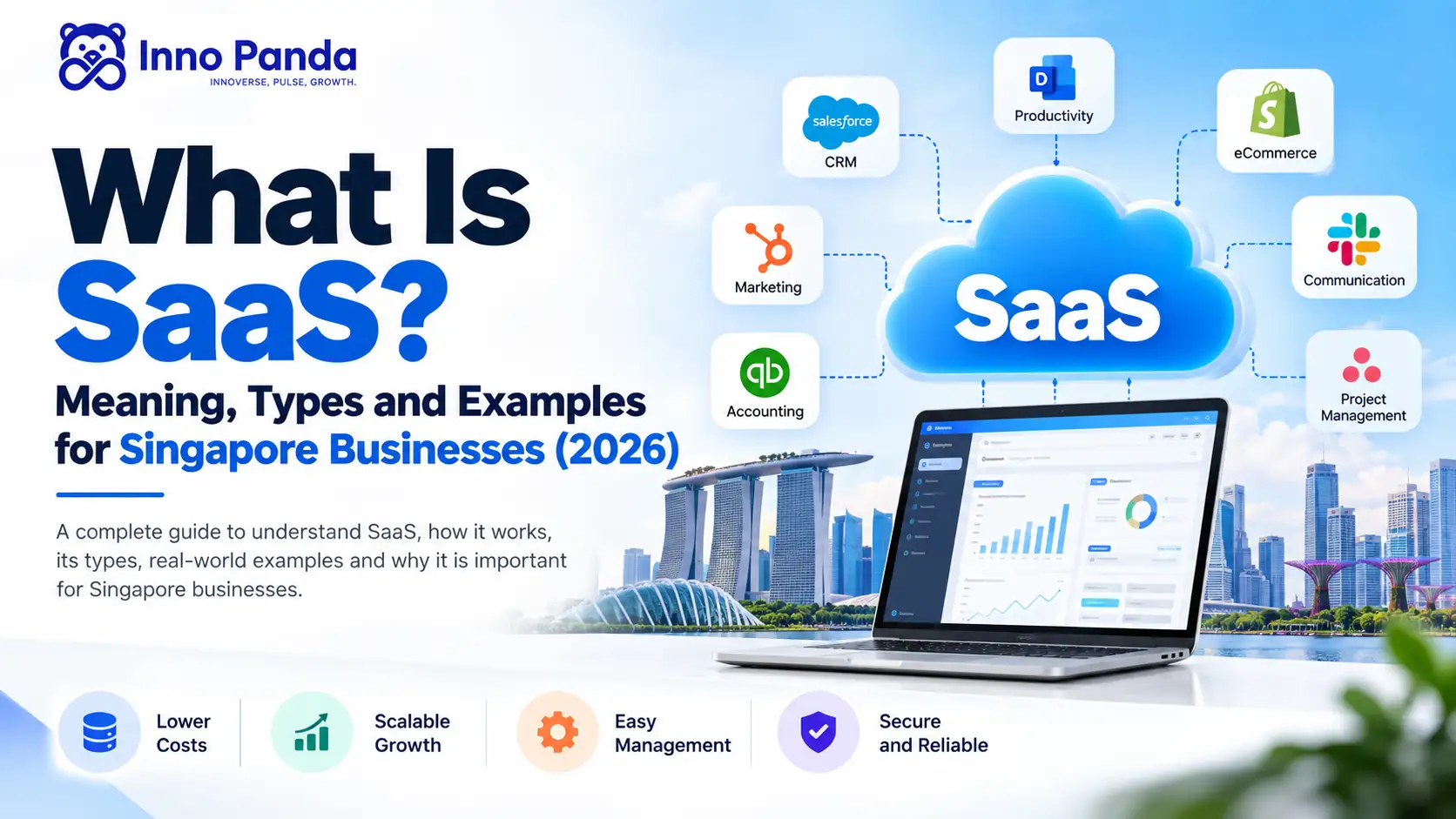
SaaS stands for Software as a Service. It's software you use over the internet instead of installing and looking after yourself. This guide explains what SaaS means in plain English, how it works, how it differs from PaaS and IaaS, real examples, pricing, security and the PDPA. It also shows how Singapore businesses can pick the right tool, or decide to build their own.
Key Takeaways
- SaaS (Software as a Service) is software you use over the internet. The provider hosts it, updates it and keeps it running. You just log in.
- Most SaaS is paid by subscription, but per-user, tiered and usage-based pricing all exist.
- SaaS, PaaS and IaaS are three different cloud service models. SaaS is the finished product you use. The other two are for building.
- Familiar examples include Salesforce, Xero, Slack, Shopify and Microsoft 365. They're examples only, not endorsements.
- In Singapore, your business stays responsible under the PDPA for personal data, even when a SaaS vendor stores it for you.
- Judge a SaaS tool on security, integrations, exit terms and its cost over three years, not just the monthly price.
- If nothing off the shelf fits your workflow, or you want to sell software of your own, custom SaaS is worth a proper look.
SaaS, short for Software as a Service, is software you use over the internet instead of installing it yourself. The provider hosts it, updates it and keeps it running. You open it in a browser or app and get on with your work. CRM, accounting, project management, messaging and online shop tools are all common examples.
We build and run SaaS products ourselves, so this guide covers the parts buyers often miss: security checks, PDPA basics, hidden costs and how to leave a vendor cleanly. It's written for business owners, operations leads and founders in Singapore, in plain language. No jargon without an explanation.
What Is SaaS?
SaaS is software delivered as an online service. You don't buy it once and install it. You subscribe, log in and use it, while the provider looks after the servers, security and updates.
You almost certainly use SaaS already. Opening Gmail, joining a Zoom call or sending an invoice from Xero all count. There's nothing to install on a server, no disks to post around and no upgrade weekends.
A simple way to picture it is renting a furnished flat instead of buying and furnishing your own. You pay, move in and get on with life. If the tap leaks, the landlord fixes it. With SaaS, the provider fixes the tap.
A Quick Test: Is It Really SaaS?
- You use it through a web browser or an app
- The provider hosts it and looks after the servers
- You pay a subscription or usage fee, rather than a one-off licence
- New features and fixes arrive automatically, with nothing to install
If it ticks the first two, it's almost certainly SaaS. The payment part is usual but not universal, because some SaaS tools are free or have free tiers.
A simple example: instead of installing accounting software on every office computer, a business logs into an online accounting tool. The provider handles the servers, backups and updates. The finance team just does the books.
What Does SaaS Stand For?
S: Software
The application people actually use.
a: as a
Delivered as an ongoing service, not a one-time product.
S: Service
The provider runs and maintains it for you.
People say "sass" out loud. You'll also hear it called cloud software, web-based software or online software. They all point at the same idea.
How Does SaaS Work?
The provider builds the software and runs it in the cloud. You log in online. One shared system serves many customers, and each customer's data stays separate. The provider handles updates, security and hosting.
- The provider builds the software. That means the app itself and the systems that keep it running.
- It's hosted in the cloud. It runs on servers the provider manages, not on hardware you own.
- You log in online. You use a browser, a mobile app or another supported interface.
- Updates roll out centrally. Everyone is on the same version, so there's no patching on your side.
- Your data is stored and processed. How, and where, depends on the provider's setup and policies.
- You pay under the chosen model. That could be per user, by plan, by usage or on a custom quote.
What Is Multi-Tenancy?
Most SaaS products are "multi-tenant". Many customers share one system, like tenants in one building, but each has a locked door. Your data is kept separate from everyone else's. It's a big reason SaaS can be affordable, because the provider runs one platform instead of thousands of separate copies. It's also why data separation is a serious design job for anyone building SaaS.
Where Do APIs Come In?
An API is a set of rules that lets two systems talk to each other. Good SaaS tools have them, so your CRM can pass an order to your accounting tool without anyone retyping it. If you use several tools, the quality of these links matters a lot. Our API development and system integration pages show what that work looks like in practice.
What Happens When It Goes Down?
Outages happen, even to big vendors. Look for a service level agreement (SLA). That's a written promise about uptime, such as 99.9%, and what the vendor does if it misses it. It won't stop an outage, but it tells you how seriously the vendor takes reliability.
SaaS vs PaaS vs IaaS: What's the Difference?
IaaS rents you raw computing power. PaaS gives developers a ready-made place to build and run apps. SaaS gives you the finished software. The closer to SaaS, the less you manage yourself.
| Model | What you get | What you manage | Typical user | Examples |
|---|---|---|---|---|
| IaaS (Infrastructure as a Service) | Servers, storage and networking, rented online | Operating system, apps, data and security settings | IT teams and engineers | Amazon Web Services, Google Cloud, Microsoft Azure (their raw computing services) |
| PaaS (Platform as a Service) | A ready environment to build and run apps | Your code and data | Developers | Heroku, Google App Engine, Azure App Service |
| SaaS (Software as a Service) | Finished software, ready to use | Your settings, users and data | Everyday business users | Salesforce, Xero, Slack, Shopify |
Think of a kitchen. IaaS is renting an empty kitchen. PaaS is a kitchen with the tools and ingredients, and you do the cooking. SaaS is a restaurant. You just sit down and eat.
Is SaaS the Same as Cloud Computing?
Not quite. Cloud computing is the big idea of using computing resources over the internet. SaaS, PaaS and IaaS are three ways of delivering it. Every SaaS product runs in the cloud, but plenty of cloud services aren't SaaS.
SaaS Product, SaaS Application and SaaS Platform
People use these words loosely, but there's a useful difference.
SaaS Product
The whole offering a company sells, including the software, support and pricing.
SaaS Application
One cloud tool that does one job, like invoicing or project tracking.
SaaS Platform
A broader system with several modules, user roles, APIs and integrations, often open to other tools.
What Are the Different Types of SaaS?
Horizontal SaaS
Serves many industries at once. Think CRM, accounting, project management or email marketing.
Vertical SaaS
Built for one industry, such as healthcare, logistics, real estate, retail or finance, with that industry's rules built in.
B2B SaaS
Sold to businesses. Buyers care about integrations, security and support.
B2C SaaS
Sold to individuals, like personal finance, learning or photo tools. Ease of use comes first.
Enterprise SaaS
For large organisations with many users, strict governance and complex approval needs.
AI-Powered SaaS
AI is built into the core workflow, such as drafting, summarising, forecasting or automating tasks.
Micro SaaS
A small product that solves one narrow problem well. Our guide on what micro SaaS is goes deeper.
If you're buying, you'll mostly meet horizontal and vertical SaaS. Horizontal tools are cheaper and easier to find. Vertical tools cost more but often save time because they already know your industry's habits.
What Are Some Examples of SaaS?
Here are common categories, with well-known names you might recognise. These are examples of what's out there. They aren't rankings or recommendations, and the right choice depends on your business.
| Category | What it helps with | Well-known examples |
|---|---|---|
| CRM | Tracking leads, deals and customer conversations | Salesforce, HubSpot, Zoho CRM |
| Accounting | Invoicing, expenses and reporting | Xero, QuickBooks |
| Project management | Tasks, deadlines and team visibility | Asana, Trello, monday.com |
| Communication | Chat, calls and video meetings | Slack, Zoom, Microsoft Teams |
| Marketing | Email campaigns, forms and analytics | Mailchimp, HubSpot |
| Ecommerce | Online stores, orders and payments | Shopify |
| Office and storage | Documents, email and file sharing | Google Workspace, Microsoft 365, Dropbox, Notion |
| Design | Graphics, presentations and social posts | Canva |
| AI assistants | Writing, research, coding help and automation | ChatGPT, Claude, Gemini |
SaaS We Build and Run Ourselves
We don't only write about SaaS. Inno Panda builds and operates its own products too. SyncingAbout is our multichannel inventory platform, which keeps stock and orders in step across marketplaces and online stores. We also build a gym management platform with a mobile app, a white-label cash flow SaaS and staff tracking software. Running products like these is why we talk about billing, data separation and support so often. They're the parts that decide whether a SaaS product survives real customers.
If you sell on several channels, our guides to ecommerce automation and the multi-channel business setup show how SaaS can replace a pile of spreadsheets.
What Are the Benefits of SaaS for Businesses?
Lower Upfront Costs
No servers to buy and no big licence fee to start.
Fast Setup
Sign up and start using it, often within a day.
Easy Scaling
Add users or usage without a hardware project.
Automatic Updates
New features and security fixes arrive without anyone installing them.
Access From Anywhere
Work from the office, home or a client's site with an internet connection.
Simpler Teamwork
Everyone sees the same live data, not five versions of a file.
Less IT Maintenance
Less time on servers and patches, more time on the business.
More Predictable Costs
A known monthly or yearly bill instead of a large one-off spend.
What Are the Pros and Cons of SaaS?
SaaS isn't better than traditional software in every case. It's worth being honest about where it fits and where it doesn't.
Advantages
Accessibility, scalability, automatic updates, quick deployment, easy teamwork and infrastructure the provider manages for you.
Disadvantages
Ongoing fees, reliance on the internet, limited customisation, vendor lock-in and less control over where and how your data is handled.
The Downsides People Don't Talk About Enough
- Seat creep. Per-user pricing feels cheap at five users and painful at fifty.
- Price rises at renewal. Many contracts let vendors raise prices when the term ends.
- Changes you didn't ask for. The vendor decides the roadmap. A feature you rely on can change or disappear.
- Outages you can't fix. When it's down, you wait. All you can do is contact support.
- Data that's hard to take with you. Some tools make exporting painful, which makes leaving expensive.
- Tool sprawl. Teams sign up for their own tools, and soon nobody knows what the company pays for.
SaaS tends to fit well when your needs are fairly standard and speed matters. It fits less well when your workflows are unusual, or when control over your data and customisation matters more than convenience.
SaaS vs Traditional Software: What's the Difference?
| Factor | SaaS | Traditional / On-Premise Software |
|---|---|---|
| Deployment | Generally cloud-hosted | Often installed locally or on your own servers |
| Access | Any internet-connected device | Usually tied to specific devices or networks |
| Updates | Usually handled by the provider | Often handled by your IT team |
| Infrastructure | Provider-managed | Customer-managed |
| Pricing | Often recurring | Often an upfront licence plus support fees |
| Scalability | Generally easier to scale | May need extra hardware |
| Data location | Set by the provider, sometimes with choices | Under your control |
| Customisation | Depends on the product | Can offer more control in some setups |
On-premise software still makes sense in a few cases, such as strict data rules or systems that must run without internet. For most day-to-day business tools, though, SaaS is now the default.
Is SaaS Secure? Security and PDPA for Singapore Businesses
SaaS can be very secure, but it isn't automatic. It depends on the provider's setup and on how your team uses it. Ask questions before you sign up, not after something goes wrong.
Security Checks Worth Making
- Is data encrypted while it travels and while it's stored?
- Can you set user roles, and does it support single sign-on and multi-factor login?
- Are backups taken regularly, and how quickly can they be restored?
- Does the vendor hold independent certifications such as ISO 27001 or SOC 2 reports? Some also hold Singapore's MTCS cloud standard.
- Where is your data stored, and can you choose the region?
- How and when will the vendor tell you about a security incident?
- Which sub-processors or outside companies can touch your data?
Security is shared. The vendor protects the platform, but you still choose passwords, decide who gets access and remove ex-staff. Most SaaS incidents we hear about involve weak passwords or forgotten accounts, not clever hackers.
SaaS and Singapore's PDPA
The Personal Data Protection Act (PDPA) applies when your business collects, uses or discloses personal data. Using a SaaS tool doesn't hand that responsibility over. If a vendor stores customer details for you, you're still accountable for them. The vendor usually counts as a "data intermediary", which has its own duties too.
- Protection: keep personal data secure with sensible safeguards.
- Retention: don't keep data longer than you need it.
- Transfer: if data leaves Singapore, make sure it's protected to a comparable standard.
- Breach notification: a notifiable breach must be reported to the PDPC, generally within three calendar days of assessing it.
Penalties can be serious. The PDPC can fine organisations up to S$1 million, or 10% of annual turnover in Singapore for larger companies, whichever is higher. This is general information, not legal advice. Check the PDPC's guidance or speak to a lawyer about your own setup.
How Does SaaS Pricing Work?
Per-User Pricing
Cost grows with each person who needs access.
Tiered Pricing
Bundles of features at different price points.
Usage-Based Pricing
You pay for what you use, such as orders, messages or storage.
Feature-Based Pricing
You pay only for the modules you need.
Freemium
A free plan, with paid upgrades for more power.
Enterprise / Custom Pricing
A negotiated quote for larger, complex needs.
Costs That Don't Show Up on the Pricing Page
- Setup, onboarding or data migration fees
- Paid add-ons for features you assumed were included
- Extra charges for storage, API calls or premium support
- Renewal price increases
- Billing in US dollars, which means exchange-rate swings
- GST, which may apply. Ask your accountant how it's treated for your business.
Here's why per-user pricing catches people out. Say a tool costs S$20 per user per month. That's a made-up figure, just to show the shape. With 10 users, you pay S$2,400 a year. With 40 users, you pay S$9,600. Add a price rise and a couple of add-ons, and the bill grows faster than the team does. Always work out the cost over three years, not one month.
What you pay to use SaaS is different from what it costs to build a SaaS product. We cover the second one further down.
Why Is SaaS Useful for Singapore Businesses?
SaaS for Singapore SMEs
Small IT teams get the most from provider-managed tools. You get professional software without hiring someone to run servers. Just keep an eye on per-user costs as you grow.
SaaS for Singapore Startups
Lean teams can test ideas quickly and scale what works. You can be running on proper tools in days instead of months.
SaaS for Singapore Ecommerce Businesses
If you sell on your own site and on marketplaces, stock and orders get messy fast. Cloud tools can connect inventory, orders, customer data and reporting, so you aren't updating five systems by hand. Our ecommerce automation page explains how that works across Shopify, Lazada, Shopee and similar channels.
SaaS for Professional Services
CRM, project tracking, time recording and accounting tools cover most of what a services firm needs. For repetitive admin, business process automation and CRM automation can take work off your team's plate.
SaaS for Growing Enterprises
As you grow, integrations, user management, reporting and access controls matter more. Mature SaaS platforms are built for that, though you'll want to test how they behave at your size.
Grants and Funding for Digital Tools
Enterprise Singapore is replacing the EDG, PSG and MRA grants with a single EDGE grant, with new applications moving across from 30 September 2026. Rules, funding levels and what counts as eligible can change, and a subscription and a custom build may be treated differently. Check the Business Grants Portal for current terms before you build a budget around a grant. Our guide to customised software development in Singapore covers the funding side in more detail.
Selling Across Southeast Asia
Many Singapore businesses sell into Malaysia, Indonesia, Vietnam and the Philippines. If that's you, check whether your SaaS supports multiple currencies, languages and local payment methods. Payments are often where regional plans get stuck, so our payment gateway integration page is a useful next read.
How to Choose the Right SaaS Software
- The business problem you actually need it to solve
- Features and how easy it is to use day to day
- Integrations with the tools you already have
- How well it scales as your team grows
- Security practices and certifications
- Where data is stored and how long it's kept
- Pricing, contract length and renewal terms
- Support quality and response times
- How you can export your data if you leave
- The vendor's track record and stability
A Simple Way to Test Before You Commit
- Write down your must-haves. Keep it to five or six things the tool absolutely has to do.
- Shortlist two or three tools. More than that and the comparison turns into homework.
- Trial with real work. Use a real project and real sample data, not the vendor's polished demo.
- Test the integrations. Connect it to the tools you use every day and see what breaks.
- Read the contract. Look at renewal terms, data export and cancellation rules before you pay.
Red Flags to Watch For
- Vague answers about where your data is stored
- No clear way to export your data
- Long lock-in contracts for a tool you haven't tested
- Support that only answers sales questions
- A blanket "we're fully compliant" claim with nothing to back it up
How to Roll Out a New SaaS Tool Without Chaos
Buying the tool is the easy bit. Getting people to use it well is where most of the value is won or lost.
- Name one owner. Someone should be responsible for settings, access and renewals.
- Clean your data first. Importing messy spreadsheets just moves the mess into a new place.
- Train on real tasks. A 20-minute walk-through of a daily job beats a long generic demo.
- Connect it to your other tools. Manual copy-and-paste defeats the point of buying software.
- Review usage every quarter. Remove unused seats and cancel tools nobody opens.
That last step is your defence against SaaS sprawl. Keep a simple list of every subscription, who owns it, what it costs and when it renews. It takes an hour and often pays for itself.
SaaS Trends Worth Watching in 2026
- AI built into everyday tools. Many vendors now add AI features. Ask what data those features use, and whether your data is used to train anything.
- New pricing models. Usage-based and add-on pricing are getting more common, so read the small print on AI features.
- Vertical SaaS. Industry-specific tools keep growing because they cut setup time.
- Consolidation. Many businesses are trimming overlapping tools and choosing platforms that connect well.
These are directions, not guarantees. Treat any vendor's claims about AI the same way you'd treat any other feature claim. Test it on your own work.
When Should a Singapore Business Consider Custom SaaS Development?
Consider custom SaaS when no existing product fits your workflow, when you need several unusual integrations, or when you want to build a software product of your own to sell.
Unique Workflows
Your processes don't map to any existing product.
Existing SaaS Doesn't Fit
You've tried the standard options and they fall short.
Multiple Custom Integrations
Your systems need to connect in ways off-the-shelf tools don't support.
Launching Your Own SaaS Product
You're building something to sell, not just to use inside your company.
Custom Automation Needs
Your workflows need automation logic specific to your business.
A Specialised Customer Experience
Your customers need something a generic template can't deliver.
If you do build, start small. A focused first version, often called an MVP, lets you test the idea with real users before you pay for every feature on the wish list. Billing and data separation between customers should go in early, because they're painful to retrofit. Our step-by-step guide on how to build a SaaS platform in 2026 walks through the process, and our SaaS development page shows how we approach it.
Should You Buy SaaS or Build Custom SaaS?
| Factor | Buy SaaS | Build Custom SaaS |
|---|---|---|
| Initial implementation | Usually faster | Usually longer |
| Customisation | Depends on the product | High potential |
| Control over features | Limited | Greater |
| Integrations | Depends on the vendor's APIs | Can be designed around your needs |
| Maintenance | Provider-managed | Your team or your development partner |
| Ownership | Vendor's product | Your own product |
| Long-term cost | Recurring fees that can grow with headcount | Higher upfront, plus hosting and maintenance |
Buy SaaS when a product already covers most of what you need, and the gap doesn't touch how you make money. Consider custom SaaS when your workflow, product idea or integration needs really are different. Our detailed comparison of custom software vs SaaS goes further into costs and trade-offs.
How Much Does SaaS Development Cost in Singapore?
There's no honest one-size-fits-all number. Cost follows the scope, and these are the things that move it most.
Product Complexity
How intricate the core functionality is.
Number of Features
More features mean more design and build time.
UI/UX Design
Custom, polished design takes longer than a template.
User Roles
Each permission level adds scope.
Integrations & APIs
Every connection is its own piece of work.
Security & Compliance
Stricter requirements raise the technical bar.
Hosting & Infrastructure
Cloud costs continue after launch.
Testing & Maintenance
QA before launch and support afterwards.
Team Tools
Modern coding assistants can trim routine work, though they don't replace planning.
If you're curious about the last point, we wrote about how AI coding assistants change software costs. The best way to get a real number is to scope your own project with a partner.
How to Choose a SaaS Development Company in Singapore
Check Technical Expertise
Real depth in the technologies your product needs.
Ask for Relevant Work
Have they built something comparable? Look at their portfolio and ask what they'd do differently.
Look at Their Process
A clear, repeatable way of working beats an improvised one.
Ask About Integrations
Genuine experience connecting to the systems you use.
Discuss Scalability and Security
These should be designed in from the start, not bolted on later.
Confirm Who Owns the Code
Get code and IP ownership in writing.
Understand Support After Launch
What happens once the product is live, and what it costs.
Get the Scope in Writing
What's included and what isn't, spelled out clearly, including the MVP and later versions.
How We Approach SaaS Builds
Since this guide leans on our own experience, here's what we actually do. It's a short list, and you can hold us to it.
- MVP first. We start with the smallest version that proves the idea, then grow it based on what users do.
- Data separation and billing early. These are foundations. Adding them late usually means rework.
- Plain-language decisions. If we make a technical choice, we explain why in words you don't need a developer to follow.
You can read more about the team on our About Us page, or browse recent SaaS & Platforms articles on our blog.
Build a Custom SaaS Solution for Your Singapore Business
Have a requirement that off-the-shelf software can't handle? Inno Panda helps Singapore businesses plan and build software around their workflows, integrations and growth. That includes custom SaaS development, custom software development, API development, AI automation and integration, payment gateway integration and system integration.
Quick Glossary
- SaaS (Software as a Service)
- Software used over the internet and hosted by the provider, rather than installed and maintained by the customer.
- IaaS (Infrastructure as a Service)
- Rented computing power, storage and networking that customers set up and manage themselves.
- PaaS (Platform as a Service)
- A ready-made environment where developers build and run applications without managing the underlying servers.
- Multi-Tenancy
- A setup where one SaaS application serves many customers, with each customer's data kept separate.
- SLA (Service Level Agreement)
- A written promise about service quality, such as uptime, and what happens if the vendor misses it.
- API (Application Programming Interface)
- A defined way for one piece of software to connect and share data with another.
- SSO (Single Sign-On)
- A way to use one login across several tools, which makes access easier to manage.
- Vendor Lock-In
- The difficulty of switching away from a provider once your processes and data are built around it.
- Freemium
- A pricing model with a free basic plan and paid upgrades for more features or usage.
- MVP (Minimum Viable Product)
- The smallest working version of a product, used to test an idea with real users.
- Micro SaaS
- A small SaaS product built to solve one specific problem well.
Frequently Asked Questions About SaaS
What Is SaaS in Simple Terms?
SaaS, or Software as a Service, is software you use over the internet instead of installing it yourself. The provider hosts it, updates it and keeps it running. You log in through a browser or app, and you usually pay a subscription.
What Does SaaS Stand For?
SaaS stands for Software as a Service. It means software delivered as an ongoing, provider-managed service, rather than a product you buy once and install on your own computers or servers.
What Is SaaS Software?
SaaS software is any application delivered over the internet, hosted and maintained by the provider. Users open it in a browser or app. Accounting tools, CRMs, video meeting apps and online design tools are all common examples.
How Does SaaS Work?
A provider builds the software and hosts it in the cloud. Customers log in online, and one shared system serves many accounts while keeping each customer's data separate. The provider handles updates, security and infrastructure, and customers pay by subscription or usage.
What Are the Main Types of SaaS?
The common types are horizontal SaaS for many industries, vertical SaaS for one industry, B2B and B2C SaaS by audience, enterprise SaaS for large organisations, AI-powered SaaS, and micro SaaS that solves one narrow problem.
What Are Some Examples of SaaS?
Well-known examples include Salesforce and HubSpot for CRM, Xero and QuickBooks for accounting, Slack and Zoom for communication, Shopify for online stores, Canva for design and Microsoft 365 for office work. These are examples, not recommendations.
What Is a SaaS Application?
A SaaS application is one cloud-hosted tool that does a specific job, such as invoicing, project tracking or email marketing. You use it through a browser or mobile app and don't install or maintain any server software.
What Is a SaaS Platform?
A SaaS platform is broader than one app. It usually combines several modules, user management, APIs, integrations and reporting in one connected system, and often lets other tools or developers plug into it.
What Is the Difference Between SaaS, PaaS and IaaS?
They are three cloud service models. IaaS rents you raw computing power, PaaS gives developers a ready environment to build and run apps, and SaaS gives you finished software to use. The closer you get to SaaS, the less you manage yourself.
Is SaaS the Same as Cloud Computing?
Not quite. Cloud computing is the wider idea of using computing resources over the internet. SaaS is one way of delivering it, alongside IaaS and PaaS. Every SaaS product runs in the cloud, but not everything in the cloud is SaaS.
What Are the Benefits of SaaS?
SaaS usually means lower upfront costs, faster setup, easy scaling, automatic updates, access from anywhere, simpler teamwork and more predictable spending than installed software. The trade-offs are ongoing fees, less control and reliance on the vendor.
What Is the Difference Between SaaS and Traditional Software?
SaaS is generally cloud-hosted, accessed over the internet, managed by the provider and paid for on a recurring basis. Traditional software is often installed locally, looked after by your own IT team and bought with an upfront licence.
How Does SaaS Pricing Work?
Common models include per-user pricing, tiered plans, usage-based billing, feature-based pricing, freemium tiers and custom enterprise quotes. Look past the monthly price, because add-ons, extra users and renewal increases can change what you really pay.
Is SaaS Secure?
It can be very secure, but it depends on the provider and on how you use it. Look for encryption, access controls, backups, clear breach notification and independent certifications such as ISO 27001 or SOC 2. Strong passwords and multi-factor login on your side matter too.
Do Singapore Businesses Need to Think About the PDPA When Using SaaS?
Yes. Under Singapore's PDPA, your organisation stays responsible for the personal data it collects, even when a SaaS vendor stores or processes it for you. Check where the data is held, how it is protected, how long it is kept and how the vendor reports a breach.
Is SaaS Suitable for Small Businesses?
Often, yes. SaaS avoids big upfront infrastructure costs, and a small team can use professional tools without a dedicated IT person to host and maintain them. Just watch per-user costs as the team grows.
Is SaaS Suitable for Singapore SMEs?
Yes, particularly for SMEs with small IT teams that want provider-managed infrastructure, scalable tools and predictable costs. It's still worth checking data protection, integrations and vendor reliability before you commit.
What Happens to My Data If I Cancel a SaaS Subscription?
It depends on the contract. Some vendors let you export your data and then delete it after a set period. Others make export hard or keep data longer than you'd expect. Check export formats, deletion timelines and any fees before you sign up, not when you leave.
When Should a Business Build Custom SaaS?
When existing SaaS products don't fit your workflows, when you need several custom integrations, when you want to launch your own SaaS product, or when you need automation or a customer experience that off-the-shelf tools can't deliver.
How Much Does SaaS Development Cost in Singapore?
Cost depends on product complexity, features, UI and UX needs, user roles, integrations, security requirements and hosting. Figures vary widely, so it's best to scope your own project rather than rely on a generic estimate.
What Is SaaS? Key Takeaways for Singapore Businesses
SaaS means Software as a Service. It's software you reach online, hosted and maintained by the provider, and it covers everything from accounting to AI assistants. It can save time and money, but it isn't free of trade-offs. Check security, PDPA responsibilities, integrations, exit terms and the real three-year cost before you commit. If your needs go beyond what existing products offer, or you want to launch a product of your own, custom SaaS is worth a proper conversation.
Have a SaaS Requirement That Off-the-Shelf Software Can't Handle?
Tell us what you're trying to solve. We'll give you an honest view on whether an existing SaaS product fits, or whether it's worth building something around your actual workflow.