Why growing sellers in Singapore move their orders, stock and listings into one system, what to check before you choose, and where SyncingAbout fits.
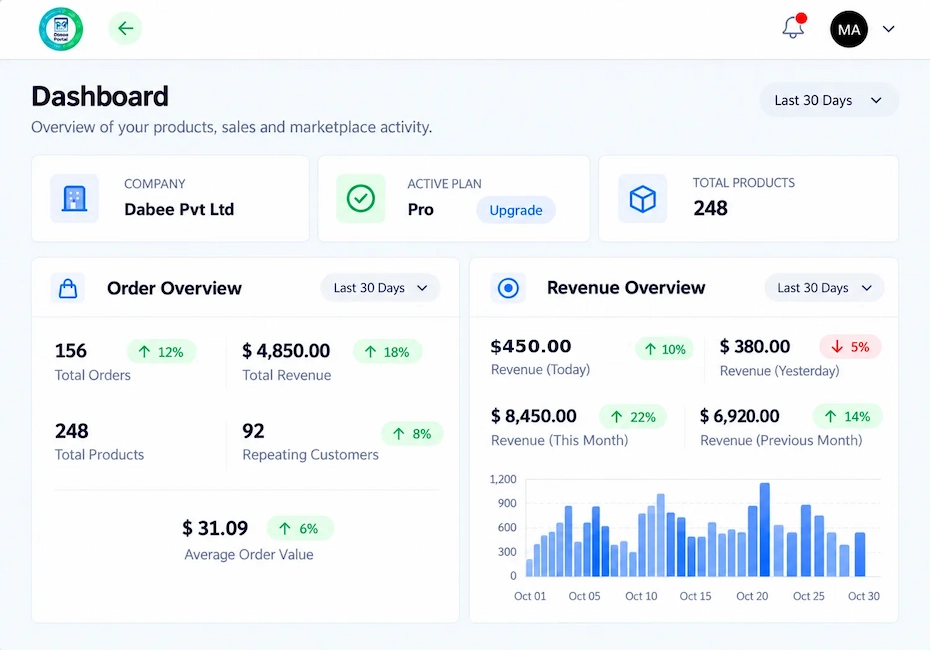
If you sell on Shopee, Lazada, TikTok Shop and your own store, you know the daily scramble. Orders land in four places, stock counts drift, and one sold-out item keeps selling somewhere else. The right order management software for multichannel sellers ends that scramble. This guide explains why we think SyncingAbout is the best fit, and how you can judge it for yourself.
Full disclosure: SyncingAbout is built by the team behind Inno Panda, so we're not a neutral reviewer. Instead of simply saying it's the best, we've set out the checklist we'd use to choose any order management software, then shown how SyncingAbout measures up, including the gaps.
E-commerce order management software collects the orders from every place you sell and moves each one through the same steps: payment, packing, shipping and returns. For a multichannel seller, that means one screen instead of five seller centres. Good software also keeps stock numbers matched across channels, so you don't sell what you don't have. You'll also hear it called an e-commerce order management system or an order management tool. For our purposes, they all mean the same thing.
We've covered the basics in our guide to centralized order management software. Here, we'll focus on choosing the right tool and why SyncingAbout is our pick.
Selling on more channels is great for sales and hard on order management. Many Singapore sellers run these channels with a small team, so every hour spent copying orders is an hour not spent selling. These are the problems that show up first.
A quick test: if you copy order or stock numbers between tabs more than once a day, you've outgrown manual handling.
Most sellers don't switch because of a plan. They switch after one bad week. It's easier to watch for the signs. If three or more of these sound familiar, it's probably time.
Small businesses don't need a heavy enterprise suite to fix this. Multichannel order management for small businesses mostly needs three things: orders in one place, stock numbers that match, and simple reporting. That's the core SyncingAbout covers.
People often ask whether they need an omnichannel ERP instead. An ERP covers wider business functions such as finance and purchasing. A warehouse management system (WMS) runs the physical warehouse, with bin locations and picking routes. Order management software focuses on orders and stock across your sales channels. Many growing sellers start with order management and add the others only when their operations call for it.
Before you compare tools, decide what you need from them. This checklist works for any order management software, not just ours.
| Criterion | Why it matters | What to ask |
|---|---|---|
| Channel coverage | Software only helps if it connects to where you sell | Does it connect to my marketplaces and stores, and does that cover my account's region? |
| Stock sync | It stops overselling | How quickly do stock changes reach every channel? Is there oversell protection? |
| Order and shipment handling | It saves the most time every day | Can I see, process and ship every order from one place and create invoices? |
| Product and price control | It keeps listings consistent | Can I push catalogue and price changes to all stores at once? |
| Physical store support | You need it if you sell offline too | Does in-store stock feed into the same inventory? |
| Reporting | It shows what is working | Can I see sales from every channel in one dashboard? |
| Setup and support | It decides how soon you see value | How long is setup, and can someone walk me through it? |
| Cost and room to grow | You don't want to switch again in a year | Is there a plan that starts small and scales with me? |
We'll be direct. We think SyncingAbout is the best fit for growing multichannel sellers who want one system for orders, stock, listings and a physical shop. Here's the reasoning, measured against the checklist above. The details come from the SyncingAbout product page, and you can see more on its features page.
SyncingAbout shows Shopee, Lazada, TikTok Shop, Amazon, WooCommerce and Shopify, plus a physical store POS, on its product page. You connect your accounts once, then work from a single view. The page notes that available integrations and regions depend on your account, so confirm yours before you commit.
When an item sells on one channel, stock updates across your connected marketplaces and stores. That cuts overselling and stockouts, which is the most common reason sellers look for order management software in the first place.
You see every order in one list, with statuses such as Processing, Completed and Ready to ship. You manage shipments and generate invoices from the same place, and channel mapping and fulfilment workflows keep each order moving.
Instead of editing the same listing on every channel, you can distribute catalogue and price updates across your connected stores automatically. That saves time and keeps your prices from drifting apart.
If you also run a shop, the built-in point of sale handles in-store sales and billing. Inventory shows alongside your online channels, so a sale at the counter and a sale on Shopee draw from the same stock.
SyncingAbout includes AI demand forecasting for sales trends, safety stock and slow-moving inventory. It's useful when you're deciding what to reorder before a big campaign, and what to stop buying.
A sales insights dashboard lets you review performance and customer behaviour, including a last 30 days view. You can finally see which channel earns its keep.
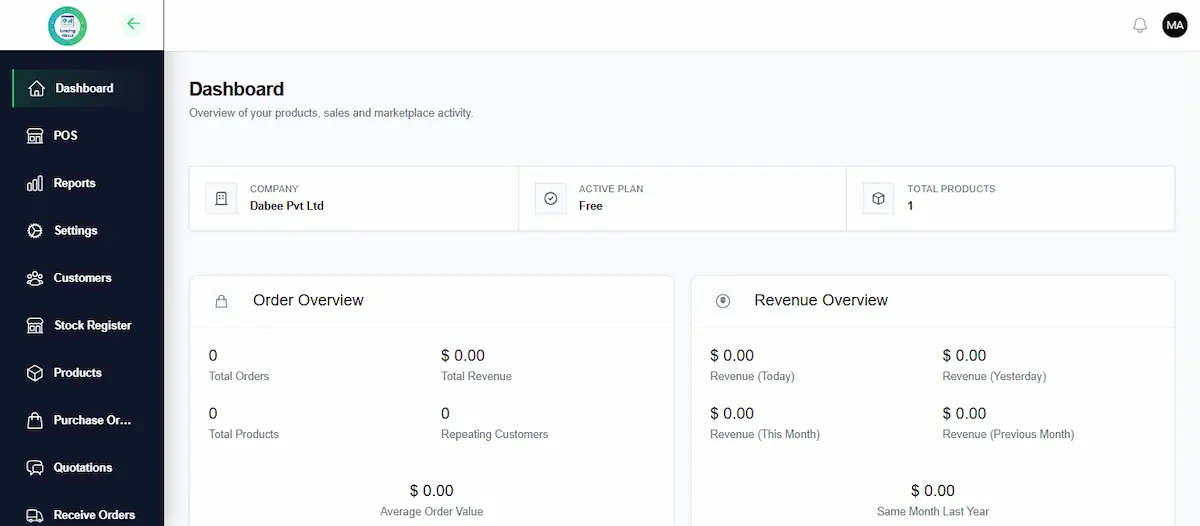
Here's how it scores. Where the product page doesn't say, we've marked it that way.
| Criterion | Status | Notes |
|---|---|---|
| Channel coverage | Yes | Six channels plus POS listed. Regions depend on your account |
| Stock sync | Yes | Real-time sync with oversell protection |
| Order and shipment handling | Yes | Order and shipment management, invoice generation |
| Product and price control | Yes | Automated catalogue and price distribution |
| Physical store support | Yes | Built-in POS with inventory shown alongside online channels |
| Reporting | Yes | Sales insights dashboard |
| Courier integrations | Not stated | Not listed on the product page. Ask the team |
| Accounting integrations | Not stated | Not listed on the product page. Ask the team |
| Setup and support | Yes | Five-step setup and a live 1-on-1 walkthrough with an expert |
| Cost and room to grow | Yes | Five plans, from Free to Scale Plus |
Managing Shopee, Lazada and TikTok Shop in one system comes down to a single idea: one source of truth. Every order and every stock number lives in one place, and each channel works from it. Here's what changes day to day.
| Task | Without a system | With SyncingAbout |
|---|---|---|
| Seeing new orders | Open each seller centre in turn | See every order in one list, with its status |
| Updating stock | Edit each channel by hand | Stock syncs across your connected channels |
| Changing a price | Edit every listing one by one | Distribute catalogue and price updates to connected stores |
| Creating invoices | Build them one at a time | Generate invoices from the order |
| Reviewing sales | Merge exports in a spreadsheet | Check the sales insights dashboard |
The tool doesn't replace your marketplaces. You still sell wherever your customers are. It just stops you running each one separately.
Setting up order management doesn't mean a big IT project. The setup follows five steps.
Authorise your marketplace and store accounts.
Match each product across channels so counts line up.
Bring stock and orders into one place.
Changes on one channel reach the others.
Watch orders, inventory and sales in one view.
Step two is where most of the order management effort goes. If your SKUs are already tidy, setup is quicker. If they aren't, mapping is a good excuse to clean them up.
The software is rarely the hard part. Your data is. A few hours of cleanup before you connect your channels makes setup much smoother, especially at step two, where you map products and SKUs.
The product page names five groups, and each one lines up with a common Singapore selling setup.
You run your own store and want to add Shopee, Lazada or TikTok Shop without doubling your admin work.
Your website is your base, and marketplaces are your growth channels.
You sell on several marketplaces and spend too long moving between them.
You have a shop and online channels, and you need one stock number for both.
Order volume is rising, and your current process is starting to creak.
You don't need complicated maths. Add up what the tool saves or protects, then compare it with what you pay. We won't invent numbers for your business, so here's what to measure.
| What to measure | How to work it out |
|---|---|
| Time saved | Hours per week spent copying orders and stock today, multiplied by the hourly cost of the person doing it |
| Cancelled orders | Orders cancelled each month because of overselling, multiplied by the average order value you lost |
| Errors | Wrong items or duplicate shipments, and what each one costs you |
| Room to grow | Extra channels you can open without hiring more admin help |
| Cost | The monthly plan fee plus the time it takes to set up |
Track these for a month before and after you switch. If the savings clearly beat the plan cost, you have your answer.
SyncingAbout offers five order management plans: Free, Launch, Growth, Scale and Scale Plus. We're not quoting prices here because they can change, so check the current numbers on the SyncingAbout website. The plan names suggest you can start small and move up as your order volume grows. Confirm what each plan includes before you pick one.
A product page can't answer everything. These topics matter to many sellers in Singapore and Southeast Asia, and the SyncingAbout product page doesn't spell them out. Put them to the team in your walkthrough.
| Topic | Why it matters | Status for SyncingAbout |
|---|---|---|
| Returns and cancellations | Refunds and restocking change your stock count | Not stated. Ask the team |
| Bundles and multipacks | A bundle sale should reduce the stock of every item inside it | Not stated. Ask the team |
| Cash on delivery | It's common in Southeast Asia and affects order confirmation | Not stated. Ask the team |
| Bulk shipping labels | It saves hours when you ship dozens of orders a day | Not stated. Ask the team |
| Multiple warehouses | You need it if stock sits in more than one place | Not stated. Ask the team |
| Staff roles and permissions | Your team can work without seeing everything | Not stated. Ask the team |
Our guide to centralized order management software explains returns, COD and peak-season handling in more detail, so you'll know what good looks like before the demo.
Whatever tool you choose, run through these local points in your demo.
No tool suits everyone, and we'd rather you know that now.
It depends on where you sell, but the best choice connects all your channels, syncs stock in real time, and handles orders, shipments and invoices in one place. We think SyncingAbout fits that description for growing sellers on Shopee, Lazada, TikTok Shop, Amazon, WooCommerce or Shopify. We build it, so test it against your own checklist.
It's a tool that collects orders from every sales channel, tracks each one from payment to delivery and keeps your stock numbers accurate. For sellers on several channels, it replaces switching between separate seller dashboards.
It updates your stock count on every connected channel whenever one channel makes a sale. An item that sells out on one channel then doesn't stay listed on the others. SyncingAbout lists real-time stock sync with oversell protection.
Yes. Its product page shows Shopee, Lazada, TikTok Shop, Amazon, WooCommerce and Shopify, plus a physical store POS. Available integrations and regions depend on your account, so confirm yours with the team.
Yes. It includes a point of sale for in-store sales and billing, with inventory visible alongside your online channels.
It's built by a Singapore-based team and supports marketplaces that many sellers in Southeast Asia use. Because regions and integrations depend on the account, ask for a walkthrough and confirm the channels and couriers you rely on.
SyncingAbout offers five plans: Free, Launch, Growth, Scale and Scale Plus. We don't quote prices here because they can change, so check the current pricing on the SyncingAbout website.
Setup has five steps: connect your channels, map your products and SKUs, centralise your data, sync stock and listings, then monitor everything from the dashboard. How long it takes depends mostly on your catalogue size and how tidy your SKUs are.
Switch when you sell on a second channel or open a shop, or when copying orders and stock between tabs takes up part of every day. Another clear sign is cancelling an order because the item had already sold elsewhere.
Connect each account to one order management platform, match your SKUs across channels, then work from a single dashboard for orders, stock and listings. With SyncingAbout, that's a five-step setup.
Add up the hours you save each week, the orders you no longer cancel because of overselling, and the errors you avoid. Then compare that with the plan cost. Track these for a month before and after you switch.
An ERP covers wider business functions such as finance and purchasing. Order management software focuses on orders and stock across your sales channels. Many growing sellers begin with order management and add an ERP later, if they need one.
The product page doesn't state how it handles returns, bundles or cash on delivery. If any of these matter to you, ask the team during your walkthrough.
Not always. If you sell on one channel with modest order volume, the marketplace's own tools may be enough. It starts to pay off when you add a second channel or a physical shop, or when overselling and manual copying begin to cost you time.
Inventory management tracks how much stock you have and where it is. Order management handles each order from capture to delivery and returns. Multichannel sellers need the two to work together, which is why SyncingAbout combines them.
The product page doesn't list courier or accounting integrations. If either matters to you, ask the team before you commit.
The best order management software is the one that matches how you sell. If you sell on several channels, run a shop, and want orders, stock and listings in one place, SyncingAbout is built for exactly that. Test it against the checklist, ask about the gaps, and see it live before you decide.
If you'd like to see how it would work for your own store, the quickest way is a walkthrough. You can also read more on our SyncingAbout product page and our guide to multichannel inventory management.
See how SyncingAbout handles orders, stock sync, invoices and your physical store. Explore the features, or book a live 1-on-1 walkthrough and test it against your own checklist.
Explore Features Visit SyncingAbout