Multichannel Inventory Management Software for E-commerce Sellers
- 1 Multichannel Inventory Management Software for E-commerce Sellers
- 1.1 Key Takeaways
- 1.2 What Is Inventory Management Software for E-commerce?
- 1.3 Why E-commerce Sellers Need Inventory Management Software
- 1.4 What Is Multichannel Inventory Management?
- 1.5 How to Manage Inventory Across Multiple Sales Channels
- 1.6 How to Manage Shopify Inventory Across Multiple Sales Channels
- 1.7 WooCommerce Inventory Management for Multichannel Sellers
- 1.8 Amazon Inventory Management for E-commerce Sellers
- 1.9 Inventory Management for Lazada, Shopee, and TikTok Shop
- 1.10 Key Features of E-commerce Inventory Management Software
- 1.10.1 Real-Time Inventory Synchronization
- 1.10.2 Centralized Inventory Dashboard
- 1.10.3 Multichannel Inventory Management
- 1.10.4 Automated Stock Updates
- 1.10.5 Low-Stock Alerts
- 1.10.6 SKU & Product Variant Management
- 1.10.7 Multi-Warehouse Support
- 1.10.8 Batch and Expiry Tracking
- 1.10.9 Accounting Integration
- 1.11 Inventory Forecasting Software: Planning Stock Before You Run Out
- 1.12 Order Management Software and Inventory Management: How They Work Together
- 1.13 Multi-Warehouse and Batch Tracking for Growing Sellers
- 1.14 What Is Cloud Inventory Management Software?
- 1.15 Benefits of Inventory Management Software for E-commerce Sellers
- 1.16 Inventory Management Software vs Spreadsheets
- 1.17 Signs You've Outgrown Manual Inventory Tracking
- 1.18 How Much Does Multichannel Inventory Software Cost?
- 1.19 Inventory Management Software for Small Businesses vs Enterprise Sellers
- 1.20 How to Choose the Best Inventory Management Software for E-commerce
- 1.20.1 Check Sales Channel Integrations
- 1.20.2 Evaluate Inventory Synchronization
- 1.20.3 Consider Your SKU Volume
- 1.20.4 Check Order Volume Support
- 1.20.5 Evaluate Automation
- 1.20.6 Check Inventory Forecasting
- 1.20.7 Check Multi-Warehouse Support
- 1.20.8 Compare Pricing
- 1.20.9 Consider Scalability
- 1.20.10 Evaluate Support & Onboarding
- 1.21 Migrating to New Inventory Software Without Losing Sales
- 1.22 SyncingAbout: Multichannel Inventory Management Software Built for Southeast Asian Sellers
- 1.23 Data Security and PDPA Compliance for Inventory Software in Singapore
- 1.24 Common Inventory Management Mistakes E-commerce Sellers Should Avoid
- 1.25 E-commerce Inventory Management Best Practices
- 1.26 Quick Glossary
- 1.27 Frequently Asked Questions About E-commerce Inventory Management
- 1.27.1 What Is Inventory Management Software for Ecommerce?
- 1.27.2 What Is the Best Inventory Management Software for Ecommerce Sellers?
- 1.27.3 How Does Inventory Management Software Work?
- 1.27.4 What Is Multichannel Inventory Management?
- 1.27.5 How Do I Manage Inventory Across Multiple Sales Channels?
- 1.27.6 How Does Inventory Software Prevent Overselling?
- 1.27.7 Can Inventory Management Software Integrate With Shopify?
- 1.27.8 Does Inventory Software Work With Lazada and Shopee?
- 1.27.9 Can Inventory Software Manage Amazon Inventory?
- 1.27.10 Can Inventory Software Handle Flash Sales Like 11.11 and 12.12?
- 1.27.11 Is Inventory Management Software Suitable for Small Businesses?
- 1.27.12 How Long Does It Take to Set Up Multichannel Inventory Software?
- 1.27.13 What Is Cloud Inventory Management Software?
- 1.27.14 What Is the Difference Between Inventory Management and Order Management Software?
- 1.27.15 How Do I Migrate to New Inventory Software Without Losing Sales?
- 1.27.16 How Much Does Ecommerce Inventory Management Software Cost?
- 1.28 Related Reading
- 1.29 See How SyncingAbout Can Simplify Your E-commerce Operations
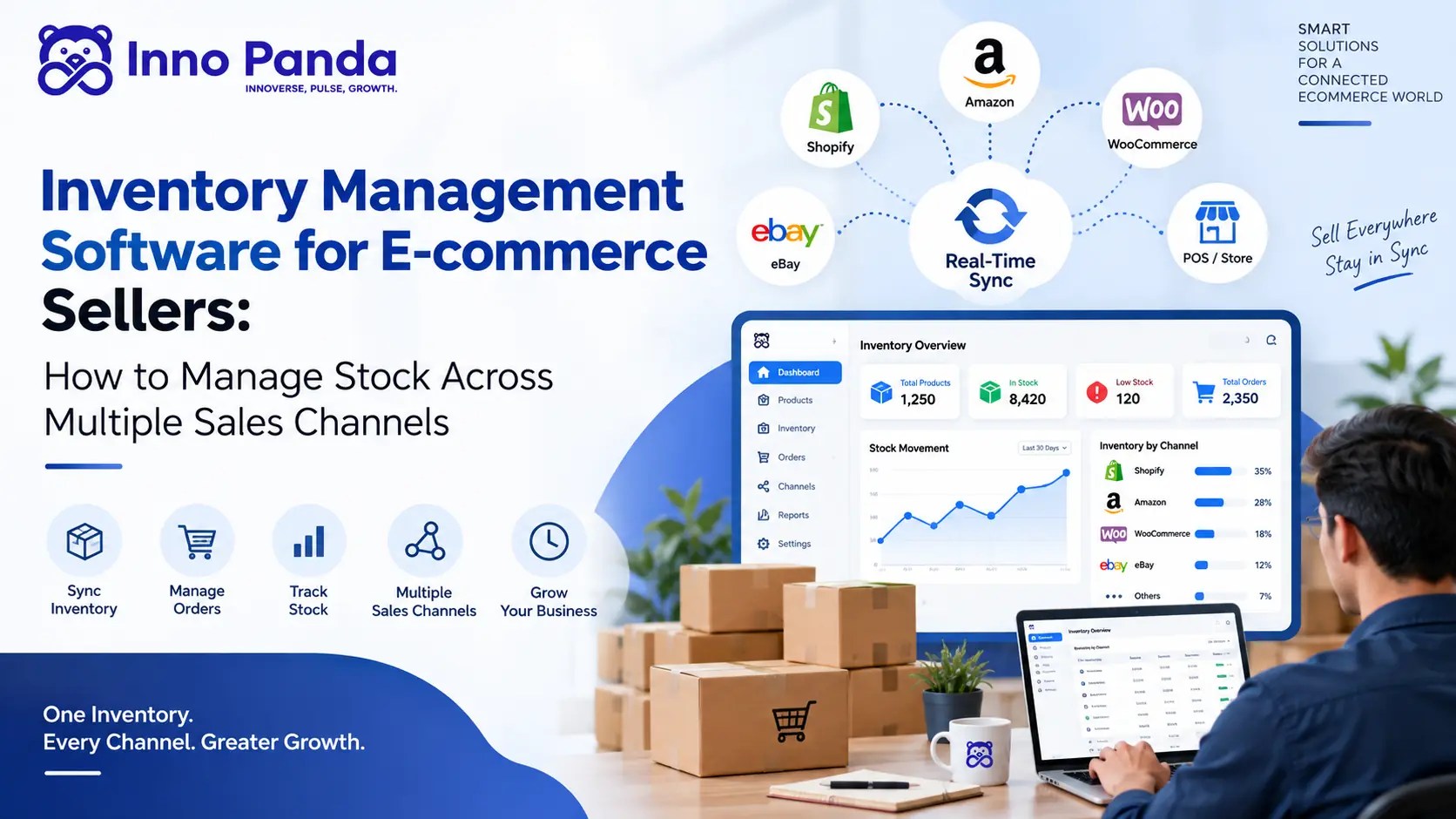
Selling the same product on Shopify, Lazada, Shopee, TikTok Shop, and Amazon sounds great, until every channel starts keeping its own separate stock count. This guide covers what multichannel inventory management software does, how it handles Southeast Asian marketplaces and flash sales, what it costs, and how to pick the right one.
Key Takeaways
- Multichannel inventory software centralizes stock tracking so you're not keeping separate counts for every channel by hand.
- Selling the same SKU on Shopify, Amazon, Lazada, Shopee, or TikTok Shop without a sync in place is how overselling and stockouts happen.
- Southeast Asian sellers have it harder than a single-market guide usually admits: regional marketplaces, flash sale spikes like 11.11 and 12.12, and mixed fulfilment models all add complexity Shopify-and-Amazon guides tend to skip.
- Not every seller needs sophisticated software yet. A single-channel store with a handful of SKUs might genuinely be fine on a spreadsheet, for now.
- Pricing scales with channels, SKUs, and order volume, so compare quotes against your own setup, not a headline number.
- Choosing software is a fit exercise, not a "best overall" contest. The right platform depends on your channels, your volume, and how you work.
Picture a seller shipping the same product through Shopify, Lazada, Shopee, TikTok Shop, and maybe a physical store on the side. Each of those channels has its own idea of how much stock is left, unless something is actively keeping them in sync. That gap is exactly where overselling, stockouts, and hours of manual reconciliation come from.
Multichannel inventory management software closes that gap. It's a centralized way to track, manage, and sync stock across every channel you sell on. This guide covers what that software does, why it gets harder to manage stock as you add channels, how sync works day to day, the features worth checking before you buy, what it costs, how Southeast Asian marketplaces change the picture, and how SyncingAbout fits in.
What Is Inventory Management Software for E-commerce?
At its core, this kind of software tracks how much of each product you have, where it's selling, and keeps that number accurate as orders come in from every direction.
What Does Inventory Management Software Do?
Stock tracking, SKU management, order tracking, low-stock alerts, reporting, and channel sync all typically live under one roof.
How Does E-commerce Inventory Management Software Work?
An order comes in on one channel, the system records it, and the updated stock level flows out to every other connected channel, ideally before anyone else can sell a unit that no longer exists.
Inventory Management Software vs Manual Inventory Tracking
Spreadsheets work fine at small scale. The trouble starts once you're updating the same number in five places by hand, every day, and one missed update is all it takes to oversell something.
Why E-commerce Sellers Need Inventory Management Software
Managing Inventory Across Multiple Channels
Separate dashboards for every channel get harder to keep accurate the moment more than one person is touching them, or there's more than one channel to check.
Preventing Overselling
Say you have 10 units left. One customer buys a unit on Shopify while another buys one on Lazada, before Lazada's listing catches up with the Shopify sale. Now you owe more units than you have. Centralized inventory closes that timing gap by updating everywhere at once, instead of channel by channel on its own schedule.
Avoiding Stockouts
A stockout doesn't just cost one sale. It costs customer trust, hurts your seller performance metrics on marketplaces, and quietly chips away at revenue every time it happens.
Reducing Manual Inventory Work
Every hour spent reconciling stock counts by hand is an hour not spent on the parts of the business that actually grow it.
Improving Inventory Accuracy
Fewer manual touchpoints usually means fewer chances for a typo or a missed update to throw the numbers off.
Getting a Centralized View of Stock
One place to check what's actually available, instead of switching between five seller dashboards to piece together the real picture.
What Is Multichannel Inventory Management?
Multichannel inventory management means tracking and syncing your product stock across every sales channel from one central system.
How Multichannel Inventory Management Works
Say you start with 100 units of a product:
| Channel | Units Sold |
|---|---|
| Shopify | 20 |
| Lazada | 25 |
| Shopee | 20 |
| Amazon | 10 |
| Remaining | 25 |
A properly centralized system updates that "25 remaining" figure across every connected channel automatically, so no channel is ever working off a stale number.
Multichannel vs Single-Channel Inventory Management
Single-channel inventory is simple because there's only one number to keep accurate. Multichannel inventory earns its complexity the moment a second channel shows up, and that complexity compounds with every channel after that.
Why Multichannel Sellers Need Automated Inventory Sync
Manual updates might hold up across two channels if you're careful. They rarely hold up across four or five, especially during a sale spike, which is exactly when a stockout or an oversold order costs the most.
How to Manage Inventory Across Multiple Sales Channels
Centralize Your Inventory Data
Create one source of truth that every channel reports back to.
Standardize Your SKUs
Use consistent names for variants, size, colour, and bundles, so the same item is recognised the same way everywhere.
Connect Your Sales Channels
Shopify, Lazada, Shopee, TikTok Shop, Amazon, WooCommerce, and any other platform you sell through, all linked to the same system.
Synchronize Inventory Automatically
A change on one channel should flow through to the rest without anyone manually updating each one.
Set Reorder Points
A defined stock threshold that flags when it's time to reorder, before you're already out.
Track Orders, Returns and Cancellations
Inventory needs to account for cancellations, returns, and exchanges too, not just outgoing sales.
Monitor Inventory Performance
Fast-moving SKUs, slow-moving stock, turnover, stockouts, and overall inventory value.
How to Manage Shopify Inventory Across Multiple Sales Channels
Shopify Inventory Management Software
A Shopify inventory system typically handles product sync, SKU management, stock updates, order sync, and overall visibility from one dashboard.
Shopify + Amazon Inventory Management
The goal is one shared stock count between Shopify and Amazon, rather than updating two separate systems by hand and hoping they stay in sync.
Shopify + WooCommerce + Other Channels
The more channels you add on top of Shopify, the more a centralized approach pays for itself, since manual tracking doesn't scale in a straight line with channel count. Many sellers pair this with broader ecommerce automation so order processing and fulfilment scale alongside stock sync.
WooCommerce Inventory Management for Multichannel Sellers
WooCommerce runs on your own WordPress site, which gives you more control over the storefront but leaves inventory sync entirely up to whatever plugin or platform you connect. That's fine with one channel. It gets messy fast once WooCommerce is just one of several places you sell.
How WooCommerce Inventory Software Works
A dedicated inventory system reads stock levels and orders straight out of WooCommerce, the same way it does with Shopify, and treats that number as part of the same shared pool as every other connected channel. Product variations, backorders, and low-stock thresholds you've already set up in WooCommerce carry over instead of needing to be rebuilt somewhere else.
Syncing WooCommerce With Marketplaces and Other Stores
Where this matters most is when a WooCommerce store sits alongside Lazada, Shopee, or a second Shopify storefront for a different market. Without a sync layer, a sale on WooCommerce won't touch the stock number showing on Shopee, and the two counts drift apart within days. With one, every sale anywhere updates the same central figure, no matter which storefront it came through.
Amazon Inventory Management for E-commerce Sellers
Why Amazon Inventory Management Matters
Amazon's own seller performance metrics are sensitive to stockouts and cancellations, which makes accurate inventory more than an operational nicety on that channel specifically.
Managing Amazon Inventory Alongside Other Channels
The same principle applies: one stock count feeding every platform, rather than separate counts that can quietly drift apart.
Preventing Amazon Stockouts and Overselling
Real-time or near-real-time updates between channels close the timing gap where an oversold order is most likely to happen.
Managing FBA and Other Inventory Sources
Fulfilment by Amazon and self-fulfilled stock can behave differently depending on the platform you use, so confirm exactly how a given software handles that split rather than assuming.
Inventory Management for Lazada, Shopee, and TikTok Shop
Most inventory guides stop at Shopify and Amazon. That's a real gap if you're actually selling in Singapore, Malaysia, Indonesia, Vietnam, or the Philippines, where Lazada, Shopee, and TikTok Shop often carry more order volume than a standalone Shopify store.
Why Southeast Asian Marketplaces Need Their Own Approach
Regional sellers usually juggle more channels at once than a typical Western seller: their own Shopify or WooCommerce store, plus Lazada, Shopee, and increasingly TikTok Shop, sometimes across more than one country. Each marketplace has its own listing rules, fulfilment options, and payout schedule, which makes a shared, centralized stock count even more valuable than it is for a single-market seller.
Syncing Your Own Store With Lazada and Shopee
The goal is the same as with Shopify and Amazon: one stock count feeding your website and every marketplace, updated the moment a sale happens on any of them. Without that sync, it's easy to end up promising a customer on Lazada a unit that just sold out on Shopee ten minutes earlier.
Handling Flash Sale Spikes Without Overselling
Regional flash sales like 11.11, 12.12, and 9.9 push a normal day's order volume into a few hours. That's exactly when a manual, once-a-day stock update falls apart, and exactly when real-time sync earns its keep. During these spikes, the timing gap between a sale and an updated stock count is where most overselling incidents happen.
Fulfilment Differences Across Marketplaces
Some marketplaces offer their own warehousing programmes, similar in spirit to Amazon's FBA, alongside self-ship options. How your inventory software handles that split, and whether it can tell the difference between marketplace-held stock and your own warehouse stock, is worth checking before you commit to a platform. If your operations also depend on custom connections between systems, it's worth reading how legacy API integrations get fixed when they start slowing a business down.
Key Features of E-commerce Inventory Management Software
Real-Time Inventory Synchronization
Stock changes reach connected channels as they happen, not on a batch schedule.
Centralized Inventory Dashboard
Products, SKUs, stock levels, orders, and channels in one place.
Multichannel Inventory Management
Manage Shopify, Lazada, Shopee, TikTok Shop, and more from a single connected system.
Automated Stock Updates
Less manual updating, fewer chances for a number to slip.
Low-Stock Alerts
Automatic flags as products approach a defined stock threshold.
SKU & Product Variant Management
Crucial for apparel, electronics, beauty, accessories, and bundles.
Multi-Warehouse Support
Track stock separately by location and route orders to the right one.
Batch and Expiry Tracking
Useful for beauty, food and beverage, and other sellers working with dated stock.
Accounting Integration
Connections to tools like Xero or QuickBooks keep stock value and bookkeeping aligned.
Integrations and API support matter too, since a growing business keeps adding channels and tools that need to talk to your inventory system.
Inventory Forecasting Software: Planning Stock Before You Run Out
Most of what's covered so far is reactive: keeping today's stock count accurate. Inventory forecasting software looks the other direction, using your past sales to estimate what you'll need next.
What Inventory Forecasting Software Actually Does
It looks at how fast each SKU has been selling, factors in lead time from your suppliers, and suggests when to reorder and roughly how much. That turns "we're low on stock, let's order some more" into a number you can actually act on, rather than a guess based on gut feel.
Seasonal Demand and Safety Stock
Demand isn't flat. A product that sells steadily in March can spike hard around 11.11, 12.12, or a festive season, then drop off just as fast. Good forecasting accounts for that seasonality and keeps a safety stock buffer for your best sellers, so a sudden spike doesn't turn into a stockout halfway through a sale.
Order Management Software and Inventory Management: How They Work Together
Inventory management and order management solve two related but different problems, and it's worth understanding where one ends and the other begins.
Why These Two Systems Overlap
Inventory management answers "how much do we have left." Order management answers "what's happened to this specific order, from payment to fulfilment." In practice, an order can't be processed correctly without an accurate stock number, and stock can't stay accurate without knowing which orders have actually gone through. That's why most multichannel platforms, SyncingAbout included, build the two into one connected workflow rather than two separate tools.
What Happens When They're Disconnected
When inventory and order data live in separate systems that don't talk to each other, someone has to manually reconcile them, usually at the end of a busy day when it's easiest to miss something. A cancelled order that never gets reflected in stock, or a return that never makes it back into available inventory, are both symptoms of that gap.
Multi-Warehouse and Batch Tracking for Growing Sellers
Once you're storing stock in more than one place, whether that's a second warehouse, a regional fulfilment partner, or marketplace-held stock, a plain single-location stock count stops being enough.
Multiple Warehouse Locations
Good inventory software tracks stock by location and can route an order to whichever warehouse makes sense, instead of treating all your stock as one undifferentiated pile.
Batch and Expiry Tracking
For sellers of food, beverages, cosmetics, or supplements, tracking stock by batch and expiry date matters as much as tracking quantity. This lets you sell older stock first and flag anything approaching its expiry before it becomes a write-off.
Barcode and SKU Scanning
Barcode scanning speeds up receiving and picking, and it cuts down on the manual entry errors that cause stock counts to drift from what's actually on the shelf.
What Is Cloud Inventory Management Software?
Cloud inventory management software runs on the provider's servers rather than a computer in your office, so you and your team can check stock levels from a browser, wherever you happen to be.
Cloud vs On-Premise Inventory Systems
An on-premise system lives on local hardware you own and maintain, which used to be the default before internet connections were reliable enough to trust for daily operations. A cloud inventory management system, by contrast, is hosted for you, updates automatically, and doesn't need a dedicated server sitting in a back office somewhere.
Why Most Multichannel Sellers Choose Cloud Inventory Software
Multichannel selling already means juggling several logins and dashboards. Cloud software fits that pattern naturally: it connects to each sales channel over the internet, updates in near real time, and doesn't ask you to install anything on every device your team uses. For a small operations team checking stock from a warehouse, a laptop, and a phone in the same afternoon, that flexibility tends to matter more than any single feature.
Benefits of Inventory Management Software for E-commerce Sellers
Reduce Overselling
Fewer angry customers, fewer forced cancellations, better marketplace standing.
Prevent Stockouts
Reorder before you're actually out, not after.
Improve Inventory Accuracy
Fewer manual touchpoints, fewer chances for numbers to drift.
Save Time on Manual Updates
Hours redirected toward growth instead of reconciliation.
Improve Order Fulfilment
Orders processed against numbers you can actually trust.
Better Inventory Visibility
One clear view instead of five separate half-pictures.
Better Replenishment Decisions
Ordering based on real sales trends, not guesswork.
Scale Across More Channels
Adding a new channel doesn't mean starting a whole new manual process.
Inventory Management Software vs Spreadsheets
| Feature | Spreadsheet | Inventory Software |
|---|---|---|
| Stock updates | Manual | Automated |
| Multiple channels | Difficult | Centralized |
| Real-time visibility | Limited | Available |
| Stock alerts | Manual | Automated |
| Reporting | Basic | Advanced |
| Scalability | Limited | Higher |
| Human error | Higher | Reduced |
When Is a Spreadsheet Enough?
Genuinely, a very small seller with few SKUs and one sales channel might not need dedicated software yet. There's no shame in that; it's a reasonable place to start.
When Should You Move to Inventory Software?
Watch for multiple sales channels, rising order volume, hundreds of SKUs, frequent stock discrepancies, manual reconciliation eating up real time, or an overselling incident that's already happened once.
Signs You've Outgrown Manual Inventory Tracking
It's not always obvious when a spreadsheet has quietly become the bottleneck. These are the signals worth paying attention to:
- You're updating stock by hand on more than two sales channels
- You've oversold a product at least once in the last few months
- Someone on your team spends more than a couple of hours a week reconciling stock counts
- You've caught a stock discrepancy that took a while to trace back to its cause
- You're planning to add a new channel, like Lazada, Shopee, or TikTok Shop, and dread the extra manual work
- Your SKU count has grown past what one person can keep track of from memory
If two or more of these sound familiar, it's usually a sign that dedicated inventory software will pay for itself faster than expected.
How Much Does Multichannel Inventory Software Cost?
There's no single market-wide price, since most providers price around a few moving parts rather than charging one flat fee. Before comparing quotes, it helps to know what actually drives the number:
- Number of sales channels connected (a Shopify-only setup usually costs less than one syncing five marketplaces)
- Total SKU count, including variants
- Monthly order volume
- Number of warehouse or fulfilment locations
- Whether accounting or ERP integrations are included
- Level of onboarding and support included
The most useful way to compare providers is to ask for a quote based on your actual channel count, SKU count, and order volume, rather than judging by a headline "starting from" price that may not reflect your setup at all.
Inventory Management Software for Small Businesses vs Enterprise Sellers
What counts as "the right software" changes quite a bit depending on the size of the business using it.
What Small Businesses Typically Need
A small business usually needs a straightforward inventory management system for small business use: a handful of channel integrations, simple low-stock alerts, and a dashboard that doesn't require training to use. Cost and ease of setup usually matter more than deep customisation at this stage.
What Growing and Enterprise Sellers Typically Need
Enterprise inventory management software has to handle a different set of problems: tens of thousands of SKUs, multiple warehouses across different countries, accounting and ERP integrations, and role-based access for a bigger operations team. Sync reliability and reporting depth start to matter more than simplicity at this scale.
Most sellers move gradually from one profile to the other, which is why scalability was on the checklist earlier. Software that only fits where you are today can turn into a migration project a year from now.
How to Choose the Best Inventory Management Software for E-commerce
Check Sales Channel Integrations
Does it actually support the channels you sell on today, including regional marketplaces if that matters to you?
Evaluate Inventory Synchronization
Sync mechanism, update frequency, reliability, and how errors get handled. Don't take "real-time" at face value without checking what it actually means.
Consider Your SKU Volume
50 SKUs and 50,000 SKUs are genuinely different problems.
Check Order Volume Support
Make sure the platform holds up at your actual order volume, including during flash sales.
Evaluate Automation
How much genuinely runs itself versus how much still needs manual attention.
Check Inventory Forecasting
Whether it actually helps you plan ahead, not just report on the past.
Check Multi-Warehouse Support
Relevant the moment stock lives in more than one location.
Compare Pricing
Against your actual channel and SKU count, not a generic listed price.
Consider Scalability
Whether it can grow with you, or you'll be migrating again in a year.
Evaluate Support & Onboarding
How much help you'll get getting set up, especially if you're migrating from a spreadsheet or another tool without downtime.
Migrating to New Inventory Software Without Losing Sales
Switching inventory systems mid-operation makes most sellers nervous, and reasonably so. A bad cutover can cause the exact overselling problem you were trying to fix in the first place.
Plan the Cutover Around a Quiet Sales Period
Avoid switching systems right before a known flash sale or peak season. Give yourself a quieter stretch to catch and fix any mapping issues before order volume climbs.
Run Both Systems in Parallel Before Switching Fully
Most sellers get better results keeping the old process running alongside the new one for a short overlap period, checking that stock counts match across both, before switching channels over one at a time rather than all at once.
Double-Check SKU Mapping Before Go-Live
Migration issues almost always trace back to a SKU that got renamed, merged, or mismatched between the old system and the new one. A short manual audit of your top-selling SKUs before go-live catches most of these before they turn into a real order problem.
SyncingAbout: Multichannel Inventory Management Software Built for Southeast Asian Sellers
SyncingAbout is built around the exact problem this guide covers: keeping inventory accurate across more than one sales channel, including the regional marketplaces that many inventory tools treat as an afterthought.
Manage Inventory Across Multiple Sales Channels
SyncingAbout brings your ecommerce operations into one connected system, so channels aren't each running on their own separate view of stock.
Keep Inventory and Orders Connected
Keeping these connected is what actually prevents the timing gaps where overselling happens, including during flash sale spikes.
Centralized Inventory Visibility
One place to see what's actually in stock, rather than piecing the real picture together across separate seller dashboards.
Simplify Multichannel E-commerce Operations
The goal is less operational overhead as you add channels, not more of it. If you're building out a full multi-channel ecommerce business, inventory sync is usually the first piece to get right before layering on marketing and fulfilment automation.
Who Can Benefit From SyncingAbout?
Multichannel Sellers
Running two or more sales channels already.
Growing Online Stores
Outgrowing spreadsheets and manual tracking.
D2C Brands
Managing their own inventory across direct and marketplace channels.
Marketplace Sellers
Balancing Lazada, Shopee, and TikTok Shop listings against one real stock count.
Businesses With Many SKUs
Where manual SKU tracking has stopped being realistic.
Sellers Expanding Channels
Adding a new sales channel without wanting to add a whole new manual process alongside it.
Why Consider SyncingAbout?
Centralized inventory, multichannel operations, connected order management, and inventory sync built for how Southeast Asian sellers actually operate, rather than a Western tool with regional marketplaces bolted on. SyncingAbout is part of the same team behind Inno Panda, a Singapore-based digital agency, which is where the product's focus on solving real operational bottlenecks, not just adding another dashboard, comes from.
Data Security and PDPA Compliance for Inventory Software in Singapore
Inventory and order data usually includes customer names, addresses, and order histories, which puts it squarely inside Singapore's Personal Data Protection Act (PDPA). That's worth weighing when you're comparing inventory platforms, not just an afterthought for your legal team.
At a minimum, look for encrypted data storage, role-based access so staff only see what their job requires, and a provider that's clear about where and how customer data is stored. If you sell across Malaysia, Indonesia, Vietnam, and the Philippines too, it's worth asking how a provider handles the different data protection rules in each market, rather than assuming one policy covers the whole region.
Common Inventory Management Mistakes E-commerce Sellers Should Avoid
Managing Every Channel Separately
Each channel working off its own number, with no shared source of truth.
Relying Entirely on Spreadsheets
Fine at small scale, risky once volume and channels grow.
Using Inconsistent SKUs
The same product recognised differently across systems.
Ignoring Product Variants
Size, colour, and bundle combinations tracked as if they were one item.
Not Setting Reorder Points
Finding out you're out of stock only after it's already happened.
Failing to Track Returns
Returned stock that never makes it back into available inventory.
Underestimating Flash Sale Traffic
Treating 11.11 or 12.12 stock levels the same as a normal week.
Not Reviewing Inventory Data
Reports that get generated but never actually looked at.
E-commerce Inventory Management Best Practices
- Maintain one source of truth for inventory
- Keep inventory data updated consistently
- Standardize product data across every channel
- Automate repetitive inventory tasks
- Monitor stock levels regularly, not just when something breaks
- Forecast demand using real sales history
- Plan stock levels ahead of known flash sale dates
- Audit inventory regularly to catch drift early
Quick Glossary
- SKU (Stock Keeping Unit)
- A unique identifier assigned to each distinct product or product variant for tracking purposes.
- Overselling
- Selling more units of a product than are actually available, usually caused by unsynchronized stock counts across channels.
- Reorder Point
- A defined stock level that triggers a replenishment order before inventory runs out.
- FBA (Fulfilment by Amazon)
- Amazon's fulfilment service where Amazon stores, packs, and ships a seller's inventory.
- Marketplace-Fulfilled Stock
- Stock stored and shipped by a marketplace's own warehousing programme, similar in concept to Amazon's FBA, rather than shipped directly by the seller.
- Sell-Through Rate
- The percentage of available inventory sold over a given period, used to gauge demand and stock health.
- Multichannel Selling
- Selling the same products across more than one sales channel, such as Shopify, Amazon, Lazada, and Shopee.
Frequently Asked Questions About E-commerce Inventory Management
What Is Inventory Management Software for Ecommerce?
It's software that tracks, updates, and syncs your product stock across every sales channel you use, so you're working from one accurate number instead of checking each channel by hand.
What Is the Best Inventory Management Software for Ecommerce Sellers?
There's no single best option for every seller. The right choice depends on which channels you sell on, how many SKUs and orders you handle, your warehouse setup, and your budget, so it's worth comparing a few platforms against your own requirements rather than picking by name recognition alone.
How Does Inventory Management Software Work?
It connects to your sales channels, keeps stock levels in one central system, and pushes updates out the moment an order, cancellation, or return changes what's available, so every channel shows the same number.
What Is Multichannel Inventory Management?
Multichannel inventory management means tracking and syncing your stock across every place you sell, such as Shopify, Amazon, Lazada, and Shopee, from one central system instead of checking each channel on its own.
How Do I Manage Inventory Across Multiple Sales Channels?
Centralize your stock data in one system, use consistent SKUs everywhere, connect each channel to that system, automate the sync, set reorder points, and track orders, returns, and cancellations the same way on every channel.
How Does Inventory Software Prevent Overselling?
It keeps one shared stock count and updates every connected channel as soon as a sale happens, instead of leaving each channel to work off its own number that can quickly go stale.
Can Inventory Management Software Integrate With Shopify?
Yes. Most inventory platforms connect to Shopify and sync product data, stock levels, and orders between Shopify and whatever other channels you sell on.
Does Inventory Software Work With Lazada and Shopee?
Many platforms built for Southeast Asian sellers connect to Lazada, Shopee, and TikTok Shop, syncing stock and orders alongside Shopify, WooCommerce, or Amazon. Coverage varies by provider, so it's worth confirming which regional marketplaces are actually supported before signing up.
Can Inventory Software Manage Amazon Inventory?
Many platforms support Amazon alongside other channels, though the specific integrations and how they handle FBA versus self-fulfilled stock vary by provider, so confirm exactly what's supported before assuming.
Can Inventory Software Handle Flash Sales Like 11.11 and 12.12?
A platform with real-time sync is built for exactly that. During a traffic spike, it updates stock across every channel the moment a sale happens, which is when the timing gap that causes overselling is most likely to open up.
Is Inventory Management Software Suitable for Small Businesses?
It can be, though a very small seller with few SKUs and one sales channel may not need it right away. It tends to become worth it once you add channels, SKUs, or order volume to the point where manual tracking starts causing mistakes.
How Long Does It Take to Set Up Multichannel Inventory Software?
It depends on how many channels and SKUs you're connecting, but most sellers can get their core channels synced within a few days to a couple of weeks. Larger catalogues or multi-warehouse setups take longer to map and test properly.
What Is Cloud Inventory Management Software?
It's inventory software hosted by the provider rather than run on your own server, so you can check stock levels from a browser on any device with an internet connection, and updates roll out automatically.
What Is the Difference Between Inventory Management and Order Management Software?
Inventory management tracks how much stock you have. Order management tracks each order from payment through to fulfilment. The two need to work together, since an order can't be processed correctly without an accurate stock number.
How Do I Migrate to New Inventory Software Without Losing Sales?
Time the switch around a quieter sales period, run the old and new systems in parallel for a short overlap while you check the numbers match, then move channels over one at a time rather than all at once.
How Much Does Ecommerce Inventory Management Software Cost?
Pricing varies by provider and typically scales with the number of sales channels, SKUs, or orders you process, so it's best to compare quotes against your own setup rather than expect one standard price across the market.
See How SyncingAbout Can Simplify Your E-commerce Operations
If disconnected inventory across your sales channels is already costing you time, or the occasional oversold order, it's worth seeing what a centralized system actually looks like in practice.