Why Is API Integration Important for Businesses in 2026? 7 Key Benefits
- 1 Why Is API Integration Important for Businesses in 2026? 7 Key Benefits
- 1.1 Key Takeaways
- 1.2 What Is API Integration?
- 1.3 Why Is API Integration Important for Businesses?
- 1.3.1 Businesses Use More Software Than Ever
- 1.3.2 Disconnected Systems Create Operational Friction
- 1.3.3 Repeated Data Entry
- 1.3.4 Spreadsheet Dependency
- 1.3.5 Delayed Information
- 1.3.6 Duplicate Records
- 1.3.7 Human Errors
- 1.3.8 Poor Visibility
- 1.3.9 API Integration Connects the Entire Business Workflow
- 1.4 7 Key Benefits of API Integration for Businesses
- 1.4.1 Automate Repetitive Business Processes
- 1.4.2 Reduce Manual Errors and Improve Data Accuracy
- 1.4.3 Save Time and Reduce Operational Costs
- 1.4.4 Enable Real-Time Data Synchronization
- 1.4.5 Improve Customer Experience
- 1.4.6 Help Businesses Scale More Efficiently
- 1.4.7 Connect AI, SaaS and Modern Business Systems
- 1.5 API Integration Examples for Businesses
- 1.6 Common Types of API Integration
- 1.7 How API Integration Improves Business Efficiency
- 1.8 When Does a Business Need API Integration?
- 1.9 API Integration vs Manual Data Transfer
- 1.10 API Integration vs No-Code Automation Tools
- 1.11 Common API Integration Challenges to Plan For
- 1.12 API Integration for Singapore Businesses
- 1.13 How to Choose the Right API Integration Approach
- 1.14 Bringing It Together: What API Integration Really Changes
- 1.15 Quick Glossary
- 1.16 Frequently Asked Questions About API Integration
- 1.16.1 Why Is API Integration Important for Businesses?
- 1.16.2 What Are the Main Benefits of API Integration?
- 1.16.3 How Does API Integration Help Businesses?
- 1.16.4 What Are Some Examples of API Integration?
- 1.16.5 How Does API Integration Improve Business Efficiency?
- 1.16.6 Can API Integration Automate Business Processes?
- 1.16.7 Is API Integration Suitable for Small Businesses?
- 1.16.8 What Is the Difference Between API Integration and Application Integration?
- 1.16.9 Does API Integration Support Real-Time Data Synchronization?
- 1.16.10 Can APIs Connect AI Tools With Business Systems?
- 1.17 Related Reading from Inno Panda
- 1.18 Ready to Stop Moving Data by Hand?
Most businesses aren't short on software. They're short on software that actually talks to each other. This guide breaks down why API integration matters in 2026, the seven concrete benefits it delivers, and how to tell if your business is already feeling the cost of disconnected systems.
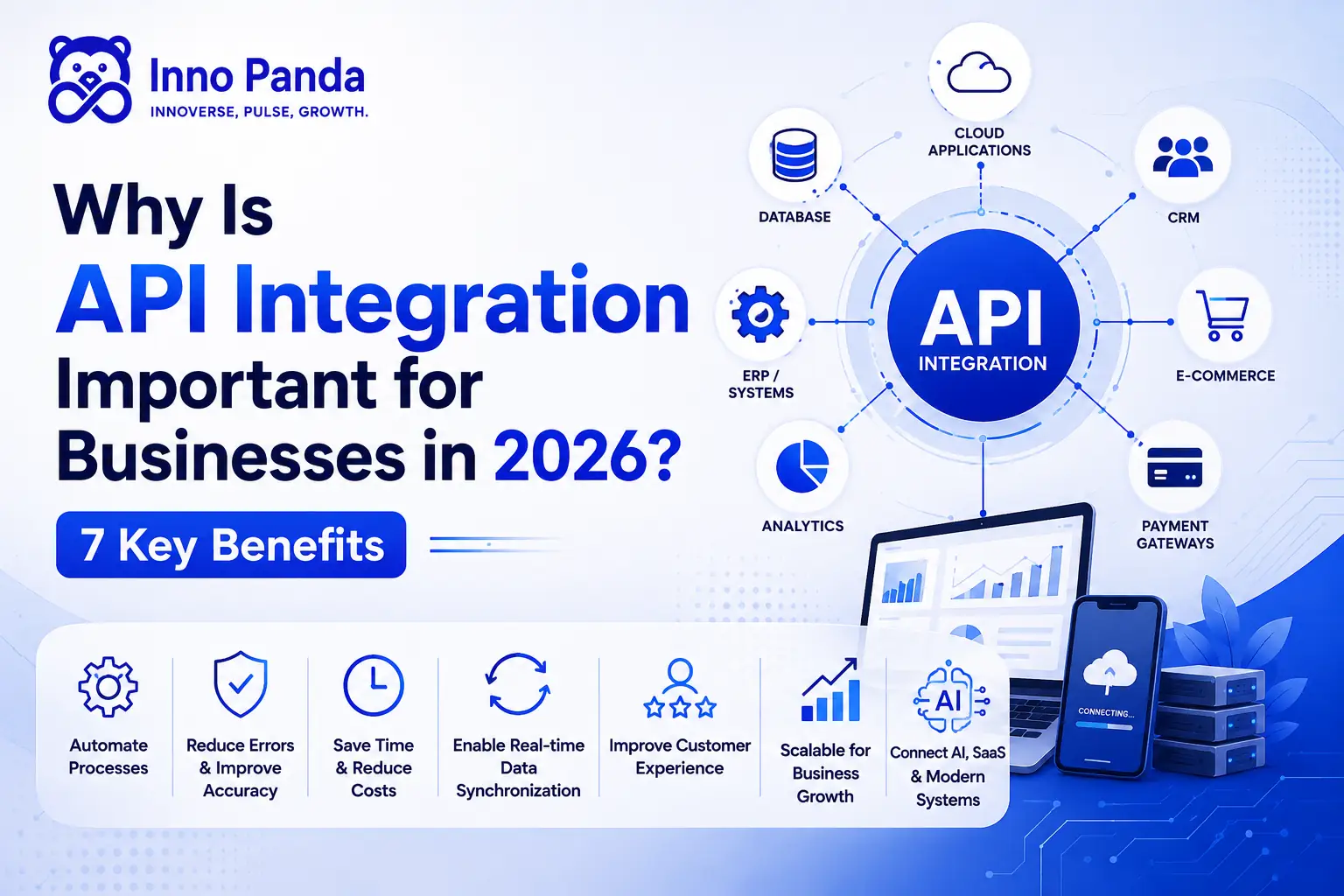
Key Takeaways
- API integration connects separate business systems so they can exchange data and trigger actions automatically.
- It matters more in 2026 because businesses now run on more SaaS platforms, more automation, and more AI tools than ever before.
- The core problem it solves isn't "too many tools" — it's tools that don't talk to each other.
- Seven concrete benefits: automation, accuracy, cost and time savings, real-time data, better customer experience, scalability, and AI/SaaS connectivity.
- Not every workflow needs custom integration — simple, low-volume tasks can often start with no-code tools.
- API integration doesn't automatically make a business scalable. It removes the operational bottlenecks that make scaling difficult.
Most businesses today run on more than one system. A CRM for sales, an accounting platform for invoices, an e-commerce store for orders, a payment gateway for transactions, a marketing tool for campaigns, maybe a logistics platform for shipping. Individually, each one does its job well. The problem shows up in between them, when someone has to manually copy an order from the store into the accounting system, or update a customer's details in three different places by hand.
That's the gap API integration is built to close. This article explains why is API integration important for businesses heading into 2026, why the case for it keeps getting stronger as more companies adopt SaaS, automation, and AI, and what the seven biggest benefits actually look like in practice, not just in theory.
Whether you're weighing API integration for startups, API integration for small businesses, or API integration for enterprises, the fundamentals in this guide apply the same way — only the scale and complexity change.
What Is API Integration?
What Is an API?
API stands for Application Programming Interface. In plain terms, it's a defined way for two pieces of software to communicate, ask each other for information, and pass data back and forth without a person manually moving it. A simple real-world example: when a weather app on your phone shows today's forecast, it's not guessing. It's calling a weather service's API, asking for the current data, and displaying whatever comes back.
What Is API Integration?
An API is the communication mechanism. API integration is what happens when you actually use that mechanism to connect two or more applications, so information and actions can flow between them automatically, on an ongoing basis.
Example: A customer places an order → the e-commerce platform notifies the inventory system → the inventory system confirms stock → the payment system processes the charge → the accounting software logs the transaction. All of that can happen in seconds, without anyone touching a keyboard.
How Does API Integration Work?
Without getting too technical, here's the basic sequence behind most API integrations:
That's really it. The business value isn't in the mechanics, it's in what stops happening manually once this is set up.
Why Is API Integration Important for Businesses?
API integration is important because it allows businesses to connect their software systems, automate repetitive processes, synchronize data, and operate more efficiently without relying on manual data transfer.
Ask why businesses need API integration and the honest answer is: because the alternative doesn't scale. The importance of API integration in business, the advantages of API integration, and the broader role of API integration in digital transformation all come back to one idea — connected systems replace manual, error-prone work with automated, consistent workflows. Whether you call it business API integration, application integration, or system integration for business, the underlying goal is the same: get your software talking to itself.
Businesses Use More Software Than Ever
It's rare now for a business to run on just one or two tools. A typical setup might include a CRM, an ERP, accounting software, an e-commerce platform, a payment gateway, a marketing platform, a customer support tool, inventory and logistics systems, analytics, and increasingly, AI tools. The issue isn't necessarily having many tools. The problem is disconnected tools.
Disconnected Systems Create Operational Friction
When systems don't talk to each other, the friction shows up in familiar, frustrating ways:
Repeated Data Entry
The same customer or order details typed into multiple systems.
Spreadsheet Dependency
Manual exports and imports holding the business together.
Delayed Information
Teams working off numbers that are hours or days old.
Duplicate Records
The same customer existing differently across systems.
Human Errors
Manual copying is where mistakes creep in.
Poor Visibility
No single accurate view of what's actually happening.
API Integration Connects the Entire Business Workflow
Once systems are connected, that same information moves on its own: an order placed on the website updates inventory, triggers a payment record, and creates an accounting entry, all without a person relaying it between screens. That continuous flow is what sets up the seven benefits below.
7 Key Benefits of API Integration for Businesses
Here's what actually changes, benefit by benefit, once your systems are properly connected.
Automate Repetitive Business Processes
API integration automation eliminates repetitive manual data entry by automatically triggering actions between systems. This is how API integration supports automation and how API integration reduces manual work in practice: instead of an employee entering the same order information into five different tools, the systems handle it themselves, freeing people up for higher-value work rather than retyping.
Reduce Manual Errors and Improve Data Accuracy
Manual copying creates room for mistakes, and different systems can end up holding inconsistent information about the same customer or order. This is how API integration improves data accuracy: automated data integration keeps information synchronized across platforms, which improves the quality of your reporting and the decisions made from it.
Save Time and Reduce Operational Costs
The benefits of API integration here come from less manual work, fewer repetitive tasks, faster workflows, and lower administrative overhead. This is how API integration saves time and how API integration reduces costs, in practical terms. We won't claim it cuts costs by a specific percentage, since that depends entirely on your systems and volume, but the mechanism is straightforward: less manual handling means more time back for the team, and better API integration productivity across the board.
Enable Real-Time Data Synchronization
Real time API integration and real time data integration matter most where stale information causes real problems: inventory counts, payment confirmations, order status, customer records, delivery tracking, and sales data. This is API data synchronization at work.
Improve Customer Experience
API integration customer experience gains show up as faster responses, accurate order status, real-time notifications, fewer customer-service errors, and consistent information no matter which channel a customer uses. This is how API integration improves customer experience in day-to-day terms.
Help Businesses Scale More Efficiently
API integration scalability doesn't mean transaction volume can grow without admin workload growing too — it means integration removes the bottlenecks that make that growth painful. That's how API integration helps businesses scale: it doesn't magically make a business scalable on its own. What well-designed integrations actually do is remove the operational friction that gets in the way of scaling, so growth doesn't automatically mean hiring more people just to move data around.
Connect AI, SaaS and Modern Business Systems
This is the part that makes 2026 genuinely different. API integration for AI and API integration for SaaS are what let AI tools actually read from and act on real business data, rather than operating in isolation. As more businesses adopt SaaS platforms, integration is what lets an AI system pull context from a CRM, analyse it, and push an action or insight straight back — a clear example of API integration for digital transformation and the broader role of API integration in digital transformation.
API Integration Examples for Businesses
Real API integration examples make this easier to picture. Here's a snapshot of common API integration use cases across typical business functions:
| Business Area | Systems Connected | Possible Automation |
|---|---|---|
| E-commerce | Store + Inventory | Automatic stock updates |
| CRM | Website + CRM | Automatic lead creation |
| Payments | Payment Gateway + Accounting | Automatic transaction records |
| Logistics | Store + Logistics | Automatic shipment updates |
| Marketing | CRM + Marketing Platform | Automated customer segmentation |
| Finance | ERP + Accounting | Automated financial data transfer |
| Customer Support | CRM + Support Platform | Automatic customer information sync |
These are just a handful of real world API integration examples — business API integration examples that show up across almost every industry. The same building blocks apply whether you're planning around API integration for businesses 2026 roadmaps or looking at API integration use cases for businesses of any size.
Common Types of API Integration
API integration systems and API integration solutions tend to cluster around a handful of recurring business functions:
CRM Integration
API integration for CRM connects Salesforce, HubSpot, Zoho, and similar platforms to the rest of the business, supporting API integration for sales automation along the way.
E-commerce Integration
API integration for ecommerce connects Shopify, WooCommerce, and marketplace platforms so orders feed straight into other systems, including API integration for inventory management.
Payment Integration
API integration for payment systems links payment gateways to financial and accounting systems for automatic transaction records.
ERP & Accounting Integration
API integration for ERP, API integration for finance, and API integration for accounting software connect operational data with the financial side of the business, supporting API integration for data management across teams.
Logistics Integration
API integration for logistics and API integration for supply chain keep orders, shipping, and tracking in sync automatically.
AI and SaaS Integration
API integration for AI and API integration for SaaS connect modern AI tools and SaaS applications to core business systems, a growing part of API integration technology in 2026.
Across all of these, the same pattern repeats: API integration for business systems, API integration for business operations, and API integration for modern business generally exist to support API integration for operational efficiency, API integration for customer experience, API integration for marketing automation, and ultimately API integration for business growth and API integration for business scalability.
How API Integration Improves Business Efficiency
How API integration improves productivity comes down to a simple shift: the difference between disconnected and integrated systems compounds over time. Here's the pattern each path tends to follow for software integration for business generally, whether that's data integration for business, system integration for business, or connecting business applications more broadly:
| Disconnected Systems | Integrated Systems |
|---|---|
| Manual work | Automated workflows |
| Duplicated data | Synchronized data |
| Errors from manual entry | Fewer repetitive-entry errors |
| Delays waiting on updates | Faster processes |
| Poor visibility across teams | Better, real-time visibility |
| Admin work scales with volume | Improved productivity as volume grows |
When Does a Business Need API Integration?
Integration isn't relevant to every business at every stage. These are the signs it's worth a closer look:
API Integration vs Manual Data Transfer
| Factor | Manual Data Transfer | API Integration |
|---|---|---|
| Data entry | Manual | Automated |
| Speed | Slower | Faster |
| Human errors | Higher risk | Reduced |
| Real-time updates | Limited | Possible |
| Scalability | Difficult | Easier |
| Employee workload | Higher | Lower |
| Data consistency | Can vary | More consistent |
To be clear, API integration doesn't eliminate every possible error. What it reliably does is reduce the errors that come specifically from repetitive manual data transfer.
API Integration vs No-Code Automation Tools
Not every connection needs a custom build. Here's a practical way to think about which approach fits.
No-Code Tools Are Good For
Simple workflows, standard applications, and low-complexity automation between popular platforms.
Custom API Integration Is Better For
Complex business logic, multiple systems, high data volumes, real-time requirements, custom authentication, and advanced error handling.
Common API Integration Challenges to Plan For
None of this happens without friction, and it's worth going in with eyes open rather than treating integration as a plug-and-play fix. These are the API integration challenges that come up most often in practice, and none of them are reasons to avoid integration — they're reasons to plan for it properly.
Legacy or Undocumented Systems
Older platforms without a modern API, or with documentation nobody's touched in years, take longer to connect and often need a workaround layer.
Security and Data Exposure
Every connection is a new access point. Getting authentication, scopes, and data handling wrong is a real API integration security risk, not a hypothetical one.
Versioning and Breaking Changes
Third-party platforms update their APIs on their own schedule. An integration that isn't built to handle that can quietly break overnight.
Third-Party Dependency
You're relying on someone else's uptime, rate limits, and support responsiveness — worth factoring in before a business-critical workflow depends on it.
Inconsistent Data Formats
Different systems structure the same information differently. Mapping that correctly takes real thought, not just a direct field-to-field copy.
Ongoing Maintenance
An integration isn't a one-time build. It needs monitoring, and someone accountable when a connected platform changes something on their end.
The businesses that get the most out of API integration are usually the ones that plan for these upfront, rather than discovering them mid-project. That's a scoping conversation, not a reason to hold off.
API Integration for Singapore Businesses
Singapore SMEs run into this constantly: several SaaS tools, each adopted for a good reason, none of them designed to talk to each other. Businesses handling e-commerce, payments, logistics, or customer data tend to feel that gap first, and Singapore companies handling personal data should factor in PDPA and other applicable privacy requirements when planning any integration. If your business needs a custom solution, our API Development Services team can help scope what's actually needed before any build begins.
How to Choose the Right API Integration Approach
Before committing to a build, it's worth working through a handful of practical questions. None of them are complicated on their own, but skipping them is usually how projects end up over-scoped or under-built.
1. Number of Systems
How many platforms actually need to communicate with each other?
2. Data Volume
How much information needs to move between systems, and how often?
3. Real-Time Requirements
Does the business genuinely need instant synchronization, or is a scheduled sync enough?
4. Security Requirements
What type of data is being transferred, and what protections does that call for?
5. Existing APIs
Do the platforms involved already provide documented, reliable APIs?
6. Complexity
Is the workflow simple, or does it need custom business logic layered in?
7. Scalability: Will this integration still hold up as transaction volume, system count, or team size grows? It's worth designing for where the business is heading, not just where it is today.
Bringing It Together: What API Integration Really Changes
Strip away the buzzwords and API integration in 2026 comes down to one shift: fewer people manually moving data between systems, and more of that work happening on its own. The seven benefits in this guide aren't separate wins so much as one chain reaction. Less manual entry means fewer errors. Fewer errors mean better data. Better data supports real-time visibility, which is what actually improves the customer experience and removes the friction that makes scaling painful. And once that foundation is in place, plugging in AI or a new SaaS tool stops being a rebuild and starts being a straightforward addition.
None of this makes disconnection an emergency. Plenty of businesses run perfectly well on manual processes for a while. But the cost of staying disconnected tends to climb quietly, in the form of admin hours, delayed decisions, and errors nobody notices until a customer does. That's the real case for API integration: not that it's fashionable, but that it removes a cost most businesses have simply gotten used to paying.
If disconnected systems are creating manual work or slowing your operations, the first step isn't necessarily a full integration project. It's identifying which workflows would actually benefit most from automation and integration, and starting there.
This is exactly the kind of scoping work our API Development Services team handles day to day. If the workflows you want to connect involve AI agents or automation beyond a simple system-to-system link, our AI Automation & Integration team can help map that out too. For businesses that need the underlying systems built or extended before integration makes sense, our Custom Software Development service covers that groundwork.
Quick Glossary
- API (Application Programming Interface)
- A defined way for two pieces of software to communicate and exchange data without manual input.
- API Integration
- The practice of connecting two or more applications using APIs so information and actions flow between them automatically.
- Application Integration
- The broader goal of connecting business applications, typically achieved through API integration.
- Real-Time Data Synchronization
- Keeping information consistent across systems the moment it changes, rather than on a delay or manual update.
- No-Code Automation
- Tools that let non-developers connect apps for simple, standard workflows without custom code.
- Webhook
- A way for one system to automatically notify another the instant a specific event happens, often used alongside APIs.
Frequently Asked Questions About API Integration
Why Is API Integration Important for Businesses?
API integration is important because it lets businesses connect their software systems, automate repetitive processes, synchronize data, and operate more efficiently without relying on manual data transfer between platforms.
What Are the Main Benefits of API Integration?
The main benefits are automating repetitive processes, reducing manual errors, saving time and operational cost, enabling real-time data sync, improving customer experience, supporting scalability, and connecting AI and SaaS tools to core business systems.
How Does API Integration Help Businesses?
It helps by removing the need for manual data entry between systems, so information like orders, payments, and customer records flows automatically and consistently across the tools a business already uses.
What Are Some Examples of API Integration?
Common examples include connecting an e-commerce store to an inventory system, a payment gateway to accounting software, a website to a CRM for lead capture, or a support platform to a CRM for synced customer records.
How Does API Integration Improve Business Efficiency?
It replaces manual, repetitive data transfer between systems with automated workflows, which reduces duplicated work, cuts down on errors, and gives teams faster, more consistent visibility into what's happening across the business.
Can API Integration Automate Business Processes?
Yes. API integration is often the mechanism behind business process automation, triggering actions like updating inventory, creating a CRM record, or generating an invoice automatically when something happens in another system.
Is API Integration Suitable for Small Businesses?
Yes. Small businesses often benefit the most, since manual admin work takes up a larger share of a small team's time. Integration options range from simple no-code tools to custom-built integrations, depending on complexity.
What Is the Difference Between API Integration and Application Integration?
An API is the communication mechanism, while API integration is the broader practice of connecting two or more applications using APIs. Application integration is a general term for the same goal, achieved through APIs or other methods.
Does API Integration Support Real-Time Data Synchronization?
Yes, when built for it. Well-designed API integrations can update inventory, payment status, or order tracking in real time, rather than waiting for a scheduled batch update or manual entry.
Can APIs Connect AI Tools With Business Systems?
Yes. APIs are how AI tools read data from and send actions back to systems like a CRM, ERP, or support platform, which is what allows AI features to work with real business data rather than in isolation.
Ready to Stop Moving Data by Hand?
Tell us which systems you're using and where the manual work is piling up, and we'll help you figure out what's actually worth connecting first.