A retail shop, a clinic and a construction firm can't run on the same system. Here's how Singapore businesses can work out what they actually need.
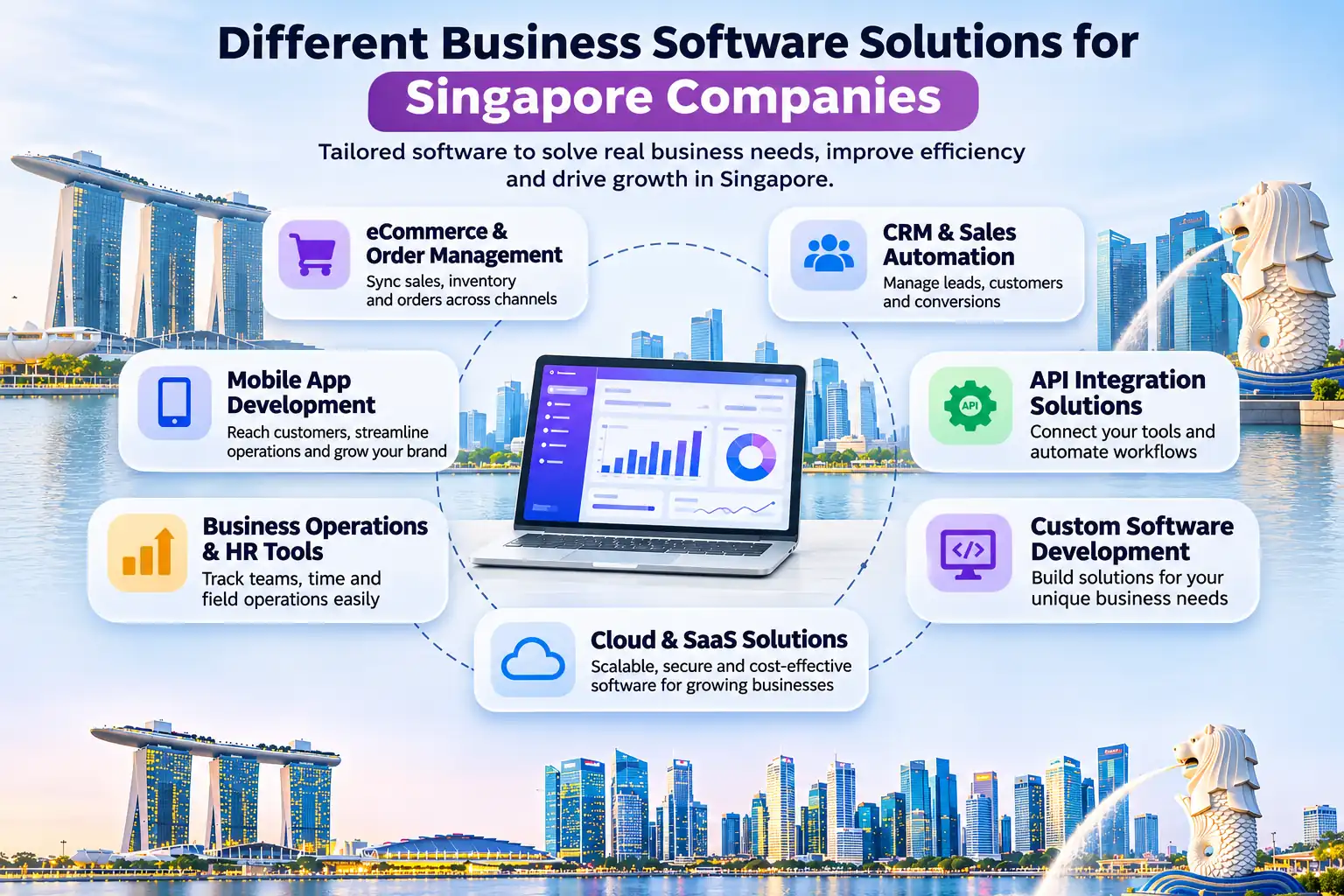
Ask ten Singapore business owners what software they use and you'll get ten different answers. That's not because some of them chose badly. It's because a bakery with three outlets, a tuition centre with five branches and a logistics firm with forty vans have almost nothing in common when it comes to how work gets done.
Business software solutions are meant to fix that gap between how you work and what your tools allow. Singapore's businesses are already going digital fast. IMDA reports that 95.1% of SMEs had adopted at least one digital area by 2024, and SME use of AI rose from 14.5% to 23.4% between 2024 and 2025. As more companies move online, picking the right software is turning into a real competitive decision.
In this guide you'll see why one product can't suit everyone, how needs differ by industry, when custom software is worth the money, and how to choose without overspending.
Most software is designed around an average customer. If your business looks like that average, great. If it doesn't, you end up bending your processes to fit the tool, or paying for features you never touch. Three things usually decide whether a product fits.
Two companies in the same industry can still work differently. One approves quotes in a single step, the other needs three sign-offs. One takes bookings by phone, the other online only. Software has to follow the way your team really works, otherwise people go back to spreadsheets and WhatsApp groups within a month.
A clinic handles sensitive patient records. A trading company cares about shipments and customs paperwork. An online store worries about stock levels across several sales channels. Each sector has its own rules, data and risks, and software that ignores them creates more work than it saves.
A startup building its own product, such as a SaaS platform, wants to launch fast and cheaply. A company opening a second market needs multi-currency support and reporting across branches. The software that suits you today may hold you back in two years, so your plans matter as much as your current setup.
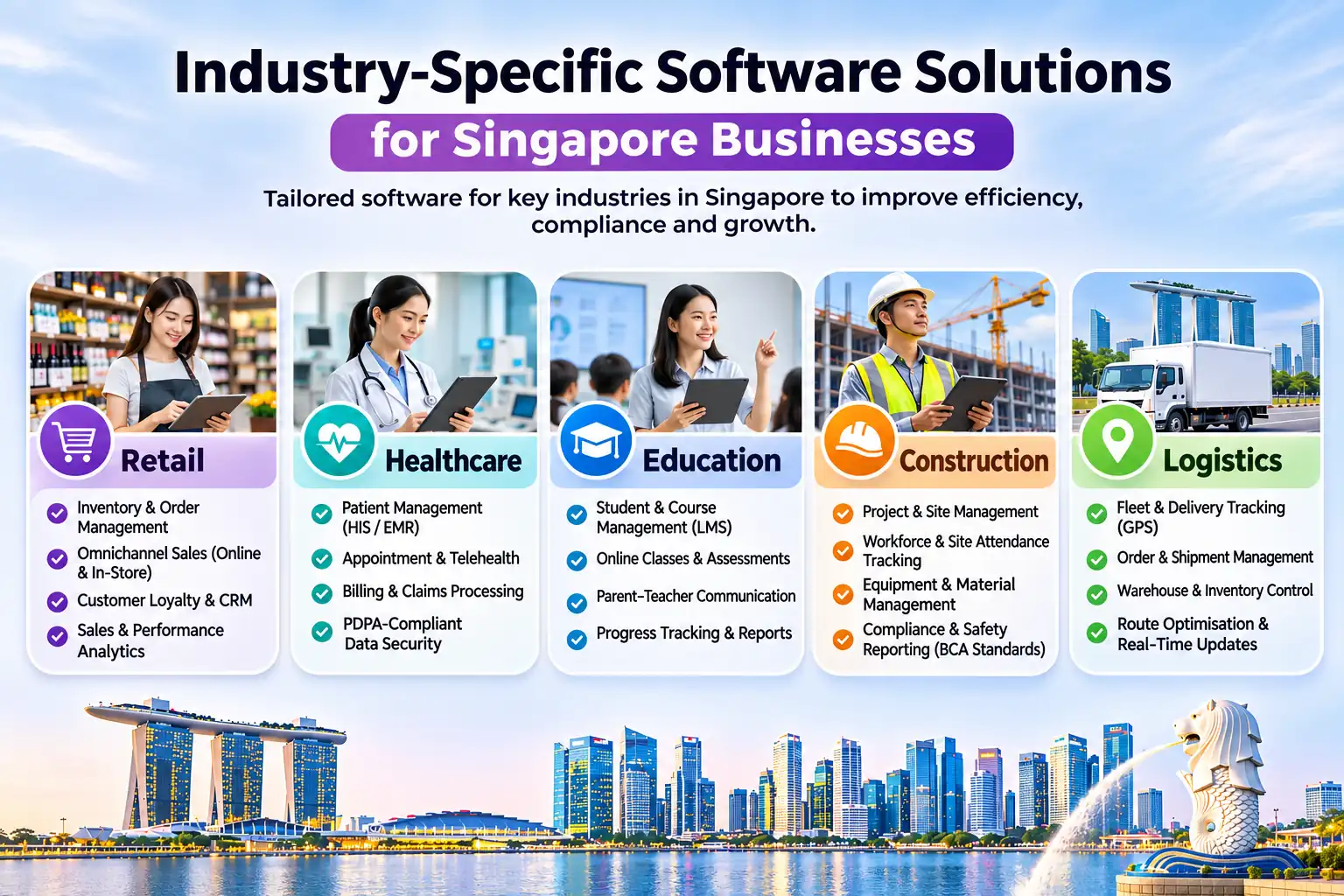
Industry-specific software comes with the common workflows of a sector already built in, which usually shortens setup. Here's what each of five sectors tends to need.
Singapore shoppers compare prices across your store and big marketplaces in a few taps, so stock accuracy is everything. Retailers need inventory that syncs across their website, outlets and marketplace listings, order tracking, and local payment options such as PayNow. Overselling a product you no longer have costs you the sale and the customer.
Clinics need appointment scheduling, patient records, billing and reminders that work together. Because the data is sensitive, access control and audit trails matter, along with careful handling of personal data under the PDPA. A generic CRM rarely covers this properly.
A tuition centre or training provider deals with enrolment, class schedules, tutor assignments, attendance, fee collection and parent updates. When these live in separate files, errors creep in. Student management software keeps them in one place and cuts the admin that eats into teaching time.
Construction teams track progress across sites, manage subcontractors, schedule manpower and monitor costs against budget. Delays are expensive, so teams need current information from the site, not a report that arrives a week late.
In a compact market like Singapore, delivery windows are tight. Logistics firms need route planning, live vehicle tracking, driver dispatch and proof of delivery, ideally connected to the orders and invoicing systems behind them. Drivers work from their phones, so this often means a mobile app linked to your back office.
When orders, approvals and reports flow through one system, nobody has to chase updates. A finance team that used to spend two days compiling month-end numbers can often get them in an afternoon.
Retyping the same details into three places is how wrong invoices and missed orders happen. Business process automation removes that repeat typing, so there are fewer mistakes to catch and fix later.
If sales, stock and finance data sit in different places, nobody trusts the numbers. Connected software gives owners one version of the truth and makes it easier to spot what is selling, what is stuck and where money is leaking.
Customers notice when you reply quickly, remember their history and give accurate delivery times. Good software makes that possible without extra headcount.
Tools that work for ten customers can break at a thousand. The right software handles more orders, users and branches without forcing you to rebuild everything.
It's a ready-made product that many companies use, such as accounting packages, payroll tools and standard CRMs. You pay a subscription or licence fee, set it up and start using it. It's quick and affordable, but you work within what the vendor built.
Custom software is built around your processes. A developer works with your team to design exactly what you need, including the integrations with your other systems. Custom business software costs more upfront, but you get the workflow you want and you own the result. If you're budgeting for this, our guide to web application development cost in Singapore shows typical ranges.
There's no single right answer, but this table is a fair starting point.
| Off-the-shelf | Custom-built | |
|---|---|---|
| Speed | Days or weeks to start | Months, depending on scope |
| Upfront cost | Low | Higher |
| Fit with your workflow | Good for standard processes | Built around your process |
| Flexibility | Limited to vendor features | Changes as your business changes |
| Best for | Accounting, payroll, basic CRM | Core operations, unique workflows, complex integrations |
Many businesses mix the two: standard tools for standard jobs, and custom software for the part that makes them different.
Custom software development isn't for everyone, and it shouldn't be your first move. It starts to make sense when you recognise several of these signs.
Work through these six steps in order. Skipping straight to vendor demos is how companies end up with impressive software that nobody uses.
Write down the actual problems: late invoices, double-booked appointments, stock that never matches the shelf. Attach a number where you can, like hours lost per week. That gives you something to measure the software against.
Map how work moves from first enquiry to final payment, and ask the people doing the work. They know where the real bottlenecks are.
List every system the new software must connect to, such as accounting, CRM, payments and logistics. API integration decides whether data flows by itself or someone has to move it by hand.
Ask where data is stored, who can access it and how it's backed up. If the software holds customer or employee details, it needs to support your PDPA responsibilities.
Think about where the business will be in three years. More users, more branches or a new market might change what you need.
Add up licences, setup, training, integrations, support and upgrades over three to five years. A cheap subscription with expensive add-ons can cost more than a custom build.
A few local points can change your decision, so it's worth checking them early.
AI features are showing up inside everyday tools, from chatbots that answer customer questions to systems that read invoices. They only work well when your data is accurate and in one place, which is another reason to get the foundations right first.
Automation handles the routine steps: sending reminders, routing approvals, updating records and producing reports. Start with the task your team dislikes most, prove it saves time, then move on to the next one.
An API lets two applications share data automatically. When your store, inventory, accounting and delivery tools are connected, an order placed online updates stock, raises an invoice and notifies the courier without anyone touching it. For companies with several tools, integration often delivers more value than adding another one.
Different businesses need different software because they work differently, face different rules and want to grow in different ways. The right choice starts with your workflow and your goals, not with a vendor's feature list. For some companies that means a well-chosen off-the-shelf product. For others it means custom software, or a mix of both connected through API integration.
At Inno Panda, we help Singapore businesses plan and build software solutions for businesses of all sizes, from custom web applications and internal tools to mobile apps, SaaS platforms and integrations between the systems you already use. If you're weighing your options, we're happy to look at your workflow and give you an honest view of what you need, and what you don't.
Want to talk through your software requirements? Tell us how your team works and we'll suggest where to start.
Because no two businesses run the same way. Your industry, team size, customers, rules and growth plans all shape what you need from software. A tool that suits a retail chain will probably frustrate a clinic or a construction firm.
It's software built around the processes of one sector, such as patient management for clinics, student management for schools and tuition centres, or fleet management for logistics. It usually saves setup time because the common workflows are already built in.
Neither is better in every case. Off-the-shelf software is cheaper and quicker when your process is standard. Custom software pays off when your workflow is unusual, your existing tools don't connect, or the software itself gives you an edge over competitors.
It takes over repetitive work such as data entry, approvals and reporting, keeps information in one place, and cuts the time staff spend chasing updates. Teams spend less time on admin and more on work that needs a person.
Consider it when your current tools can't do what you need, your systems don't talk to each other, staff rely on spreadsheets for core tasks, you're expanding, or you need a feature no product offers.
Yes, usually through API integration. Many modern tools can share data automatically. Where they can't, a custom integration layer can connect them so you stop retyping the same information in two places.
Check how the software handles personal data under the PDPA, whether it supports local payments like PayNow, how it connects with your accounting and other tools, what the total cost will be over several years, and whether any grants apply.
It depends on scope, integrations and compliance needs. A simple internal tool costs far less than a customer-facing platform. Our web application cost guide for Singapore shows typical ranges and what pushes the price up or down.
There may be. The Productivity Solutions Grant has covered pre-approved off-the-shelf solutions, and the Enterprise Development Grant has supported custom projects. Enterprise Singapore has said these are being merged into a new EDGE grant, so check the current rules with Enterprise Singapore or GoBusiness before you sign anything.
Whether you're replacing a tool that no longer fits, connecting systems that don't talk to each other, or planning something new, we can help you work out the right approach. Book a free consultation and we'll give you a clear scope and a straightforward estimate in SGD, with no obligation.
Book a Free Consultation See Typical Costs