Why Employee Time Tracking Software Is Essential for Growing Businesses in 2026
- 1 Why Employee Time Tracking Software Is Essential for Growing Businesses in 2026
- 1.1 What Is Employee Time Tracking Software and How Does It Work?
- 1.2 Why Businesses Are Adopting Workforce Management Software
- 1.3 How Employee Productivity Software Improves Team Performance
- 1.4 Key Benefits of Employee Attendance Tracking Software
- 1.5 Essential Features to Look for in Employee Time Tracking Software
- 1.6 How Team Productivity Software Supports Business Growth
- 1.7 Employee Monitoring Software vs Employee Time Tracking Software
- 1.8 Common Mistakes Businesses Make When Choosing Work Tracking Software
- 1.9 Why ReKloq Employee Time Tracking Software Is Built for Growing Businesses
- 1.10 How ReKloq Supports Remote Employee Tracking Software Requirements
- 1.11 Measuring ROI with Productivity Tracking Software
- 1.12 Get Started with ReKloq Staff Tracking Software
- 1.13 Related Inno Panda Services for Growing Businesses
- 1.14 Frequently Asked Questions About Employee Time Tracking Software
- 1.15 Conclusion: Why Growing Businesses Can't Afford to Skip Time Tracking in 2026
- 1.16 Ready to Replace Manual Time Tracking with Real Workforce Visibility?
If your team has outgrown spreadsheets and sign-in sheets, this guide walks through why employee time tracking software has become a basic operating requirement in 2026 — not a luxury — and how to choose the right one for your business.
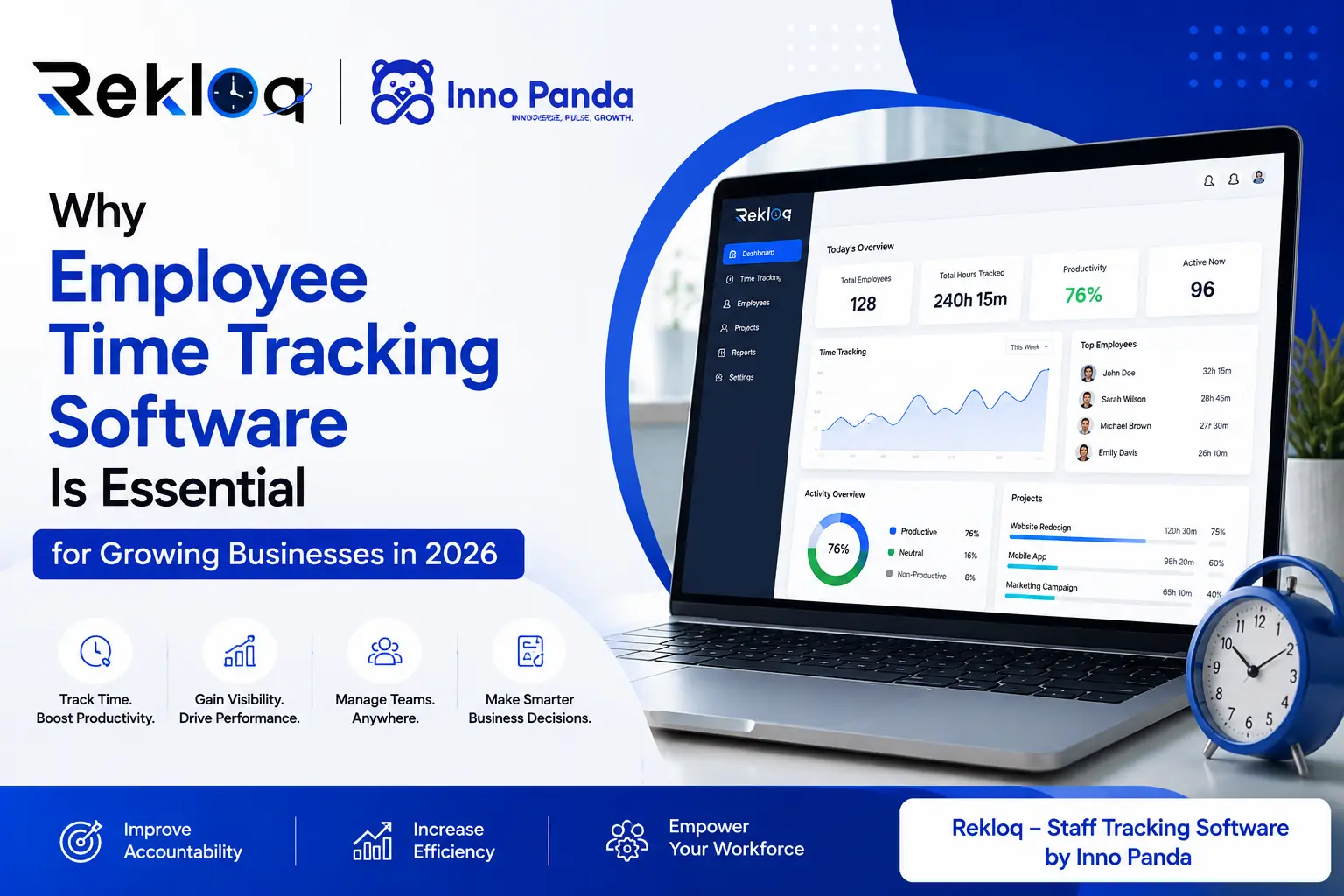
Your team has grown past the point where a spreadsheet or a paper sign-in sheet can keep up. Payroll takes longer to process every month. Nobody is quite sure who worked late on the project that's behind schedule. Leave requests live in three different group chats. Employee time tracking software exists for exactly this moment — when manual attendance and informal tracking stop being "good enough."
Workforce expectations have shifted substantially heading into 2026. Hybrid and remote arrangements are now standard rather than exceptional, teams are distributed across more locations and time zones, and employees themselves increasingly expect transparent, fair systems for recording hours and approving leave — not ad-hoc trust-based arrangements that break down the moment someone disputes a timesheet.
At the same time, businesses are under more pressure than ever to operate efficiently. Every hour of unaccounted work, every payroll error caused by manual data entry, and every manager spending half a day each week chasing timesheets is a direct cost. Employee time tracking software addresses this directly — it replaces guesswork with accurate, automatic records, and gives managers the visibility, accountability, and productivity data they need to run a growing team properly.
Later in this guide, we'll look at where a purpose-built platform like ReKloq by Inno Panda fits into this picture for businesses that want workforce intelligence without building a custom system from scratch.
What Is Employee Time Tracking Software and How Does It Work?
Definition of Employee Time Tracking Software
Employee time tracking software is a system that records how many hours staff work, when they clock in and out, and how that time is distributed across tasks or projects. Instead of relying on a paper register, a shared spreadsheet, or a manager's memory, the software captures this data automatically through desktop apps, web dashboards, or mobile check-ins — and turns it into timesheets, attendance logs, and reports without manual data entry.
How Employee Time Tracking Systems Operate
Most modern platforms work on a simple principle: staff start a timer or clock in when they begin work, and the system records the session in the background. Some tools add optional layers — activity levels, app or website usage, GPS location for field staff — depending on how much visibility a business actually needs. That data flows into a central dashboard where managers can see who's working, for how long, and on what, without asking anyone for an update.
Common Business Use Cases
Businesses use employee time tracking software for payroll accuracy, client billing based on hours worked, project cost tracking, attendance compliance, and remote team accountability. Agencies bill clients off logged hours. Field service businesses verify staff were on-site through GPS check-ins. Growing SMEs simply want an accurate, disputable-proof record of who worked when, without a manager manually compiling it every Friday.
Time Tracking vs Manual Workforce Management
Manual tracking — spreadsheets, paper logs, verbal check-ins — works at very small scale, but it breaks down fast as headcount grows. Entries get forgotten, hours get estimated rather than recorded, and reconciling everything before payroll becomes a recurring monthly headache. Software removes the estimation and the reconciliation. The record is created the moment the work happens, not reconstructed afterward from memory.
Why Businesses Are Adopting Workforce Management Software
Challenges with Traditional Workforce Tracking
Traditional attendance methods were never designed for distributed, fast-growing teams. Paper sign-in sheets can be backdated. Spreadsheets get edited without an audit trail. Verbal "I worked late" claims are impossible to verify fairly. None of this is necessarily about dishonesty — it's that manual systems simply don't have the structure to stay accurate once more than a handful of people are involved.
Growing Complexity of Managing Teams
As businesses scale, the variables multiply: different shift patterns, multiple departments, remote staff in different time zones, contractors billed hourly alongside salaried staff. Workforce management software exists to absorb that complexity into one system, rather than asking managers to mentally track an increasingly tangled set of schedules and exceptions.
Need for Operational Transparency
Transparency benefits both sides. Employees get a fair, consistent record that protects them from disputes over hours or leave balances. Managers get an accurate picture of where time is actually going, rather than relying on assumptions about who's busy and who isn't. That mutual visibility tends to reduce friction rather than create it, once teams adjust to the new system.
The Shift Toward Digital Workforce Management
The broader shift toward cloud-based, digital workforce tools reflects how work itself has changed — more remote, more project-based, more fragmented across tools and locations. Workforce management software is the connective layer that makes all of that manageable from a single dashboard instead of five disconnected systems.
How Employee Productivity Software Improves Team Performance
Increasing Employee Accountability
When work hours and activity are tracked consistently, accountability becomes structural rather than something a manager has to enforce through reminders and follow-ups. Staff know their time is recorded fairly and consistently — which, in practice, tends to reduce the small inconsistencies that build up under purely informal systems.
Identifying Productivity Opportunities
Employee productivity software surfaces patterns that are invisible without data — which projects are consistently taking longer than estimated, which times of day see the most focused work, where bottlenecks tend to form. None of this is about micromanaging individuals; it's about understanding how the team as a whole is actually spending its time.
Supporting Better Decision Making
Staffing decisions, project quotes, and resourcing plans are only as good as the data behind them. Accurate time and productivity data turns those decisions from estimates into something grounded in how long things have actually taken historically.
Building Efficient Work Processes
Once a business can see where time is going, it becomes possible to redesign processes around the actual bottlenecks rather than assumed ones. This is one of the most underrated benefits of time and productivity tracking — it turns process improvement from guesswork into something evidence-based.
Key Benefits of Employee Attendance Tracking Software
Employee attendance tracking software is often the first feature growing businesses adopt, simply because attendance errors are the most visible and most frequently disputed part of manual systems. Getting this layer right tends to be the foundation everything else — productivity tracking, leave management, reporting — gets built on top of.
Essential Features to Look for in Employee Time Tracking Software
Not every platform in this category is built the same way, and feature lists can be misleading. Here is what actually matters when evaluating employee time tracking software for a growing business, rather than what looks impressive on a marketing page.
Automatic Time Logging
Start/stop timers and automatic clock-in across desktop, web, and mobile, so hours are captured the moment work happens rather than reconstructed later.
Attendance Visibility
Real-time view of who's working, who's on leave, and who's running late — without needing to ask anyone directly.
Productivity Dashboards
Activity summaries and trend views that show how work hours are distributed across the team, not just whether someone clocked in.
Reporting & Analytics
Exportable, audit-ready reports for payroll, client billing, and management reviews — generated automatically rather than compiled by hand.
Multi-Team Management
Role-based views so department heads see their own team while leadership sees the full organisation, without separate spreadsheets per department.
Integration Capabilities
Connections to payroll, project management, or HR systems so time data flows into the tools you already use instead of sitting isolated in one app.
How Team Productivity Software Supports Business Growth
Better Collaboration Across Teams
When time and workload data is visible across departments, coordination improves naturally — managers can see when another team is stretched thin before agreeing to a tight deadline, rather than finding out after a deliverable slips.
Improved Operational Efficiency
Team productivity software removes a layer of manual coordination overhead. Instead of status meetings to find out who's working on what, the data is already visible in the dashboard.
Faster Project Execution
Project-level time tracking shows exactly where hours are going within a project, which makes it far easier to catch scope creep or underestimated tasks early — before they derail a deadline.
Smarter Resource Allocation
With clear visibility into who has capacity and who's overloaded, resourcing decisions stop being based on who happens to be available right now and start being based on actual workload data.
Employee Monitoring Software vs Employee Time Tracking Software
Understanding the Differences
These two categories overlap but aren't the same thing. Employee time tracking software is primarily concerned with recording hours, attendance, and timesheets — the data businesses need for payroll and reporting. Employee monitoring software goes a layer deeper, often including screenshots, detailed app and website usage, and continuous activity logs. Many modern platforms blend elements of both, but the underlying intent is different: one is about accurate records, the other is about oversight of daily activity.
Which Businesses Need Time Tracking
Most growing businesses — agencies, professional services, retail, field service teams — primarily need accurate time tracking: hours, attendance, and project allocation. That's enough to fix payroll headaches and give managers visibility without venturing into deeper monitoring territory.
Selecting the Right Software Strategy
The right approach is to start from the actual problem you're solving. If the goal is accurate payroll and attendance, a focused time tracking tool is the right fit. If the concern is specifically about how remote staff spend their working hours, a platform with productivity and activity visibility — like ReKloq by Inno Panda — adds that layer without requiring a full monitoring suite most businesses don't need.
Common Mistakes Businesses Make When Choosing Work Tracking Software
Prioritising Price Over Value
The cheapest plan often lacks the reporting depth or integrations a growing team will need within a few months, which means switching tools again — and migrating historical data — sooner than expected.
Ignoring Scalability
Tools that work well for five people can become unmanageable at fifty if they don't support multi-team structures, role-based permissions, or branch-level reporting. It's worth checking how a platform behaves at double your current headcount, not just your current size.
Overlooking Reporting Requirements
Some platforms track time well but generate reports that don't match what payroll or finance actually needs. Confirm the export formats and report types before committing, not after the first payroll cycle.
Choosing Overly Complex Platforms
Feature-heavy platforms aimed at large enterprises can be genuinely harder to roll out to a 15-person team than something simpler and more focused. Adoption matters as much as feature depth — a tool nobody uses correctly defeats the purpose entirely.
Why ReKloq Employee Time Tracking Software Is Built for Growing Businesses
Introducing ReKloq by Inno Panda
ReKloq is a workforce intelligence platform built by Inno Panda, designed for remote teams, agencies, and growing businesses that need a single dashboard to monitor productivity, capture work activity, and turn that data into actionable insight. Rather than bolting time tracking onto a generic HR tool, ReKloq is built specifically around the question growing businesses ask most often: where is our time actually going?
Centralised Employee Time Tracking
Instead of separate tools for time, attendance, and reporting, ReKloq consolidates work-hour tracking into one dashboard. Managers get a single place to check who's working, review logged hours, and pull reports — which removes the cross-referencing between systems that eats up so much administrative time on manual setups.
Better Productivity and Workforce Insights
Beyond raw hours, ReKloq's productivity and analytics layer gives growing businesses the operational data needed to support real decisions — staffing, workload balancing, and identifying where processes are slowing the team down — backed by activity data rather than assumptions.
Simple Setup and Easy Team Adoption
A time tracking tool only delivers value if the team actually uses it consistently. ReKloq's dashboard-first design is built to be straightforward for staff to adopt without extensive training, which matters as much as the depth of the feature set itself.
How ReKloq Supports Remote Employee Tracking Software Requirements
Manage Remote and Hybrid Teams
For teams spread across locations and time zones, remote employee tracking software isn't optional infrastructure — it's the only practical way to maintain a consistent, fair record of hours worked. ReKloq's real-time tracking gives managers that visibility without requiring constant check-ins.
Improve Accountability Across Locations
When staff work from different cities or countries, accountability has to come from the system rather than physical presence. Logged sessions and activity data create that accountability structurally, rather than relying on trust alone.
Gain Visibility into Workforce Activity
Remote management often suffers from an information gap — managers simply don't know how work is progressing until a deadline is missed. ReKloq closes that gap by surfacing activity and progress continuously, rather than only at the end of a project.
Measuring ROI with Productivity Tracking Software
Reduced Administrative Workload
The most immediate, measurable return from productivity tracking software is the time managers and HR staff get back from no longer manually compiling timesheets, chasing late submissions, and reconciling attendance before every payroll run.
Improved Employee Productivity
Visibility into how time is actually spent tends to surface inefficiencies that were previously invisible — recurring delays, underused capacity, or tasks taking consistently longer than expected — giving teams a concrete basis for improvement.
Better Operational Decision Making
Staffing, scheduling, and project quoting decisions improve measurably once they're based on actual historical time data rather than estimates that drift further from reality the longer a business relies on them.
Long-Term Business Efficiency
Compounded over months and years, accurate time and productivity data becomes one of the more reliable inputs into how a growing business plans its headcount, pricing, and operational structure.
Get Started with ReKloq Staff Tracking Software
Explore ReKloq Features
Review how real-time tracking, productivity visibility, and instant reporting fit your current workflow before making any commitment.
Evaluate Your Time Tracking Needs
Map out whether your priority is payroll accuracy, remote team visibility, project-level tracking, or a combination — so the rollout matches what you actually need.
Support Business Growth with Smarter Workforce Management
Roll out ReKloq with a setup that fits your team size today and scales as headcount and complexity grow.
Discover how ReKloq by Inno Panda helps businesses improve employee visibility, productivity, and operational efficiency — without the overhead of building a custom workforce system from the ground up.
Employee time tracking is often just one part of a wider operational upgrade. Inno Panda also helps businesses streamline operations through related services worth exploring alongside workforce tracking:
Frequently Asked Questions About Employee Time Tracking Software
What is employee time tracking software?
Employee time tracking software is a system that records work hours, attendance, and activity automatically across desktop, web, and mobile devices. Instead of relying on spreadsheets or manual sign-in sheets, the software logs clock-ins, breaks, and total hours worked, then turns that data into timesheets, attendance records, and productivity reports that managers can review in one dashboard.
Why is employee time tracking important for growing businesses?
As teams grow past a handful of people, manual attendance tracking becomes unreliable and time-consuming. Time tracking software gives businesses accurate work-hour records for payroll, clear visibility into where time is actually spent, and the reporting needed to plan staffing and workload without guesswork.
It also reduces the administrative burden on managers who would otherwise be chasing timesheets manually every payroll cycle.
How does workforce management software improve productivity?
Workforce management software improves productivity by giving managers visibility into how work hours are actually used, not just whether someone clocked in. Activity data, attendance patterns, and project-level time records surface where work is slowing down, which teams are overloaded, and which processes need adjusting.
That visibility supports better staffing decisions and clearer accountability across the team, without requiring constant manual check-ins.
Is employee time tracking software suitable for remote teams?
Yes. Remote employee tracking software is one of the strongest use cases for this category, since managers cannot rely on physically seeing who is working. Cloud-based time tracking gives remote and hybrid teams a shared, accurate record of hours worked regardless of location.
Features like activity tracking and project-based logging help maintain accountability without requiring constant check-ins or status updates.
What features should businesses look for before selecting software?
Businesses should prioritise accurate multi-device time logging, automated timesheets with an approval workflow, attendance and leave management, clear reporting and dashboards, and the ability to scale across multiple teams or branches.
Integration with existing payroll or project tools matters too, since time data that stays siloed in one app creates extra manual work elsewhere rather than removing it.
What is the difference between employee monitoring software and employee time tracking software?
Employee time tracking software focuses on recording hours worked, attendance, and timesheets for payroll and reporting purposes. Employee monitoring software goes further, adding features like screenshots, app and website usage tracking, and detailed activity logs.
Many modern platforms blend both, but businesses should choose based on what they actually need to manage — payroll accuracy versus deeper oversight of daily activity.
How much does employee time tracking software typically cost?
Pricing in this category is usually tiered by team size and feature depth. Entry-level plans aimed at small teams typically focus on core time tracking and basic leave management, mid-tier plans add productivity monitoring, attendance reporting, and project tracking, and higher tiers introduce multi-branch support, advanced workflows, and AI-assisted features.
Exact pricing varies by vendor, so it's worth requesting a quote based on your team size and required features rather than assuming a flat rate applies across providers.
How does ReKloq by Inno Panda support employee time tracking?
ReKloq is a workforce intelligence platform built by Inno Panda that helps companies monitor productivity, capture work activity, and gain insights from a single dashboard. It's built around real-time tracking of work sessions and hours, team productivity visibility, and instant analytics and reporting.
That gives growing businesses a centralised view of how work is actually getting done, without needing to stitch together several separate tools for time, attendance, and reporting.
Conclusion: Why Growing Businesses Can't Afford to Skip Time Tracking in 2026
Workforce expectations and operational pressure have both shifted in the same direction heading into 2026 — toward systems that are accurate, transparent, and able to scale with a growing team. Manual attendance and spreadsheet-based tracking simply weren't built for distributed, fast-moving teams, and the cracks tend to show up exactly when a business can least afford the disruption: during a busy quarter, a payroll deadline, or a client billing dispute.
Employee time tracking software replaces that fragility with a system that records hours accurately the moment work happens, gives managers real visibility without micromanagement, and turns workforce data into something businesses can actually plan around. Whether the priority is payroll accuracy, remote team accountability, or deeper productivity insight, the right platform pays for itself in administrative hours saved within the first few months.
ReKloq by Inno Panda brings that capability into a single, straightforward dashboard — built for remote teams, agencies, and growing businesses that want workforce intelligence without unnecessary complexity.
Ready to Replace Manual Time Tracking with Real Workforce Visibility?
Stop chasing timesheets and reconstructing attendance from memory. ReKloq by Inno Panda gives you real-time tracking, productivity insight, and instant reporting from a single dashboard — built for teams that have outgrown spreadsheets. Talk to our team and see what a properly tracked workforce looks like.