On-Device AI in Mobile Apps: A 2026 Guide for Founders (Privacy, Cost & Performance)
- 1 On-Device AI in Mobile Apps: A 2026 Guide for Founders (Privacy, Cost & Performance)
- 1.1 Key Takeaways
- 1.2 What Is On-Device AI in Mobile Apps?
- 1.3 Why Is On-Device AI Becoming Important in 2026?
- 1.4 Common Use Cases of On-Device AI in Mobile Apps
- 1.5 On-Device AI vs Cloud AI: Which Is Better for Mobile Apps?
- 1.6 Privacy Benefits of On-Device AI
- 1.7 How Much Does On-Device AI Cost?
- 1.7.1 AI Model Development Costs
- 1.7.2 Mobile App Integration Costs
- 1.7.3 Model Optimization Costs
- 1.7.4 Testing Across Devices
- 1.7.5 Cloud AI vs On-Device AI Operating Costs
- 1.7.6 What Actually Determines the Total Cost?
- 1.7.7 Model Complexity
- 1.7.8 Number of Users
- 1.7.9 Device Compatibility
- 1.7.10 AI Workload
- 1.7.11 Development Requirements
- 1.7.12 Cloud Fallback Requirements
- 1.8 Does On-Device AI Improve Mobile App Performance?
- 1.9 What Are the Limitations of On-Device AI?
- 1.10 On-Device AI vs Cloud AI vs Hybrid AI
- 1.11 On-Device AI Frameworks and SLMs to Know in 2026
- 1.12 How Secure Are On-Device AI Models?
- 1.13 On-Device AI and PDPA Compliance in Singapore
- 1.14 How to Measure ROI on an On-Device AI Feature
- 1.15 How to Implement On-Device AI in a Mobile App
- 1.15.1 Define the AI Use Case
- 1.15.2 Decide Between On-Device, Cloud, and Hybrid AI
- 1.15.3 Select the Right AI Model
- 1.15.4 Optimize the Model for Mobile
- 1.15.5 Choose the AI Framework
- 1.15.6 Integrate AI Into Android or iOS
- 1.15.7 Test Across Real Devices
- 1.15.8 Monitor Performance and User Experience
- 1.16 How to Choose the Right AI Architecture for Your Mobile App
- 1.17 How Inno Panda Can Help With AI-Powered Mobile App Development
- 1.18 Quick Glossary
- 1.19 Frequently Asked Questions About On-Device AI
- 1.19.1 What Is On-Device AI in Mobile Apps?
- 1.19.2 Is On-Device AI Better Than Cloud AI?
- 1.19.3 Is On-Device AI More Private?
- 1.19.4 Does On-Device AI Work Without Internet?
- 1.19.5 Is On-Device AI Cheaper Than Cloud AI?
- 1.19.6 What Are the Disadvantages of On-Device AI?
- 1.19.7 How Much Does On-Device AI Development Cost?
- 1.19.8 Can AI Run Completely Offline on a Smartphone?
- 1.19.9 Should Startups Use On-Device AI or Cloud AI?
- 1.19.10 What Is Hybrid AI Architecture?
- 1.19.11 What Is Gemini Nano and How Is It Different From Apple Foundation Models?
- 1.19.12 Is an On-Device AI Model Safe From Being Extracted or Reverse Engineered?
- 1.19.13 Does On-Device AI Automatically Make a Mobile App PDPA Compliant in Singapore?
- 1.20 Related Reading from Inno Panda
- 1.21 Planning to Add AI to Your Mobile App?
AI in mobile apps used to mean one thing: send data to the cloud, wait for a response, hope the connection holds. That's changing fast. On-device large language models like Gemini Nano and Apple's Foundation Models now ship inside the phones your users already carry. This guide breaks down what on-device AI actually is, which frameworks and small language models power it in 2026, how it compares to cloud AI, what it really costs, how it holds up under Singapore's PDPA, and how to decide which architecture fits your app.
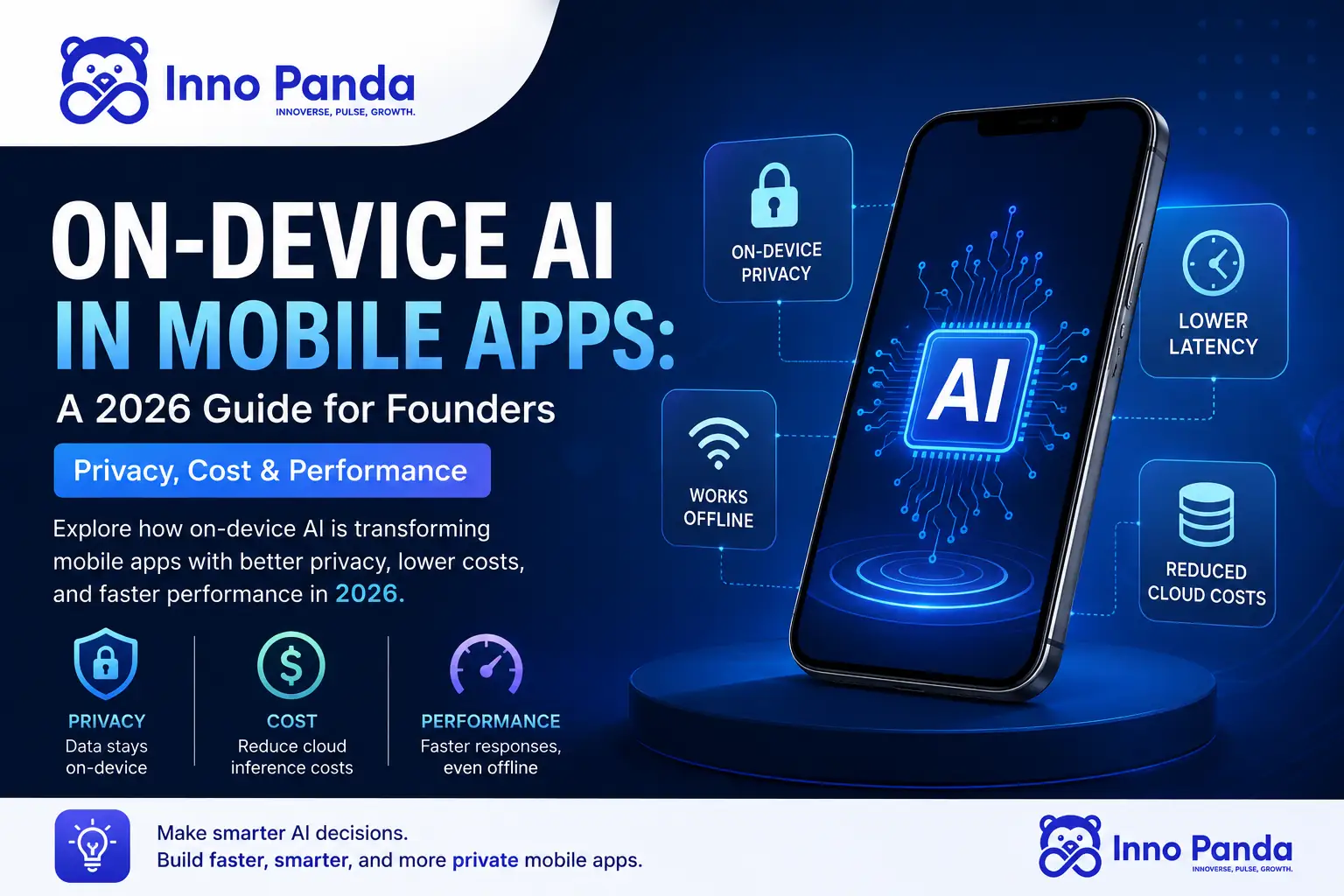
Key Takeaways
- On-device AI runs the AI model directly on the smartphone instead of sending data to a server for processing.
- It's gaining ground in 2026 because of faster NPUs, smaller AI models, and rising demand for data privacy.
- On-device AI vs cloud AI isn't an either/or decision — most serious apps end up choosing a hybrid AI architecture.
- On-device AI is strongest for privacy-sensitive, latency-sensitive, and offline-first features.
- Cloud AI still wins for large models and complex reasoning tasks a phone simply can't run.
- Cost depends on model complexity, device compatibility, and how much cloud fallback you build in.
- Platform-level small language models, including Google's Gemini Nano (via ML Kit GenAI and LiteRT) and Apple's Foundation Models framework, now give apps free, built-in on-device inference without hosting a model yourself.
- In Singapore, on-device processing helps with PDPA compliance by reducing personal data transmission, but it does not remove data protection obligations on its own.
If you're a founder scoping an AI feature for your mobile app right now, you've likely run into the same fork in the road: build it to run in the cloud, or build it to run on the device itself. In 2026, mobile ai development is shifting meaningfully toward the second option, as ai in mobile app development increasingly means running intelligence closer to the user rather than shipping every request to a server. This guide walks through what that actually looks like in practice.
What Is On-Device AI in Mobile Apps?
On-device AI is exactly what it sounds like: the AI model lives and runs on the user's phone, not on a remote server. Instead of sending a voice clip, photo, or block of text across the internet for processing, the phone itself does the thinking. It's sometimes called edge AI in mobile apps, since the "edge" here is the device in someone's hand rather than a data centre.
How On-Device AI Works
So how does on-device AI work in mobile apps, exactly? In a typical on-device ai mobile apps setup, a compact AI model is bundled with, or downloaded into, the app. When the user triggers an AI feature, the model runs locally, using the phone's own chip to generate a result — this is called local inference, as opposed to server-side inference, where the same job happens on a remote machine. A simple example: a note-taking app that transcribes voice memos on-device, without ever uploading the audio file anywhere.
On-Device AI vs Traditional Cloud AI
The core difference between on device ai vs cloud ai comes down to three things: where the data goes, whether the app needs an internet connection, and where the actual processing happens.
Data Flow
On-device: data stays on the phone. Cloud: data travels to a remote server and back.
Internet Dependency
On-device AI can often work offline. Cloud AI generally needs a live connection.
Processing Location
On-device: phone's CPU/GPU/NPU. Cloud: data centre servers with far more compute power.
Why Is On-Device AI Becoming Important in 2026?
Why use on-device AI at all, when cloud infrastructure is so mature? A few converging trends explain what are the benefits of on-device AI heading into on-device AI 2026 roadmaps for founders.
Faster AI Responses
Cutting out the round trip to a server means less network latency — the app can respond in real time instead of waiting on a request-response cycle.
Better Data Privacy
Because data doesn't have to leave the device, on device ai privacy is a genuine structural advantage, not just a marketing claim — there's simply less data transmission for anything to intercept.
Offline AI Capabilities
Offline ai mobile apps can keep working on a flight, in a basement car park, or anywhere connectivity drops — a meaningful reliability upgrade for AI-powered mobile apps.
More Powerful Smartphone Hardware
Modern phones increasingly ship with dedicated AI hardware:
CPU
Handles general-purpose processing and lighter AI tasks.
GPU
Accelerates parallel computation used in many AI models.
NPU / AI Accelerators
Purpose-built chips that make on device ai inference dramatically faster and more power-efficient.
Smaller and More Efficient AI Models
On device llm and on device machine learning models have gotten dramatically smaller without losing much capability — and on device generative ai 2026 releases are pushing this even further, thanks to:
- Model compression
- Quantization (reducing the precision of a model's calculations to shrink its size)
- Lightweight, purpose-built models designed specifically for phones rather than data centres
Together, these trends point to where mobile AI trends 2026 and mobile ai development 2026 roadmaps are heading, and hint at the future of on-device AI: smaller, faster, more private models running closer to the user.
Common Use Cases of On-Device AI in Mobile Apps
The benefits of on-device AI for mobile apps show up most clearly in specific, everyday features:
Voice Recognition & Transcription
Real-time speech-to-text without an internet round trip.
Image Recognition & Computer Vision
Instant object, scene, or face detection in the camera app.
AI-Powered Text Summarization
Summarizing long articles or messages directly on the device.
Smart Recommendations
Personalized suggestions generated locally from on-device usage patterns.
Offline Translation
Language translation that works with zero connectivity.
AI Chatbots and Assistants
Lightweight local assistants for quick, private interactions.
Document Scanning and OCR
Extracting text from photos instantly, without uploading the image.
Personalized User Experiences
Tailoring the app to the user without their behavioural data leaving the phone.
On-Device AI vs Cloud AI: Which Is Better for Mobile Apps?
There's no universal winner here — it genuinely depends on what your app needs to do. Here's how the two architectures compare side by side.
| Factor | On-Device AI | Cloud AI |
|---|---|---|
| Processing | Local, on the device | Remote, in the cloud |
| Internet | Often optional | Usually required |
| Latency | Potentially lower | Network dependent |
| Privacy | Strong local processing | Data transmitted off-device |
| Scalability | Device-dependent | Highly scalable |
| Model size | More limited | Larger models possible |
| Offline support | Strong | Limited |
| Infrastructure cost | Lower cloud inference dependency | Usage-based cloud costs |
Privacy Benefits of On-Device AI
Keeping Sensitive Data on the Device
Health data, personal messages, financial details, biometric data — anything sensitive stays local instead of passing through third-party servers.
Reducing Data Transmission
Less data leaving the device means a smaller attack surface and simpler data-handling obligations for your app overall.
Supporting Privacy-Sensitive Applications
Healthcare apps, finance apps, and anything handling personal identifiers benefit the most from on device ai privacy by design, rather than privacy bolted on afterward.
Is On-Device AI Completely Private?
Not automatically. Is on-device AI private largely comes down to design. A few things still need attention:
App Permissions
What else the app can access beyond the AI feature itself.
Analytics
Usage tracking can still leave the device even if the AI model doesn't.
Data Storage
How and where results are saved locally on the device.
Telemetry
Diagnostic data some SDKs send back by default.
Note: Is on-device AI secure and private depends heavily on how the surrounding app is built. On-device AI is one layer of a good security architecture, not a complete privacy strategy on its own.
How Much Does On-Device AI Cost?
On device ai cost isn't a single line item — and is on-device AI cost effective really depends on your use case. It's spread across several stages of development.
AI Model Development Costs
Building, fine-tuning, or licensing the underlying model for your specific use case — this covers ai model optimization for mobile as much as the initial model choice.
Mobile App Integration Costs
Wiring the model into your Android or iOS app, including UI, permissions, and error handling.
Model Optimization Costs
Quantization and compression work to shrink the model until it runs smoothly on target devices.
Testing Across Devices
On-device AI behaves differently across chipsets, RAM tiers, and OS versions — thorough device testing is not optional.
Cloud AI vs On-Device AI Operating Costs
Cloud AI carries ongoing, usage-based inference costs that scale with users. On-device AI shifts more cost to development up front but reduces the recurring cloud AI vs on device ai operating bill over time.
What Actually Determines the Total Cost?
Model Complexity
Bigger, more capable models cost more to optimize and ship.
Number of Users
Affects testing scope and support requirements.
Device Compatibility
Supporting older or budget devices adds engineering time.
AI Workload
Simple classification vs complex generative tasks.
Development Requirements
Custom UI, offline sync, and edge cases add scope.
Cloud Fallback Requirements
Building a hybrid safety net adds architecture complexity.
We won't quote an arbitrary "average price" here — on device ai development cost and on device ai mobile app development cost depend entirely on your specific use case. Get in touch for a scoped estimate.
Does On-Device AI Improve Mobile App Performance?
Is on-device AI faster than sending a request to the cloud? Usually, for lightweight tasks — but performance depends on a few specific factors.
Latency and Response Time
On device ai latency is typically lower for simple tasks since there's no network round trip — though very complex tasks can sometimes run faster on powerful cloud servers than on a phone chip.
Offline Performance
Performance stays consistent regardless of signal strength, which matters a lot for on device ai performance on smartphones used in transit, rural areas, or spotty-coverage zones.
Battery Consumption
On device ai battery consumption is a real trade-off — local inference uses the phone's own power and processing cycles, so poorly optimized models can drain battery faster than a lightweight cloud API call.
Memory and Storage Requirements
AI models take up storage space and RAM while running, which can be a constraint on older or budget devices.
Thermal Throttling
Sustained AI workloads can heat up a device, causing it to slow down, or throttle, to protect the hardware — a factor that needs testing under real-world, sustained use.
Device Fragmentation
Android alone spans thousands of device and chipset combinations, which makes consistent on-device performance harder to guarantee than on a controlled cloud environment.
What Are the Limitations of On-Device AI?
Limited Processing Resources
Compared to cloud servers with far more compute power.
RAM Constraints
On mid-range and older devices, especially.
Battery Consumption
From sustained local inference.
Device Compatibility Gaps
Across chipsets and OS versions.
Model Size Limits
On what can realistically run on-device.
Model Updates
Requiring app updates or over-the-air model downloads.
Security Considerations
Around locally stored models and data.
Complicated Testing
Across a fragmented device landscape.
Some Workloads Need Cloud AI
Large-scale reasoning still isn't feasible on a phone.
On-Device AI vs Cloud AI vs Hybrid AI
Should I use on-device AI or cloud AI? Once you look past the two extremes, a third option covers most real-world apps: hybrid AI architecture, where some tasks run on-device and others are routed to the cloud. This is the practical answer to on device ai vs cloud ai for mobile apps for most founders — not a strict either/or.
A good fit for on device ai for startups and on device ai for businesses depends on what each architecture is actually built to do best:
On-Device AI
Best when:
- Privacy is important
- Low latency matters
- Offline functionality is required
- AI tasks are relatively lightweight
Cloud AI
Best when:
- Large models are required
- Complex reasoning is needed
- Centralized model management is important
Hybrid AI
Best when:
- You need both local and cloud AI
- Simple tasks can run locally
- Complex tasks can be sent to the cloud
- You need fallback functionality if the device can't handle a task
On-Device vs Cloud vs Hybrid AI: Side-by-Side Comparison
| Factor | On-Device AI | Cloud AI | Hybrid AI |
|---|---|---|---|
| Data privacy | Strongest — data stays on device | Weaker — data leaves the device | Strong for local tasks, weaker for cloud-routed ones |
| Offline support | Full support | None | Partial — local tasks work offline |
| Latency | Low for lightweight tasks | Network dependent | Low for local tasks, higher for cloud-routed ones |
| Model size / power | Limited by device hardware | Virtually unlimited | Best of both — light models locally, large models via cloud |
| Development complexity | Moderate — optimization and testing heavy | Lower — standard API integration | Highest — requires routing logic and fallback handling |
| Ongoing operating cost | Lower — no per-request cloud fees | Higher — usage-based inference costs | Moderate — cloud fees only for routed tasks |
| Scalability | Limited by device capability | Highly scalable | Scalable, with device as a first layer |
| Best fit | Privacy-first, offline-first features | Complex reasoning, large models | Apps that need both privacy and power |
On-Device AI Frameworks and SLMs to Know in 2026
Picking an on device ai framework is no longer a niche engineering decision — it now overlaps with which platform-level small language model, or SLM, your app can tap into for free. In 2026, most on-device AI mobile app development work runs through one of a handful of runtimes.
Google LiteRT and Gemini Nano
LiteRT is Google's successor to TensorFlow Lite and the current default on device ml framework for Android, iOS, web, and IoT. It handles CPU, GPU, and NPU acceleration and now supports GenAI workloads through companion tools like LiteRT-LM for running compact LLMs on-device. On Android, ML Kit GenAI APIs give apps turnkey access to Gemini Nano, Google's on-device small language model, for tasks like summarization and proofreading, while LiteRT-LM covers custom model use cases.
Apple Foundation Models Framework
Apple's Foundation Models framework is a native Swift API that gives third-party apps direct, offline, cost-free access to the on-device large language model at the core of Apple Intelligence. It supports guided generation, tool calling, and multimodal prompts, and it only runs on Apple Intelligence-compatible devices, which is a real device-compatibility constraint to plan around.
MediaPipe, ONNX Runtime Mobile, and Core ML
MediaPipe (part of the LiteRT ecosystem) is the go-to on device ai sdk for vision and audio pipelines like face detection, pose tracking, and speech tasks. ONNX Runtime Mobile is a cross-platform option for teams that already train models in PyTorch and want one runtime across Android and iOS. Core ML remains Apple's lower-level option for custom, non-LLM models that need tight integration with iOS hardware.
| Framework | Best for | Platform |
|---|---|---|
| LiteRT / LiteRT-LM | Custom models and on-device LLMs, cross-platform | Android, iOS, web, IoT |
| ML Kit GenAI (Gemini Nano) | Turnkey summarization, proofreading, image description | Android |
| Apple Foundation Models | Free, offline on-device LLM features in Swift | iOS, iPadOS, macOS |
| MediaPipe | Vision and audio pipelines (face, pose, speech) | Android, iOS, web |
| ONNX Runtime Mobile | Cross-platform models trained outside the Google/Apple stack | Android, iOS |
| Core ML | Custom, hardware-tuned non-LLM models | iOS, iPadOS, macOS |
The practical takeaway for founders: before scoping a custom on-device model, check whether a platform SLM already covers the feature. Gemini Nano and Apple Foundation Models both run at no inference cost and no data leaves the device, which can cut both build time and ongoing cost for common tasks like summarizing, rewriting, or tagging content.
How Secure Are On-Device AI Models?
Keeping data on the phone solves one privacy problem, but it introduces a different security question: the model itself, and anything it was trained or fine-tuned on, now lives inside an app package that a determined attacker can pull apart.
Model Extraction Risk
A bundled model file can potentially be extracted from the app package and inspected or reused without authorization.
Local Storage Encryption
Model files and any cached results should be encrypted at rest, not just protected by app-level permissions.
Secure Hardware Enclaves
Where available, routing sensitive inference through a secure enclave or trusted execution environment adds a hardware-level layer of protection.
Tamper and Jailbreak Exposure
Rooted or jailbroken devices weaken the assumptions most on-device AI security models rely on, so apps handling sensitive workloads need a fallback plan for compromised devices.
None of this means on-device AI is less secure than cloud AI by default. It just moves the work. Instead of "secure the server," the job becomes "secure the app package, the local storage, and the device itself." That's a different skill set, and it belongs in the project scope from day one, not bolted on afterward.
On-Device AI and PDPA Compliance in Singapore
For founders building in or for Singapore, on device ai privacy has a direct regulatory angle. Singapore's Personal Data Protection Commission (PDPC) and the Infocomm Media Development Authority (IMDA) have both been actively updating AI-specific guidance, including proposed advisory guidelines on the use of personal data in generative AI and an updated Model AI Governance Framework for Agentic AI.
On-device processing does not exempt an app from the Personal Data Protection Act (PDPA). It just changes the shape of the compliance work. Less personal data travels to a third-party server, so some cross-border transfer and vendor-processing obligations get simpler. But purpose limitation, transparency, consent, and accountability still apply. They cover whatever personal data the app collects, stores, or uses to generate on-device results.
Practical implication: keeping AI processing on-device is a genuinely useful privacy-by-design choice for PDPA compliance, but it works alongside your consent flows, data retention policy, and app permissions, not instead of them. This is the same category of compliance work our team has covered in our guide to AI automation projects that touch personal data in Singapore.
How to Measure ROI on an On-Device AI Feature
Before greenlighting an on device ai mobile app development project, it helps to define what success looks like in numbers you can actually track post-launch.
Cloud Inference Savings
Compare per-request cloud AI costs against the one-time cost of shipping the feature on-device.
Feature Engagement
Track adoption of the AI feature itself, not just overall app engagement, to see if it is pulling its weight.
Latency and Retention
Faster, offline-capable features often show up in retention and session-length metrics before they show up in revenue.
Support and Compliance Cost
Fewer server-side data-handling processes can mean a lighter compliance and support burden over time.
How to Implement On-Device AI in a Mobile App
Wondering how to add AI to a mobile app the right way? Here's how to implement on-device AI in mobile apps step by step, from defining the use case to shipping and monitoring it.
Define the AI Use Case
Get specific about what the feature needs to do before picking any architecture.
Decide Between On-Device, Cloud, and Hybrid AI
Use the use case, privacy needs, and performance requirements to choose.
Select the Right AI Model
Match model capability to what your target devices can realistically run — this is also where teams often research how to run AI models on mobile devices without sacrificing accuracy.
Optimize the Model for Mobile
Apply quantization, compression, and hardware acceleration to shrink and speed it up.
Choose the AI Framework
Options include LiteRT, ML Kit GenAI (Gemini Nano), Apple Foundation Models, MediaPipe, ONNX Runtime Mobile, Core ML, and other mobile-appropriate runtimes — see the framework comparison above.
Integrate AI Into Android or iOS
Wire the model into your app's UI, permissions, and data flow.
Test Across Real Devices
Cover a realistic spread of chipsets, RAM tiers, and OS versions — not just flagship phones.
Monitor Performance and User Experience
Track latency, battery impact, and crash rates once the feature is live.
How to Choose the Right AI Architecture for Your Mobile App
Your on device ai architecture doesn't have to be an all-or-nothing decision. Use this quick decision framework to sanity-check your choice.
Does the app handle sensitive data?
→ Yes → Consider on-device AI
Does it require very complex AI reasoning?
→ Yes → Consider cloud AI
Does it need both privacy and advanced AI?
→ Yes → Consider hybrid AI
Does it need to work offline?
→ Yes → Consider on-device AI
How Inno Panda Can Help With AI-Powered Mobile App Development
As a hands-on ai integration for mobile apps partner, we cover everything from custom AI app development and custom mobile app development to full on-device AI development services for teams that already know what they want to build.
Custom AI Mobile App Development
We plan and build AI mobile app development projects around your actual use case, not a generic template bolted onto an app shell.
On-Device AI Integration
From model selection to quantization, we handle the full pipeline of getting AI running smoothly on real devices.
Cloud AI Integration
When your app needs larger models or centralized management, we integrate cloud AI cleanly alongside your existing infrastructure.
Hybrid AI Architecture
For apps that need both, we design a hybrid ai architecture that routes lightweight tasks locally and heavier reasoning to the cloud, with proper fallback handling.
AI Model Integration & Optimization
We optimize models specifically for mobile — balancing accuracy, size, and battery impact.
Android & iOS Development
As an ai app development company, ai mobile app development company, and mobile app development company, we build and ship natively on both platforms.
If you're also exploring how AI fits into your broader operations beyond the mobile app itself, our AI Automation team covers backend workflows, APIs, and system-level automation that often pairs naturally with an AI-powered app. For teams that need the underlying systems built or extended first, our Custom Software Development service covers both the app and the infrastructure behind it.
Quick Glossary
- On-Device AI
- AI processing that runs directly on a smartphone or other device, instead of on a remote server.
- Local Inference
- The process of an AI model generating a result using the device's own chip, rather than sending the request to the cloud.
- Quantization
- A technique for reducing the precision of a model's internal calculations to shrink its size and speed it up on mobile hardware.
- NPU (Neural Processing Unit)
- A dedicated chip built specifically to accelerate AI workloads efficiently, alongside a phone's CPU and GPU.
- Hybrid AI Architecture
- A setup where simple AI tasks run on-device and more complex tasks are routed to the cloud, with fallback support built in.
- On-Device LLM
- A large language model that has been compressed and optimized to run directly on a smartphone rather than a server.
- Thermal Throttling
- When a device slows itself down to manage heat generated by sustained processing, including AI inference.
- Small Language Model (SLM)
- A compact language model built specifically to run on constrained hardware like a phone, trading some general capability for size and speed.
- Gemini Nano
- Google's on-device small language model, accessible to Android apps through ML Kit GenAI APIs for tasks like summarization and proofreading.
- Apple Foundation Models Framework
- A native Swift API giving third-party apps free, offline access to the on-device large language model that powers Apple Intelligence.
- ONNX Runtime Mobile
- A cross-platform inference runtime for deploying models trained in frameworks like PyTorch onto Android and iOS devices.
- PDPA
- Singapore's Personal Data Protection Act, which governs how organisations collect, use, and disclose personal data, including data processed by AI features.
Frequently Asked Questions About On-Device AI
What Is On-Device AI in Mobile Apps?
On-device AI is AI processing that happens directly on the smartphone rather than on a remote server, so the phone itself runs the model and generates results.
Is On-Device AI Better Than Cloud AI?
Neither is universally better. On-device AI wins on privacy, latency, and offline support, while cloud AI wins on raw model size and complex reasoning power. Many apps use both.
Is On-Device AI More Private?
Generally yes, because sensitive data does not have to leave the device. It is not automatically fully private, since app permissions, analytics, and telemetry still need careful handling.
Does On-Device AI Work Without Internet?
Yes, that is one of its biggest advantages. Once the model is on the device, most on-device AI features can run fully offline.
Is On-Device AI Cheaper Than Cloud AI?
It depends on scale. On-device AI usually means higher upfront development cost but lower ongoing operating costs, since there is no per-request cloud inference charge.
What Are the Disadvantages of On-Device AI?
Limited processing power, RAM constraints, battery consumption, device fragmentation, and a ceiling on how large or complex the AI model can be.
How Much Does On-Device AI Development Cost?
Cost depends on model complexity, the number of target devices, optimization work, and testing scope, so there is no single average figure.
Can AI Run Completely Offline on a Smartphone?
Yes, for tasks the on-device model is built to handle. More complex tasks may still need a cloud connection as a fallback in a hybrid setup.
Should Startups Use On-Device AI or Cloud AI?
It depends on the feature. Privacy-sensitive or offline-first features favour on-device AI, while features needing large models or heavy reasoning favour cloud AI. Many startups land on a hybrid approach.
What Is Hybrid AI Architecture?
Hybrid AI architecture combines on-device and cloud processing in one app, running simple tasks locally for speed and privacy while routing complex tasks to the cloud with fallback support.
What Is Gemini Nano and How Is It Different From Apple Foundation Models?
Both are on-device small language models built into a mobile operating system. Gemini Nano runs on Android through ML Kit GenAI APIs, while Apple Foundation Models is a Swift framework that gives iOS apps free, offline access to the on-device model behind Apple Intelligence.
Is an On-Device AI Model Safe From Being Extracted or Reverse Engineered?
Not automatically. A bundled model file can potentially be extracted from an app package, so sensitive models need encryption at rest, secure hardware enclaves where available, and a fallback plan for rooted or jailbroken devices.
Does On-Device AI Automatically Make a Mobile App PDPA Compliant in Singapore?
No. On-device processing reduces personal data transmission, which can simplify some obligations, but purpose limitation, transparency, consent, and accountability requirements under the PDPA still apply to any personal data the app collects or uses.
Planning to Add AI to Your Mobile App?
Talk to Inno Panda about designing an AI architecture based on your privacy, performance, scalability, and budget requirements.