10 Business Mobile App Features Every Growing Company Needs in 2026
- 1 10 Business Mobile App Features Every Growing Company Needs in 2026
- 1.1 What Makes a Business Mobile App Succeed in Southeast Asia in 2026?
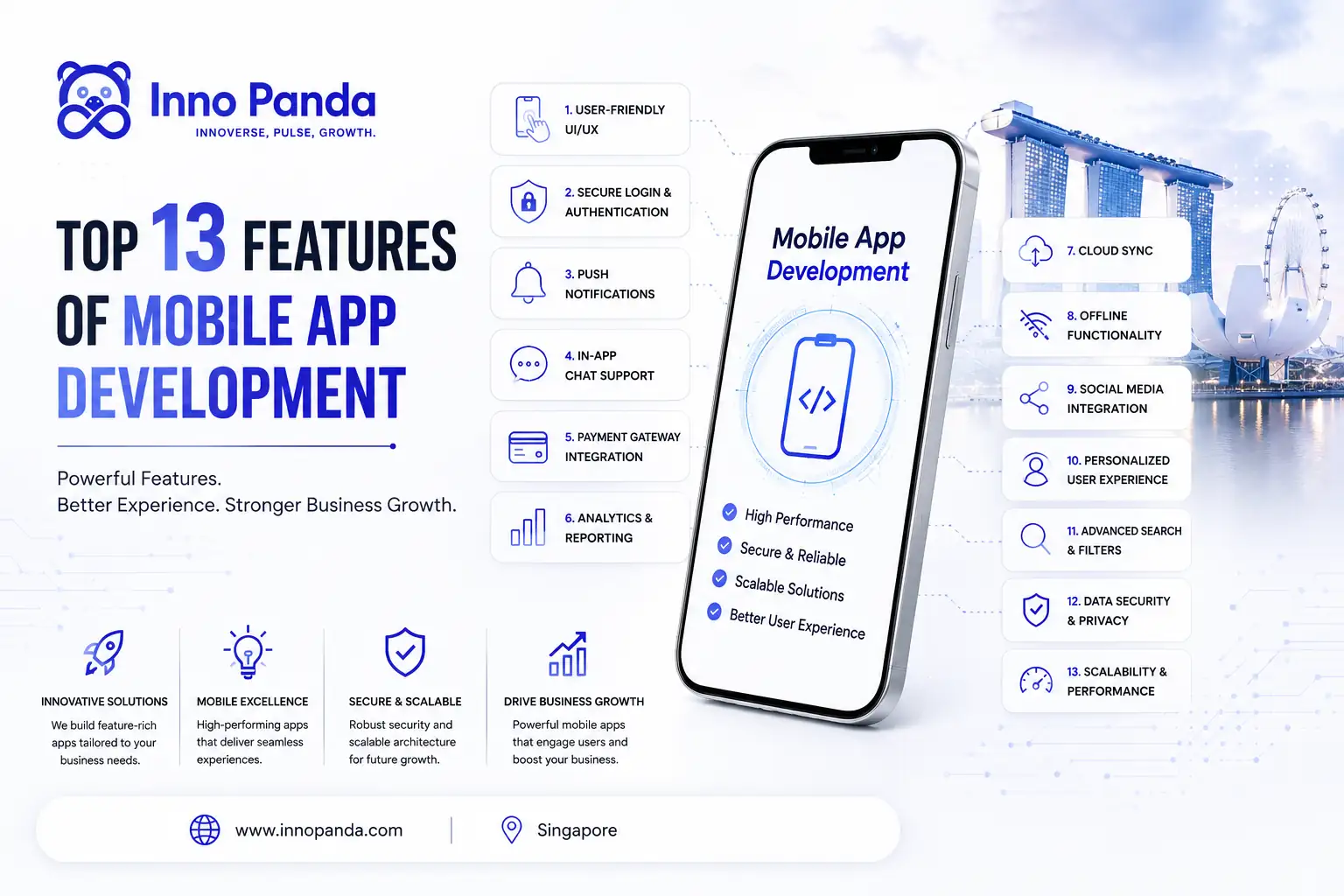
- 1.2 The 10 Must-Have Business Mobile App Features in 2026
- 1.2.1 🎨 User-Friendly UI/UX Design
- 1.2.2 Best Features for a Business Mobile App Start Here
- 1.2.3 🔐 Secure Login & Authentication
- 1.2.4 Must-Have Features in Mobile App Development: Authentication Done Right
- 1.2.5 🔔 Push Notifications
- 1.2.6 Important Mobile App Features for Customer Engagement
- 1.2.7 💬 In-App Chat Support
- 1.2.8 Mobile App Features for Small Businesses: Making Support Frictionless
- 1.2.9 💳 Payment Gateway Integration
- 1.2.10 Features Needed for eCommerce Mobile App: Getting Payments Right
- 1.2.11 📊 Analytics Dashboard
- 1.2.12 Custom Business App Development Features: Visibility Into What Is Working
- 1.2.13 ☁️ Cloud Data Sync
- 1.2.14 How to Build a Successful Business App: Data That Follows the User
- 1.2.15 📡 Offline Functionality
- 1.2.16 Features Every Startup Mobile App Needs in Variable-Connectivity Markets
- 1.2.17 📲 Social Media Integration
- 1.2.18 Business App Development Cost and Features: Social as Growth Infrastructure
- 1.2.19 🤖 AI-Powered Personalisation
- 1.2.20 AI Automation for Mobile Apps: Making Every User's Experience Feel Built for Them
- 1.3 Business Mobile App Features at a Glance: Priority and Timeline
- 1.4 Mobile App Development Singapore and Southeast Asia: Country-Specific Considerations
- 1.5 Business Mobile App Development at Inno Panda: What We Build and How
- 1.6 Business App Development Checklist: Before You Brief an App Developer
- 1.7 Frequently Asked Questions About Business Mobile App Development in Southeast Asia
- 1.8 The Bottom Line: Business Mobile App Features Are Only as Good as Their Execution
- 1.9 Ready to Build a Business Mobile App That Actually Retains Users and Drives Revenue?
An app that looks good in a demo and actually retains users for twelve months are two completely different things. If you are building or upgrading a business mobile app in Singapore, Malaysia, Indonesia, or the Philippines, the features you choose — and how well they are executed — will determine whether your app becomes a growth asset or an expensive disappointment.
Here is the uncomfortable truth about most business app projects: most of the budget gets spent on features that look impressive in presentations and very little gets invested in the foundational elements that actually determine whether users come back. A poorly designed authentication flow. Push notifications that fire at the wrong time with irrelevant content. A payment screen that breaks on certain Android devices. These are the things that kill apps — not the absence of a flashy AI feature.
At Inno Panda, we build business mobile apps for clients across Singapore, Malaysia, Indonesia, and the Philippines through our mobile app development service. What follows is the feature list we actually build around — the ten elements that separate apps that grow with a business from apps that get uninstalled after the first session. We have included the SEA-specific considerations that most generic guides miss entirely.
Who this guide is for: Founders, business owners, and product managers in Singapore, Malaysia, Indonesia, and the Philippines who are planning a business mobile app build, evaluating their existing app, or briefing an app development company. The features in this guide apply to both B2C and B2B business apps — though specific implementation details vary by use case.
What Makes a Business Mobile App Succeed in Southeast Asia in 2026?
Before we get into specific features, it is worth understanding the mobile environment your app will compete in. Southeast Asia is one of the most mobile-first digital markets in the world. In Indonesia, the Philippines, and Malaysia, the smartphone is not just one of several devices — for most users, it is the primary computing environment. Apps do not compete against desktop software. They compete against each other, in a context where users switch between apps in seconds and uninstall anything that creates friction.
What Features Should a Business App Have to Win in This Market?
The features that win in Southeast Asia are ones that are fast (performance matters more when networks are unreliable), locally-relevant (payment methods, language, and cultural conventions matter), and genuinely useful rather than just feature-complete. An app that does three things exceptionally well will consistently outperform one that does fifteen things adequately.
The context also shapes feature priorities differently by market. In Singapore, users expect polished UI and fast performance — and are used to high app quality standards. In Indonesia and the Philippines, offline functionality and efficient data usage matter more — mobile data costs and variable network quality are real considerations. In Malaysia, both English and Bahasa Malaysia interfaces are often expected for broad market reach. Your feature set and implementation priorities should reflect which market or markets you are building for — which is why the country-specific sections later in this guide matter.
Thinking about building a business mobile app in Singapore or Southeast Asia? Our app development team has built business apps across all four major SEA markets — we can scope your project and give you a realistic feature and cost breakdown.
Explore Our App Development Service →The 10 Must-Have Business Mobile App Features in 2026
These are not ranked by flashiness or novelty. They are ranked by the impact we have seen each feature have on user retention, conversion, and the commercial outcomes that matter to business owners — based on real app builds across Singapore and Southeast Asia.
🎨 User-Friendly UI/UX Design
Best Features for a Business Mobile App Start Here
Every other feature on this list is only as good as the UI/UX design that surrounds it. A push notification is useless if users have disabled notifications because the app's permission request was mistimed and poorly explained. A payment gateway is useless if the checkout screen confuses users into abandoning their cart. UI/UX is the infrastructure that determines whether features actually get used.
In 2026, the standard for business app UI/UX in Southeast Asia has risen significantly — users compare every app against the most polished consumer apps they use daily. A clunky, dated interface signals an untrustworthy product. The specifics that matter most: intuitive navigation that works with one thumb in the natural grip position, a visual hierarchy that guides users toward the actions you want them to take, loading states and error messages that communicate clearly rather than leaving users confused, and an onboarding flow that gets new users to their first meaningful action in under 60 seconds.
For business apps targeting multiple Southeast Asian markets, UI/UX also means designing for different screen sizes (the Android device landscape in Indonesia is far more fragmented than Singapore's iPhone-heavy market), different cultural visual conventions, and different user mental models shaped by the dominant apps in each market. Our mobile app development service includes UX research and user testing as a core part of every project — because apps built without testing against real users in the target market consistently underperform.
🔐 Secure Login & Authentication
Must-Have Features in Mobile App Development: Authentication Done Right
Authentication is the first experience a user has with your app — and the way it is built has implications for both user experience and security that compound over time. In 2026, the standard for business app authentication includes multiple options: email/password as the default, social sign-in (Google, Apple, Facebook) for faster onboarding, phone number OTP for markets where social sign-in penetration is lower (common in Indonesia and the Philippines), and biometric authentication (Face ID, fingerprint) for returning users.
The security implications are significant for business apps handling customer data, financial transactions, or proprietary business information. JWT-based authentication with appropriate token expiry, two-factor authentication for admin roles, account lockout policies after failed attempts, and encrypted data transmission are all non-negotiable for any business app that handles sensitive information. For apps targeting regulated industries — fintech, healthcare, legal — authentication must also meet the relevant compliance standards of each operating market.
The UX implication that most developers get wrong: the more secure authentication options you offer, the more users will choose them — as long as the default path is frictionless. Do not make SMS OTP the only option when Google sign-in takes two taps. Do not require complex passwords without showing users why security matters in this specific context. Authentication design is worth investing in — because a frustrating login experience increases abandonment more than any other single step in the user journey.
🔔 Push Notifications
Important Mobile App Features for Customer Engagement
Push notifications are the most powerful re-engagement tool in mobile — and the most abused. Done well, they bring users back to your app at exactly the right moment with exactly the right message. Done badly, they train users to disable notifications entirely, permanently cutting off your most direct communication channel. The difference is entirely in implementation.
Effective push notification strategy for business apps in 2026 is built on three principles: timing (notifications sent when the user is likely to be receptive based on their historical app usage patterns), relevance (notifications triggered by user behaviour and personalised to their specific situation — not broadcast to all users at once), and restraint (fewer, more meaningful notifications drive better outcomes than high-frequency generic ones). A transactional notification — "your order has shipped, track it here" — has open rates above 90 percent. A promotional broadcast — "check out our new collection" — has open rates below 5 percent and contributes to notification disabling.
For businesses in Southeast Asia, WhatsApp notifications are increasingly important alongside traditional push — particularly in Indonesia, Malaysia, and the Philippines where WhatsApp is a primary communication channel. Building notification architecture that covers both push and WhatsApp from a single trigger system significantly improves reach and flexibility. Our API development service integrates these notification channels into unified communication systems for business apps.
💬 In-App Chat Support
Mobile App Features for Small Businesses: Making Support Frictionless
Users who encounter a problem in your app and cannot resolve it immediately will leave — and most will not come back. In-app chat support eliminates the gap between encountering a problem and getting help by keeping users inside the app rather than sending them to email or an external support channel where the context of their issue is lost.
The implementation that works best for most business apps combines three layers: an AI chatbot that handles common queries automatically (order status, returns, product questions, account issues), a human escalation path for complex cases, and full context transfer so the human agent who receives an escalated conversation can see the user's history and what the bot has already told them. This combination resolves 60 to 70 percent of queries automatically while ensuring that the cases requiring human involvement get to the right person with the right information.
For businesses operating across multiple Southeast Asian markets, in-app chat is also the natural place to handle multi-language support — users can communicate in their preferred language, and AI translation layers or multilingual agents handle the routing. For B2B business apps, in-app chat doubles as a sales channel — a well-timed chat prompt at a key decision point in the user journey ("Need help choosing the right plan?") can be the difference between a conversion and an abandoned session. Our AI automation service builds these integrated chat systems.
💳 Payment Gateway Integration
Features Needed for eCommerce Mobile App: Getting Payments Right
This is where business apps in Southeast Asia most commonly fail — not because developers cannot build payment screens, but because they integrate the wrong payment methods for the specific market, or do so in a way that creates too much friction at the moment of transaction. Payment abandonment at checkout is the most expensive conversion failure in any business app, and the cause is almost always a combination of missing payment methods and a clunky checkout UX.
The payment methods your app needs depend entirely on which markets you are serving. Getting this right is not optional — it is directly revenue-critical. Offering only card payments in Indonesia, where wallet penetration is enormous and card penetration is low, will dramatically reduce your conversion rate regardless of how good every other part of your app is.
Singapore
PayNow, Stripe (Visa/Mastercard), GrabPay, Atome (BNPL), and Apple Pay/Google Pay for NFC. PayNow is the dominant P2P and business payment method — any Singapore-facing business app should support it.
Malaysia
FPX (bank transfer), Touch 'n Go eWallet, GrabPay Malaysia, Maybank2u, and card via Stripe or iPay88. FPX is particularly important for higher-value transactions where users prefer bank transfer over wallet.
Indonesia
GoPay, OVO, DANA, ShopeePay, and virtual account payments through Midtrans or Xendit. Wallet penetration is exceptionally high — card-only checkout is a critical conversion failure in this market.
Philippines
GCash, Maya (formerly PayMaya), bank transfer via Dragonpay or Xendit, and card for premium user segments. GCash dominates — not supporting it significantly limits your addressable market.
For businesses operating across multiple SEA markets, a payment aggregator layer (Xendit handles multi-country SEA payments well; Stripe covers Singapore and Malaysia with strong card support) handles the complexity through fewer integrations. Our API development service builds these multi-country payment architectures for business apps.
📊 Analytics Dashboard
Custom Business App Development Features: Visibility Into What Is Working
An app without analytics is a business running blind. You are making product decisions based on assumptions about what users do, rather than data about what they actually do — and those two things are consistently, sometimes dramatically different. A well-instrumented analytics setup gives you the data to improve your app continuously rather than guessing what to fix.
The analytics architecture most business apps need combines three layers: event tracking (capturing every significant user action — screen views, button taps, form completions, checkout steps, support interactions), user analytics (aggregating behaviour at the individual and cohort level to understand how different user segments use the app differently), and business metrics (connecting in-app behaviour to the outcomes that matter — conversions, revenue, retention, support cost). These three layers together answer the questions that actually drive product decisions: where do users drop off? Which features drive the most engagement? Which user segments have the highest lifetime value?
For business app owners in Singapore and Southeast Asia, the analytics dashboard does not need to be complex to be valuable — it needs to be focused on the five to eight metrics that actually matter for your specific business model. Our custom development service builds analytics architectures proportionate to the business's current needs, with the data infrastructure to support more sophisticated analysis as the app and business grow.
☁️ Cloud Data Sync
How to Build a Successful Business App: Data That Follows the User
Users expect their data to be exactly where they left it — whether they last used your app on their phone, switched to a tablet, upgraded to a new device, or cleared and reinstalled the app. Apps that lose user data, or that require users to re-enter information they have already provided, create a trust-destroying experience that is very difficult to recover from. Cloud data sync is the feature that prevents this.
Cloud sync means that every significant user action — preferences set, progress made, content saved, form data entered — is persisted to a backend cloud system in real time, not just stored locally on the device. This serves three practical purposes: it protects users against data loss when devices are lost, broken, or changed; it enables multi-device usage for users who legitimately access your app on more than one device; and it creates the data foundation that makes personalisation, analytics, and AI features possible.
For business apps in Southeast Asia, cloud sync architecture also needs to account for the frequency of device upgrades in markets like Indonesia and the Philippines — where mid-range Android devices with shorter lifespans are the dominant form factor — and the prevalence of app reinstallation as a troubleshooting behaviour. Users who reinstall your app should return to a complete, familiar experience rather than starting from scratch. This requires investment in backend data architecture from day one of development — it is very difficult to retrofit reliably later.
📡 Offline Functionality
Features Every Startup Mobile App Needs in Variable-Connectivity Markets
This is the feature most commonly underestimated by app teams building for Singapore — and most critically needed by apps targeting Indonesia and the Philippines. Network quality is not uniform across Southeast Asia, and an app that silently breaks when connectivity degrades destroys user trust far more effectively than an app that handles offline states gracefully with clear, helpful messaging.
Offline functionality does not mean every feature must work without connectivity. It means three things: the app should degrade gracefully — features that require connectivity should be clearly indicated as such, not silently fail; recently-accessed content and data should be cached locally so users can view their order history, product catalogue, or account information without a live connection; and actions taken offline should be queued and synced automatically when connectivity is restored, so users do not have to manually retry things they did while offline.
For specific app types, offline functionality means more than this baseline. A field sales app needs to work completely offline for order entry and customer lookups. An inventory management app needs offline access to SKU data and the ability to log stock movements offline. A delivery app needs offline map functionality and order scanning. If your app is used in contexts where connectivity cannot be guaranteed — which in Southeast Asia includes many legitimate business contexts — offline capability is not an enhancement, it is a core requirement. Our mobile app development team builds offline-first architecture into apps where the use case demands it.
📲 Social Media Integration
Business App Development Cost and Features: Social as Growth Infrastructure
Social media integration in a business app serves three distinct purposes — authentication (social sign-in to reduce onboarding friction), sharing (enabling users to share content, achievements, or referrals from within the app), and social proof (surfacing reviews, ratings, and user-generated content that build trust with new users). Done well, social integration is a growth mechanic. Done lazily, it is just a set of icons that do not work properly.
The specific social platforms that matter differ by market across Southeast Asia. Facebook and Google are broadly relevant across all four markets. LINE is significant in certain segments. TikTok is increasingly important for consumer-facing apps targeting younger demographics in Indonesia and the Philippines. For B2B apps, LinkedIn integration for professional identity and company profile data can be valuable for onboarding enterprise users. The key is integrating the platforms that your specific users are actually active on — not just the ones that are globally prominent.
Beyond authentication, social sharing mechanics built into business apps can be powerful customer acquisition tools — particularly for referral programmes, social commerce features, and user-generated content. A user who shares their purchase from your app to Instagram, with a pre-composed caption and trackable link generated automatically by your app, is doing acquisition work for you. Building these sharing mechanics with the right metadata (Open Graph tags, UTM parameters, deep links that route back into your app) requires thoughtful development from day one.
🤖 AI-Powered Personalisation
AI Automation for Mobile Apps: Making Every User's Experience Feel Built for Them
This is the feature that separates good apps from great ones in 2026 — and the one that is most clearly correlated with improved retention metrics in the data we see from client app projects. Personalisation makes users feel that the app understands them — that it is showing them what is relevant, not what is generically popular. That feeling of being understood is what drives daily active usage rather than occasional check-ins.
AI personalisation in a business app works across multiple touchpoints: the home screen or dashboard surfaces the features and content most relevant to each user's usage pattern; product or content recommendations are based on genuine purchase and browsing history rather than generic bestseller lists; push notifications are triggered by individual user behaviour at the times each user is most responsive; and onboarding adapts based on what a new user does in their first sessions, guiding them toward their specific goal rather than a generic walkthrough.
For most small business apps, the right starting point is rule-based personalisation — "users who completed action A should see prompt B" — rather than ML-based personalisation, which requires larger data volumes to be meaningful. The critical requirement is building the data collection infrastructure from day one: proper event tracking, user profiling, and behavioural analytics that enable increasingly sophisticated personalisation as the user base grows. Our AI automation service designs this data architecture for business apps and implements the personalisation layers on top of it.
Business Mobile App Features at a Glance: Priority and Timeline
Not all ten features need to be built simultaneously. Here is how to sequence them for a business app launch — distinguishing between what must be in version one and what can be added as the user base grows and the business case for each feature is validated.
| # | Feature | V1 Launch | Business Impact | Complexity |
|---|---|---|---|---|
| 1 | User-Friendly UI/UX Design | Essential | Very High — affects everything | Medium |
| 2 | Secure Login & Authentication | Essential | Very High — trust and access | Medium |
| 3 | Push Notifications | Essential | High — re-engagement | Low |
| 4 | In-App Chat Support | Recommended | High — retention | Medium |
| 5 | Payment Gateway Integration | Essential | Critical — revenue | Medium–High |
| 6 | Analytics Dashboard | Essential | High — decision-making | Medium |
| 7 | Cloud Data Sync | Essential | High — trust and reliability | Medium |
| 8 | Offline Functionality | Context-dependent | High in SEA markets | High |
| 9 | Social Media Integration | Recommended | Medium — acquisition | Low–Medium |
| 10 | AI-Powered Personalisation | Post-launch | High — retention at scale | High |
The sequencing principle: Features 1, 2, 3, 5, 6, and 7 must be present and well-executed at launch — they form the baseline for a usable, trustworthy business app. Features 4 and 9 are high-value additions for V1 if budget allows. Feature 8 depends on your use case. Feature 10 is a post-launch investment made meaningful by the user data your V1 generates.
Mobile App Development Singapore and Southeast Asia: Country-Specific Considerations
Building a business mobile app that works across Singapore, Malaysia, Indonesia, and the Philippines is not the same as building one for each market separately. But each market has specific feature priorities, payment requirements, and user expectations that a multi-market app needs to address. Here is what changes by geography.
App Developer Singapore: What the Singapore Market Demands
Singapore users are among the most discerning mobile users in Southeast Asia — with high expectations for app quality, performance, and security. The Singapore market rewards polish: clean design, fast load times, intuitive navigation, and no bugs. PayNow integration is essential for any business app handling Singapore payments. For enterprise and B2B apps in Singapore, MAS compliance requirements and data residency considerations need to be built into the architecture from day one. Our app development team in Singapore has built business apps across retail, logistics, fintech, and professional services in this market.
Mobile App Development Malaysia: KL and Beyond
Malaysian business apps typically need both English and Bahasa Malaysia interfaces for broad market reach — and need to handle the payment ecosystem that includes FPX, Touch 'n Go, and GrabPay Malaysia alongside card payments. The Android-to-iOS ratio in Malaysia skews more toward Android than Singapore, which affects testing priorities and some feature implementation decisions. Performance on mid-range Android devices needs to be explicitly tested rather than assumed from high-end device testing.
Custom App Development Indonesia: Building for the Largest Market
Indonesia is the largest mobile market in Southeast Asia and one of the most distinct in its requirements. GoPay, OVO, DANA, and ShopeePay dominate payments — card-only is not viable for broad market reach. The device landscape is highly fragmented — there are hundreds of active Android device models in the market, spanning a wide range of screen sizes, processing power, and Android versions. Offline functionality matters more here than in Singapore. App size matters — Indonesian users are more sensitive to data usage costs, so large app downloads and data-heavy features face more friction. Our mobile app development service builds Indonesian market requirements into architecture from the start.
App Developer Manila: Philippines-Specific Requirements
The Philippines market is mobile-dominant and GCash-first for digital payments — any business app serving Filipino consumers needs GCash integration and Maya (formerly PayMaya) support. Social media usage is exceptionally high — Facebook and TikTok integrations are more commercially relevant here than in Singapore. Variable network quality in areas outside Metro Manila makes offline functionality and data-efficient design more important. WhatsApp and Messenger-based in-app chat or notification channels resonate more strongly with Filipino users than email-based alternatives.
Building a business app for one market or all four? Our app development team builds multi-market mobile apps from a single codebase — with market-specific payment, language, and feature configurations for each country.
Talk to Our App Team →Business Mobile App Development at Inno Panda: What We Build and How
At Inno Panda, our mobile app development service covers the full lifecycle of business app creation — from requirements definition through UX design, development, testing, deployment, and ongoing maintenance. We build cross-platform apps using React Native and Flutter for most business clients, and native iOS and Android for cases where performance or hardware access requirements make it the better choice.
Cross-Platform App Development
React Native and Flutter apps that deliver native-quality experiences on both iOS and Android from a single codebase — reducing build cost and maintenance overhead while covering the full Southeast Asian device landscape.
UX Design and Prototyping
User experience design built around how your target users actually behave — not generic design conventions. We prototype, test with real users, and iterate before development begins, reducing costly mid-build changes.
SEA Payment Integration
Multi-country payment architecture covering PayNow, GrabPay, FPX, GoPay, OVO, GCash, Maya, and card payments through a unified integration layer — so you reach the full addressable market in every country you operate in.
AI and Personalisation
AI-powered recommendation engines, personalised notification systems, and behavioural analytics — built on the right data architecture from day one. Our AI automation service brings this intelligence to every app we build.
Backend and API Development
The server-side infrastructure that powers your app — databases, APIs, third-party integrations, and the cloud data sync architecture that makes features reliable and consistent. Built through our API development service.
App Maintenance and Iteration
Post-launch support, performance monitoring, crash reporting, analytics review, and feature iteration based on real user data — keeping your app competitive as the market evolves and user expectations rise. Connected to our broader custom development capability.
Our app development work connects to the broader digital infrastructure we build for clients — when an app needs to connect to existing business systems, our system integration and API development capabilities handle the backend connectivity. When an app needs to sync with eCommerce inventory, our SyncingAbout platform provides the multi-channel infrastructure. We build apps that are part of a connected business ecosystem — not standalone products that require manual bridges to everything else. See our portfolio of delivered apps and digital products.
Business App Development Checklist: Before You Brief an App Developer
Most app projects run over budget and timeline because the brief was incomplete at the start. Before you approach any app development company — in Singapore or elsewhere — have clear answers to these questions. They will make every conversation faster, every estimate more accurate, and every development decision better.
Pre-Brief Checklist for Business Mobile App Development
- Who is the primary user — consumer, SME customer, enterprise employee, or field staff? How do they use their phone in the context where they will use this app?
- Which markets will the app serve at launch? Which markets are planned for future expansion? List each country specifically.
- What are the five to eight core actions the app needs to enable? Rank them by importance.
- Which payment methods must be supported at launch? Have you confirmed these against the actual payment preferences of your target users in each market?
- Does the app need to work offline? In which specific situations would users be using it without reliable connectivity?
- What existing systems does the app need to connect to — CRM, ERP, inventory, accounting, logistics? Do those systems have APIs?
- What are the data security and compliance requirements — particularly for regulated industries or cross-border data flows?
- What is the realistic post-launch maintenance budget as a percentage of the build cost annually?
- How will you measure whether the app is successful? What are the three to five metrics that matter most?
- Who owns the product decisions post-launch — who will review analytics, prioritise new features, and sign off on iterations?
Frequently Asked Questions About Business Mobile App Development in Southeast Asia
These are the questions we hear most often from founders, business owners, and product leads in Singapore, Malaysia, Indonesia, and the Philippines who are evaluating a business mobile app build.
What features should a business mobile app have?
Every competitive business mobile app in 2026 needs ten core features: user-friendly UI/UX design, secure login and authentication (including biometric and social sign-in), push notifications for re-engagement, in-app chat support, payment gateway integration for your target markets, an analytics dashboard for data-driven decisions, cloud data sync, offline functionality where connectivity is variable, social media integration, and AI-powered personalisation.
The priority weighting of these features depends on your business type and target markets. Features 1–3 and 5–7 are essential for any business app at launch. Features 4, 8, and 9 are high-value additions based on your specific use case. Feature 10 is a post-launch investment that becomes more valuable as your user base and data volume grow. Our mobile app development team helps you define the right scope for your specific situation.
How much does business mobile app development cost in Singapore?
Business mobile app development in Singapore typically costs SGD 20,000 to SGD 60,000 for a simple app with core features, SGD 60,000 to SGD 150,000 for a mid-complexity app with multiple integrations and custom features, and SGD 150,000 and above for complex enterprise or commercial apps with AI features and multi-country support.
These estimates cover design, development, testing, and initial deployment. Ongoing maintenance typically runs 15 to 20 percent of the initial build cost annually. For businesses targeting multiple Southeast Asian markets simultaneously, cross-platform development (React Native or Flutter) significantly reduces cost compared to building separate native apps for each platform. Our mobile app development service provides transparent cost estimates as part of every project scoping process.
What is the most important feature in a business mobile app?
The single most important feature is user-friendly UI/UX design — because it determines whether every other feature actually gets used. An app with excellent payment integration but a confusing checkout flow generates abandoned transactions. An app with powerful push notifications but poor onboarding has users disabling notifications within 48 hours. UI/UX quality is the multiplier that determines the effectiveness of everything else.
In practice, this means designing for the specific patterns of your target users — the thumb zone, the navigation conventions of your operating system, and the specific context in which users open your app. For apps targeting Southeast Asian markets, where mobile is the primary computing environment, investing in UX research before development begins consistently delivers better outcomes than building and then trying to fix usability problems in post-launch iterations.
How long does it take to develop a business mobile app?
A simple business app with core features typically takes eight to twelve weeks from design to deployment. A mid-complexity app takes fourteen to twenty weeks. A complex enterprise app with AI features and multi-country support takes six to twelve months. These timelines assume clear, stable requirements at the start — scope changes during development are the most common cause of overruns.
For businesses in Singapore and Southeast Asia, working with a local app development team that understands the regional payment and platform ecosystem reduces the integration timeline significantly compared to offshore teams unfamiliar with SEA-specific requirements like GoPay, GCash, PayNow, and FPX. Our Singapore app development team builds these integrations regularly and has existing knowledge of the APIs and quirks involved.
Should I build a native app or a cross-platform app for my business?
For most small businesses and startups in Singapore and Southeast Asia, cross-platform development using React Native or Flutter is the right choice — one codebase running on both iOS and Android, significantly reducing cost and time compared to two separate native apps. The performance difference is imperceptible to most users for typical business app functionality.
Choose native development if your app relies heavily on device hardware, requires complex animations at the core of the user experience, or is a high-volume consumer product where marginal performance improvements directly affect retention. Choose cross-platform if you need to reach both iOS and Android users, have a limited budget, need to launch quickly and iterate, or your functionality is primarily data-driven and transactional. Our team recommends the right architecture based on your specific use case and target markets.
What payment gateways should a Southeast Asian business app integrate?
Payment gateway selection depends on your target markets. For Singapore: PayNow, Stripe, and GrabPay cover the majority of payment preferences. For Malaysia: FPX, Touch 'n Go, and GrabPay Malaysia are essential. For Indonesia: GoPay, OVO, DANA, and virtual account payments through Midtrans or Xendit are dominant. For the Philippines: GCash and Maya cover the majority of digital payment volume.
For businesses operating across multiple SEA markets, a payment aggregator like Xendit handles multi-country complexity through fewer integrations. Offering the locally-preferred payment methods directly impacts conversion rates — requiring users to pay through an unfamiliar method is one of the most common causes of cart abandonment in SEA apps. Our API development service builds multi-country payment architectures for business apps regularly.
How do I add AI personalisation to my business mobile app?
AI personalisation works by analysing each user's in-app behaviour — browsing, purchases, feature usage, timing patterns — and using that data to make the experience more relevant individually. In practice: personalised product or content recommendations, dynamic home screens surfacing relevant features, personalised push notification timing and content, and adaptive onboarding based on what new users actually do in their first sessions.
For most small business apps, start with rule-based personalisation (users who did X should see Y) and progress toward ML-based personalisation as your user base grows. The critical requirement is building the right data collection infrastructure from day one — event tracking, user profiling, and behavioural analytics. Our AI automation service designs this data architecture and implements personalisation layers for business apps.
Do I need offline functionality in my business mobile app?
Whether you need offline functionality depends on how and where users will use the app. For apps used in field operations, inventory management, sales order entry, or delivery workflows in Southeast Asia — particularly in Indonesia and the Philippines where network reliability varies — offline functionality is often essential, not optional.
At minimum, every business app should handle offline states gracefully — clear messaging when features require connectivity, local caching of recently accessed data, and automatic sync when connectivity is restored. For apps with operation-critical workflows that cannot depend on connectivity, offline-first architecture needs to be designed in from the start. Our mobile app development team assesses offline requirements as part of every project scoping process and designs the appropriate architecture for each use case.
The Bottom Line: Business Mobile App Features Are Only as Good as Their Execution
The ten features in this guide are not secrets. Any competent app developer will tell you they are important. What separates apps that retain users and drive business outcomes from apps that get uninstalled is not the presence of these features — it is how well each one is designed and implemented for the specific users and markets it serves.
A push notification system that fires at the right time for each individual user is a retention tool. A push notification system that blasts all users at 9am with the same promotional message is an uninstall trigger. The same feature, executed differently, produces completely opposite results. This is why choosing the right development partner — one that understands both the technical requirements and the user behaviour they are building for — matters as much as choosing the right features.
For businesses in Singapore, Malaysia, Indonesia, and the Philippines, the market context matters enormously. The device landscape, the payment ecosystem, the network environment, and the social media integrations that matter in each market are different — and an app built without these specifics built in will underperform against a local competitor who understood them from day one.
At Inno Panda, our mobile app development service is built around building apps that actually work for real users in real Southeast Asian markets. See what we have built for businesses across the region — and then let us look at what the right feature set is for yours.
Ready to Build a Business Mobile App That Actually Retains Users and Drives Revenue?
Our mobile app development team will review your business requirements, recommend the right feature set and architecture for your specific use case and target markets, and give you a transparent timeline and cost estimate. Whether you are building your first business app or upgrading an existing one, we will tell you honestly what will make the biggest difference — and what is not worth the investment at your current stage.
Get in Touch with Our App Team →