What Is API Integration for eCommerce? Complete Guide for Singapore Businesses (2026)
- 1 What Is API Integration for eCommerce? Complete Guide for Singapore Businesses (2026)
- 1.1 Key Takeaways
- 1.2 What Is API Integration for eCommerce?
- 1.3 How Does eCommerce API Integration Work?
- 1.4 Why Do eCommerce Businesses Need API Integration?
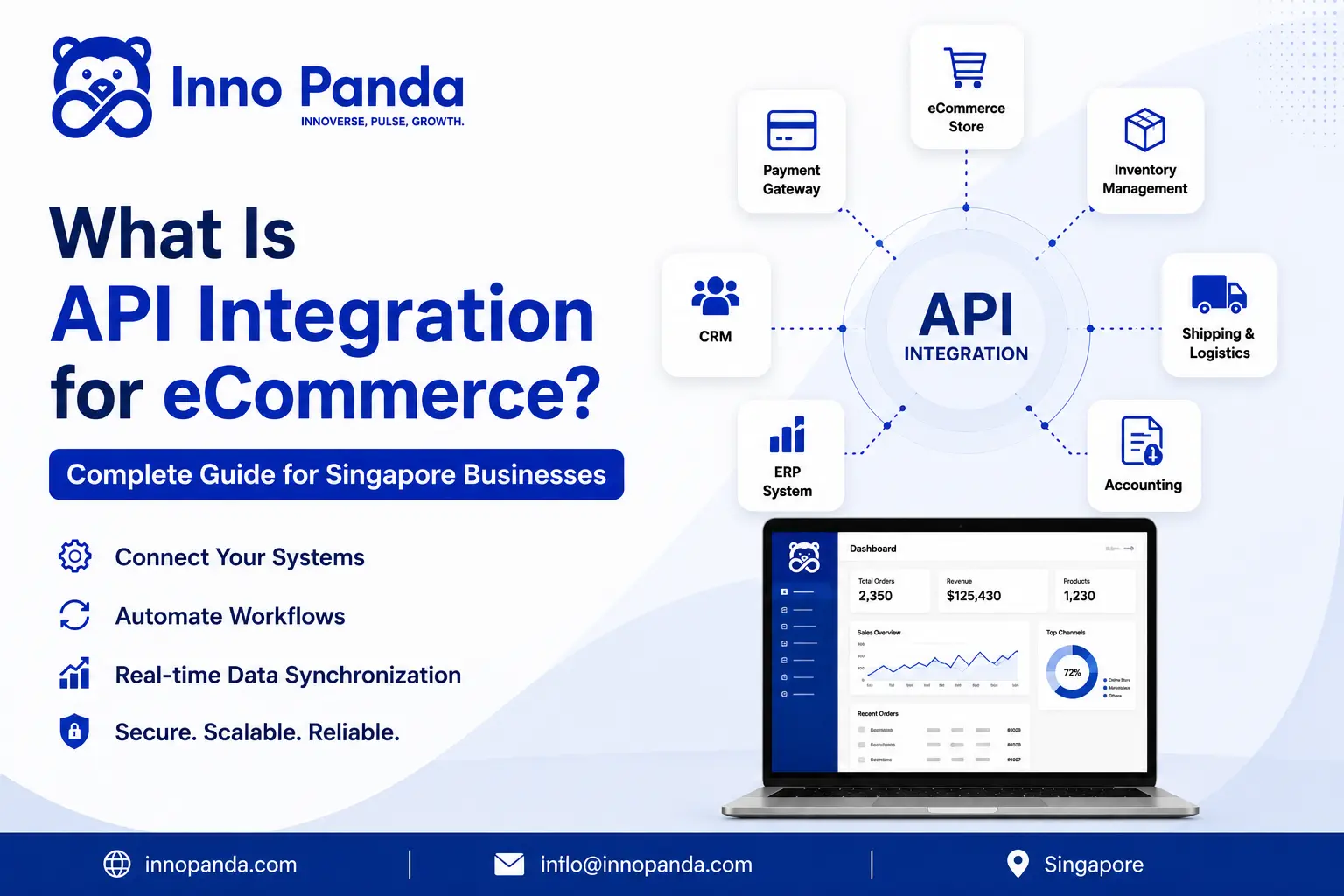
- 1.5 What Systems Can Be Integrated With an eCommerce Store?
- 1.6 What Are the Benefits of eCommerce API Integration?
- 1.7 Real-World Example: API Integration for a Singapore eCommerce Business
- 1.8 Shopify API Integration vs WooCommerce API Integration
- 1.9 API vs Plugin vs Middleware: Which Integration Method Is Right?
- 1.10 Common Challenges With eCommerce API Integration
- 1.11 Is API Integration Secure for eCommerce?
- 1.12 eCommerce API Integration Readiness Checklist
- 1.13 How Long Does eCommerce API Integration Take?
- 1.14 How Much Does eCommerce API Integration Cost in Singapore?
- 1.15 When Does Your eCommerce Business Need API Integration?
- 1.16 How to Choose an eCommerce API Integration Partner in Singapore
- 1.17 Why Choose Inno Panda for eCommerce API Integration?
- 1.18 Quick Glossary
- 1.19 Frequently Asked Questions About eCommerce API Integration
- 1.20 Final Takeaway
- 1.21 Connect Your eCommerce Systems With API Integration
- 1.22 Related Reading
If your team is exporting spreadsheets between your store, your accounting software, and your warehouse, you're doing manually what an API can do automatically. Here's exactly what eCommerce API integration means, how it works, and what it takes to connect your systems properly.
Key Takeaways
- eCommerce API integration connects your store to other business systems so data moves automatically, instead of being copied by hand.
- Common integrations include payment gateways, ERPs, inventory tools, shipping platforms, marketplaces, CRMs, and accounting software.
- Not every integration needs custom development. Plugins, direct APIs, and middleware each fit different situations.
- There's no universal price or timeline. Cost and duration scale with how many systems you're connecting and how complex the workflows are.
- Security depends on how the integration is built, authentication, encryption, and access control, not on APIs being automatically safe.
Most eCommerce businesses don't run on a single system. There's the storefront, a payment gateway, an inventory tool, maybe an ERP, a few marketplaces, and accounting software on top of all that. When these systems can't talk to each other, someone on your team ends up doing the talking for them, copying order data into a spreadsheet, updating stock counts by hand, or chasing down a shipping status manually.
eCommerce API integration is what removes that manual layer. In simple terms, it connects your online store with other business systems so information moves between them automatically. This matters everywhere, but especially for Singapore businesses juggling local payment methods like PayNow alongside regional marketplaces like Shopee and Lazada, where the number of systems needing to talk to each other adds up fast. This guide covers what API integration actually means, how it works, what systems commonly get connected, and how to figure out what your business actually needs.
What Is API Integration for eCommerce?
Quick answer: An API (Application Programming Interface) is a defined way for two pieces of software to exchange data. eCommerce API integration is using that connection to link your online store with other business systems, so data flows automatically instead of being transferred by hand.
A store on its own only handles the storefront. Once an order comes in, that information typically needs to reach a payment system, an inventory count, possibly an ERP, and eventually a shipping carrier. Manually transferring that data between systems, exporting a CSV here, re-typing a number there, is slow and introduces errors. API integration replaces that manual step with a direct, automated connection between the systems themselves.
Simple Example of eCommerce API Integration
Here's what a connected order flow actually looks like end to end:
A customer places an order, the store sends it to the payment gateway for approval, confirms the sale, then updates inventory automatically. That inventory change syncs to the ERP, which tells the warehouse what to pick and pack. Once it ships, tracking data flows back to the shipping platform and out to the customer, all without anyone manually re-entering the order at any step.
How Does eCommerce API Integration Work?
Behind the scenes, the process follows a consistent pattern regardless of which systems are involved:
Customer Performs an Action
A purchase, a stock check, a shipping request.
eCommerce Platform Generates Data
Order details, product info, or customer data is created.
API Sends or Receives the Information
The relevant system is notified through an API request.
Connected System Processes It
The ERP, inventory tool, or gateway acts on the data.
Data Is Synchronised
Both systems now reflect the same, current information.
Response Is Sent Back
Confirmation returns to the store, or wherever it's needed next.
APIs, Requests and Responses
A few terms come up constantly, so here's what they mean in plain language. An API request is one system asking another to do something or share data. The response is what comes back, success, failure, or the requested information. An endpoint is the specific address a request is sent to. Authentication confirms the request is genuinely coming from an authorised source before anything is processed.
Real-Time vs Scheduled API Integration
Real-time eCommerce data synchronization updates systems the instant something happens, essential for inventory counts where overselling is a real risk. Scheduled or batch synchronization runs on a timer, hourly or daily, which works fine for less time-sensitive data like accounting reconciliation. Most businesses end up using both, real-time where timing matters, scheduled where it doesn't.
Why Do eCommerce Businesses Need API Integration?
Most businesses don't go looking for API integration. They run into the same handful of problems first.
eCommerce automation through API integration addresses each of these directly, by removing the manual hand-off between systems that causes the delay or error in the first place. This is genuinely one of the highest-leverage areas of eCommerce workflow automation, since order and inventory data touches almost everything else downstream.
What Systems Can Be Integrated With an eCommerce Store?
An online store is rarely a standalone system. Here's what it typically needs to connect to.
Payment Gateways
Payment gateway API integration connects providers like Stripe, PayNow, GrabPay, and Adyen directly to your checkout, handling payment status, transaction data, refunds, and reconciliation automatically. For a deeper look at this specific piece, our payment gateway integration guide covers it in full, and if PayNow specifically is on your list, we've also written a dedicated PayNow API integration guide.
ERP Systems
eCommerce ERP integration syncs orders, products, inventory, customers, and financial data between your store and platforms like SAP, Oracle, Microsoft Dynamics, or NetSuite, keeping your back office and your storefront on the same page in real time.
Inventory Management Systems
Inventory API integration keeps stock counts accurate across every channel you sell on, syncing warehouse availability, flagging low-stock items, and preventing the overselling that happens when two channels think they both have the last unit.
Shipping and Logistics Platforms
Shipping API integration automates shipping requests, label generation, tracking numbers, delivery status updates, and returns, so fulfilment doesn't rely on someone manually keying in an address for every order.
Marketplaces
Marketplace API integration connects your store to Shopee and Lazada, keeping stock, pricing, and order data synchronised across every channel: Store ↔ Marketplace ↔ Inventory ↔ Order Management, all updating together instead of separately.
CRM Platforms
CRM API integration shares customer information, purchase history, and lead records between your store and your CRM, which is what makes targeted marketing automation possible in the first place.
Accounting Software
Accounting API integration pushes orders, invoices, payments, and refunds into platforms like Xero, QuickBooks, or MYOB automatically, which is usually where reconciliation headaches disappear entirely.
What Are the Benefits of eCommerce API Integration?
These aren't abstract advantages. Each one comes directly from a specific mechanic of how integration actually works, not just from "connecting things" in general.
Automate Repetitive Tasks
Once systems are connected, order entry, status updates, and stock syncing happen through the API call itself. Nobody repeats the same manual action for every single order.
Reduce Manual Data Entry
Information is created once, at the point of sale, and shared automatically to every system that needs it. That single source of truth is what removes retyping altogether.
Improve Inventory Accuracy
Stock levels update the moment a sale happens, through a real-time API call, rather than waiting for someone to run an end-of-day reconciliation.
Process Orders Faster
Removing the manual hand-off between systems is what actually cuts the time between "order placed" and "order fulfilled," since there's no queue waiting on a person.
Reduce Human Errors
Fewer manual steps means fewer chances to mistype a quantity, an address, or a SKU. The API passes the same data through unchanged at every step.
Synchronise Multiple Sales Channels
A single inventory API update pushes the same stock count to your website, Shopee, and Lazada simultaneously, so no channel is ever selling from outdated numbers.
Improve Customer Experience
Faster processing and accurate, automated tracking updates are what actually reduce support tickets, since customers stop needing to ask "where's my order."
Get Real-Time Business Data
Because data syncs the moment it's created, decisions get made on current numbers instead of a report that was accurate three days ago.
Scale Operations More Easily
Since the integration handles the repetitive work regardless of volume, order growth doesn't require a proportional increase in manual admin headcount.
Real-World Example: API Integration for a Singapore eCommerce Business
Here's what this looks like in practice for a hypothetical Singapore retailer running a mid-sized online store.
Before Integration
Every order needs someone to export it, format it, and manually enter it into the ERP before the warehouse even sees it. That's manual work at every step, and it introduces delay and error at every step too, especially once order volume climbs and inventory mismatches start showing up between what the website says and what's actually on the shelf.
After Integration
Orders transfer automatically the moment they're placed. Inventory updates in real time across every channel. Shipping labels and tracking numbers generate without manual input, and accounting entries post automatically as transactions complete.
Business Impact
Before: manual exports, re-typed data, delayed fulfilment, and inventory that's only as accurate as the last manual update. After: automated, synchronised workflows where information moves the moment it's created. We're deliberately not attaching invented percentages here, real impact depends entirely on your current process and order volume, and any number without that context isn't reliable.
Shopify API Integration vs WooCommerce API Integration
| Factor | Shopify | WooCommerce |
|---|---|---|
| Platform | Hosted | WordPress-based |
| API capabilities | Strong | Strong |
| Customisation | Platform-dependent | Highly customisable |
| ERP integration | Yes | Yes |
| Inventory integration | Yes | Yes |
| Payment integration | Yes | Yes |
| Best for | Managed eCommerce | Flexible, custom stores |
Shopify API Integration
Shopify API integration is common for connecting apps, custom checkout logic, and syncing product and order data with ERP or fulfilment systems, especially useful when a business wants managed hosting without sacrificing integration depth. See our Shopify development services for how we approach this.
WooCommerce API Integration
WooCommerce API integration tends to suit businesses that need deeper customisation, since WooCommerce's WordPress foundation makes it easier to build highly specific workflows around the REST API. Our WooCommerce development services cover both standard and custom integration builds.
Which Is Better for Your Business?
Neither platform is universally better. The right choice depends on your existing systems, business processes, which integrations you actually need, your budget, and how much customisation your workflow requires.
API vs Plugin vs Middleware: Which Integration Method Is Right?
These four approaches solve the same underlying problem at different levels of control and complexity.
Plugin/App Integration
Best for simple requirements, standard workflows, and the fastest implementation. Most Shopify and WooCommerce marketplace apps fall into this category, install, configure, done.
Direct API Integration
Best for custom workflows, greater control, and complex business logic a plugin can't handle. This is a purpose-built connection written specifically for your systems and your rules.
Middleware / iPaaS
Best for multiple systems, complex data flows, and larger environments where more than two or three platforms need to stay in sync at once. Tools like Zapier, Make, Workato, and MuleSoft sit in this category, acting as a hub that routes data between everything else rather than requiring point-to-point connections for each pair of systems.
Custom Integration
Best for unique requirements, legacy systems, and highly specific, non-standard workflows that don't fit neatly into a plugin, a single API call, or an off-the-shelf middleware tool.
As a simple decision framework: start with a plugin if one genuinely covers your needs. Move to direct API integration once you need control a plugin doesn't offer. Consider middleware once you're juggling more than two or three systems at once, and reach for custom integration when you're dealing with legacy systems or requirements nothing off-the-shelf supports.
Common Challenges With eCommerce API Integration
Connecting two systems isn't simply "flip a switch and you're done." Integration surfaces real, recurring issues worth knowing about upfront.
Different Data Formats
One system might store a date, a currency, or a product ID in a completely different structure than another. Mapping between formats correctly is often the least glamorous, most time-consuming part of an integration.
API Compatibility Issues
Platforms update independently of each other. A change on one side can break a connection that worked fine the day before, with no warning.
Authentication Problems
Expired tokens, misconfigured credentials, or a key that silently stopped working are among the most common reasons an integration quietly fails.
Rate Limits
Most APIs cap how many requests you can send in a given time window. Hit that cap without proper handling, and requests start failing during exactly the busy periods you can least afford it.
Failed API Requests
Networks drop, servers time out, requests fail. A well-built integration needs proper retry logic and error handling, not just a happy-path assumption that every call succeeds.
Duplicate Data
When the same event accidentally triggers more than one sync, orders or stock updates can get counted twice, which is often harder to spot than a missing update.
Real-Time Synchronisation Issues
Even well-built integrations can briefly fall out of sync during high traffic or a temporary outage on either side, which is why monitoring matters as much as the initial build.
Legacy System Compatibility
Older platforms were often never built with modern APIs in mind, which can mean extra middleware or custom work just to make a connection possible at all.
Maintenance and API Changes
Providers update their own APIs over time, sometimes deprecating old versions. An integration that isn't monitored can quietly break months after launch when a provider makes a change.
Is API Integration Secure for eCommerce?
API security for eCommerce depends entirely on how the integration is built, not on APIs being inherently safe. A secure API integration typically includes proper authentication, authorisation, HTTPS/TLS encryption, carefully scoped API keys, OAuth where appropriate, access controls, data validation, logging, monitoring, rate limiting, and clear error handling.
API Integration and Singapore Data Protection
Businesses handling personal data through an integration need to think carefully about appropriate security and data-handling practices under Singapore's PDPA. Exact obligations depend on your specific implementation and the data involved, so this isn't a substitute for checking official guidance from the Personal Data Protection Commission directly.
Testing an Integration Before It Goes Live
Most reputable APIs, from payment gateways to marketplaces, provide a sandbox or staging environment specifically for this. Before any integration touches real customer data, it's worth testing the full range of scenarios: a successful order, a failed payment, a partial refund, a duplicate webhook, and a dropped connection. Skipping this step is where most of the "common challenges" above actually surface, not in the code itself, but in the edge case nobody tested for.
eCommerce API Integration Readiness Checklist
Before you brief a developer or start comparing integration partners, run through this list.
How Long Does eCommerce API Integration Take?
There's no universal timeline, it depends on the number of systems involved, the quality of their API documentation, how complex your business logic is, whether data migration is needed, testing requirements, and security requirements.
| Category | Typical Scope |
|---|---|
| Simple | One system, e.g. a payment gateway connection |
| Moderate | Two to three systems, e.g. store, payment, and inventory |
| Complex | Multiple systems with custom logic, e.g. ERP, marketplaces, and logistics together |
| Enterprise | Many systems, high data volume, and strict compliance or security requirements |
We're deliberately avoiding a fixed number of days or weeks here, since promising a timeline without knowing your actual requirements would be misleading.
How Much Does eCommerce API Integration Cost in Singapore?
eCommerce API integration cost in Singapore scales with scope, not a flat rate. Major cost drivers include the number of integrations, API complexity, how much custom development is needed, data volume, whether synchronisation needs to be real-time, middleware requirements, security needs, testing, and ongoing monitoring and maintenance.
What Makes an Integration More Expensive?
The jump from a simple two-system connection to a complex, multi-system build is exactly where cost climbs, since every additional system adds its own data mapping, testing, and edge cases to account for.
When Does Your eCommerce Business Need API Integration?
These are the practical signals worth watching for, rather than a specific revenue threshold or business size:
How to Choose an eCommerce API Integration Partner in Singapore
Whether you're evaluating an API integration company in Singapore or an in-house hire, look for the same fundamentals.
Relevant eCommerce Experience
A team that's actually built integrations for online stores before, not just generic backend APIs.
API Development Expertise
Comfort working directly with REST APIs, webhooks, and authentication, not just plugin configuration.
Experience With Your Platforms
Prior work with your specific store platform, ERP, or marketplace, since each has its own quirks.
Strong Security Practices
A clear approach to authentication, encryption, and access control, explained plainly, not just claimed.
Testing and Quality Assurance
A defined process for testing before anything touches live, production data.
Monitoring and Maintenance
A plan for what happens when an API changes or a request fails after launch, not just at go-live.
Clear Documentation
Documentation your own team can actually reference later, not tribal knowledge locked in one developer's head.
Post-Launch Support
Ongoing support once the integration is live, since APIs and business needs both change over time.
Why Choose Inno Panda for eCommerce API Integration?
We build custom API integrations for eCommerce businesses across Singapore and the region, covering eCommerce platform integrations, payment gateway integrations, ERP integrations, inventory integrations, logistics integrations, marketplace integrations, and CRM or accounting connections, all backed by proper API security and ongoing maintenance and support after launch.
This work sits at the core of our API integration services, and for stores already dealing with an outdated or unreliable integration, our team has also written directly about fixing legacy API integrations based on real project work. If you're managing stock across several storefronts and marketplaces at once, our multichannel selling platform is also worth a look.
Quick Glossary
- API (Application Programming Interface)
- A defined way for two pieces of software to exchange data or trigger actions in each other.
- Endpoint
- The specific address an API request is sent to.
- Webhook
- An automated notification sent from one system to another the moment a specific event happens.
- Middleware / iPaaS
- A connecting layer that manages data flow between multiple systems at once, useful when more than two or three platforms need to stay in sync.
- Rate Limit
- A cap on how many API requests a system will accept within a given time period.
- Real-Time Sync
- Data updates the instant an event happens, as opposed to on a fixed schedule.
Frequently Asked Questions About eCommerce API Integration
What is API integration for eCommerce?
It's the process of connecting your online store to other business systems, like payment gateways, ERPs, or inventory tools, so data moves between them automatically instead of being copied by hand.
How does eCommerce API integration work?
A customer or system action triggers a request through an API, the connected system processes it, and a response syncs the data back, whether that's an order, a stock update, or a payment confirmation, usually within seconds.
Why does eCommerce need API integration?
Without it, most stores rely on manual exports, spreadsheets, and re-typed data across systems, which causes delays, inventory mismatches, and errors. Integration removes that manual layer so information flows in real time.
What systems can be integrated with an eCommerce store?
Common integrations include payment gateways, ERP systems, inventory management tools, shipping and logistics platforms, marketplaces like Shopee and Lazada, CRM platforms, and accounting software.
How much does API integration cost in Singapore?
It depends entirely on scope. A single payment gateway connection costs far less than a multi-system build spanning ERP, inventory, marketplaces, and logistics. There's no reliable flat number without knowing your specific systems and workflows.
How long does eCommerce API integration take?
Simple integrations can take days to a couple of weeks. Moderate projects connecting two or three systems often take several weeks. Complex, multi-system builds can take a few months, depending on data volume and custom logic.
Can Shopify be integrated with an ERP?
Yes. Shopify's API supports syncing orders, products, customers, and inventory with ERP systems like SAP, Oracle, Microsoft Dynamics, or NetSuite, either through an app or a custom integration.
Can WooCommerce be integrated with an inventory system?
Yes. WooCommerce's REST API allows real-time or scheduled syncing with inventory management platforms, which is especially useful for stores selling across multiple channels at once.
Can APIs connect Shopee and Lazada with an eCommerce store?
Yes. Marketplace API integration lets a store sync stock levels, pricing, and order data between your own website and channels like Shopee and Lazada, so you're not managing each one manually.
Is API integration secure?
It can be, when built correctly. Security depends on proper authentication, HTTPS/TLS encryption, access controls, and data validation, not on the integration itself being automatically safe.
What is the difference between an API and a plugin?
A plugin is a pre-built app that uses an API behind the scenes to connect two systems with minimal setup. A direct API integration is custom-built, giving more control and flexibility but requiring more development work.
Do small eCommerce businesses need API integration?
Not always immediately, but the need usually shows up as order volume grows. If you're manually re-entering orders, juggling spreadsheets, or your inventory doesn't update automatically, that's a sign integration is worth considering.
Final Takeaway
API integration isn't simply a technical connection. It's how the different systems running your eCommerce business actually work together.
Connect → Synchronise → Automate → Scale. That's the real progression, and it starts with identifying which of your systems still can't talk to each other.
Connect Your eCommerce Systems With API Integration
Your eCommerce platform shouldn't operate as an isolated system. Need to connect your store, payment gateway, ERP, inventory, marketplace, or logistics platform? Talk to Inno Panda about your eCommerce API integration requirements.