13 Business Mobile App Features Every Singapore Company Needs in 2026
- 1 13 Business Mobile App Features Every Singapore Company Needs in 2026
- 1.1 Key Takeaways
- 1.2 1. Secure User Authentication: The Foundation of Every Business App
- 1.3 2. Push Notifications: The Highest-ROI Feature in Your App
- 1.4 3. In-App Analytics: The Feature That Improves Every Other Feature
- 1.5 4. Offline Functionality: Why Your App Must Work Without a Connection
- 1.6 5. In-App Payment Integration: Turning Your App Into a Revenue Engine
- 1.7 6. Smooth Onboarding: The Feature That Decides Whether Users Stay
- 1.8 7. In-App Customer Support: Keeping Users Happy Without Leaving the App
- 1.9 8. Personalisation Engine: Making the App Feel Built for Each User
- 1.10 9. GPS and Location-Based Features
- 1.11 10. Social Sharing and Referral Features
- 1.12 11. AI-Powered Features Every Business App Needs in 2026
- 1.13 12. Accessibility Features: The Feature Most Business Apps Skip
- 1.14 13. Data Security and PDPA Compliance for Singapore Businesses
- 1.15 Feature Priority by Business Stage
- 1.16 How to Prioritise These Features for Your Business
- 1.17 Quick Glossary
- 1.18 Frequently Asked Questions
- 1.19 Related Reading from Inno Panda
- 1.20 Ready to Build a Business App That Actually Grows Revenue?
A mobile app with the wrong features is like a shop with no front door. Here are the 13 features that separate apps people keep using from apps that get deleted after a week, including the AI, accessibility, and security features that weren't optional even a year ago.
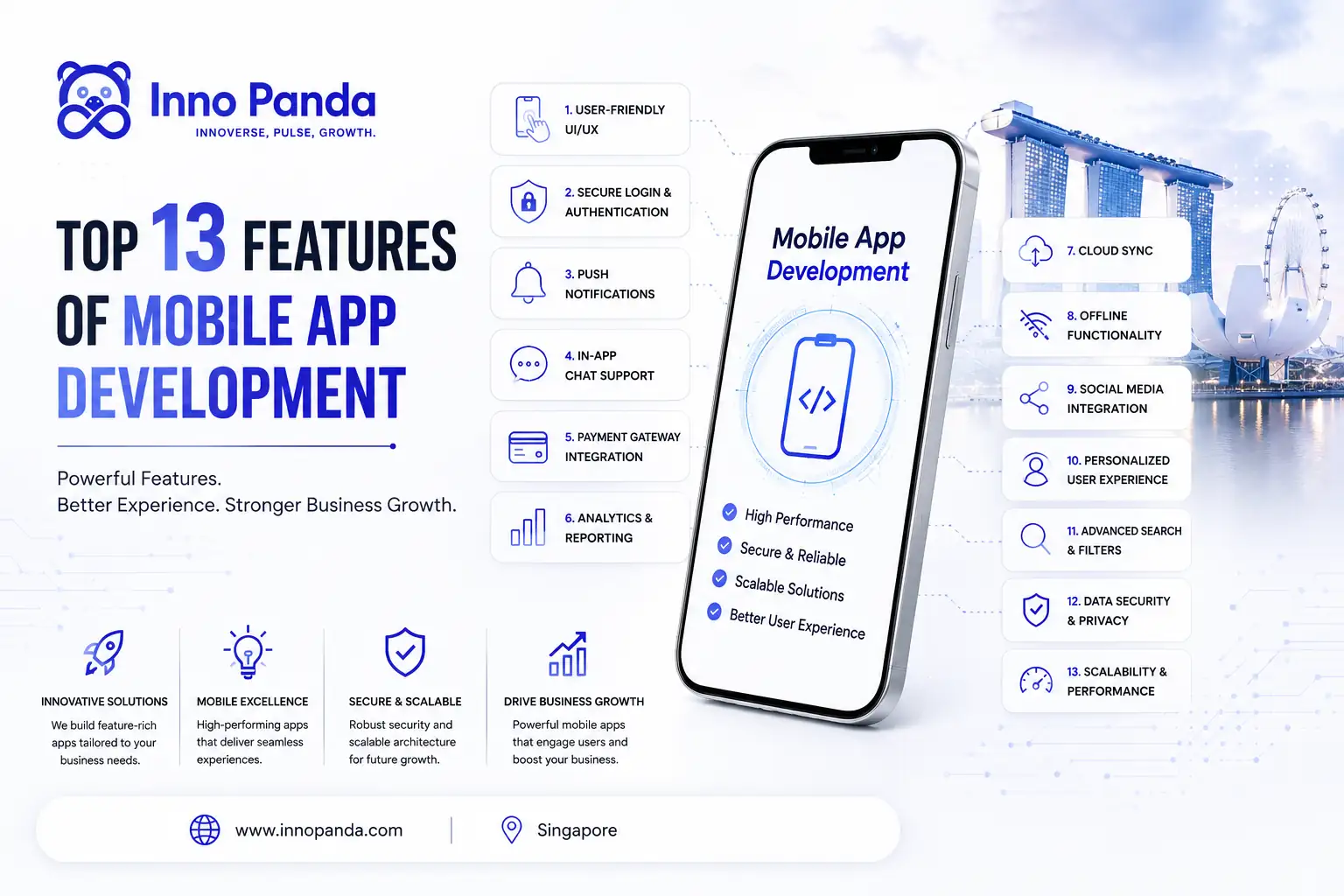
Quick answer: A strong business app in 2026 needs ten foundational features. Secure login, push notifications, analytics, offline access, payments, onboarding, support, personalisation, GPS, and social sharing. It also needs three that became essential this year: AI-driven personalisation, accessibility support, and PDPA-compliant data security. This guide covers all thirteen, plus how to prioritise them if you can't build everything at once.
Key Takeaways
- Ten features cover the core of most business apps: login, notifications, analytics, offline mode, payments, onboarding, support, personalisation, GPS, and sharing.
- AI-driven personalisation and smart notification timing have moved from "nice to have" to expected in 2026.
- Accessibility support is no longer optional, it affects real users and your app's reach.
- If your app collects personal data through accounts, payments, or location, PDPA compliance needs to be built in from day one.
- Most businesses can't build all thirteen features at once. Prioritise based on what your users actually need first.
If you're researching business mobile app features, you're likely doing one of three things. Planning a build. Auditing what your current app is missing. Or making the case internally for investment. All three are the right instinct. Mobile is not optional for a business that wants to stay competitive in Singapore's market.
The question isn't whether your business needs an app. It's which features that app actually needs to do its job. This guide covers the ten foundational features. Then three more that 2026 made essential. All in plain language, with enough detail to make real decisions.
1. Secure User Authentication: The Foundation of Every Business App
Everything else on this list depends on this one. If users don't trust your app with their login, they won't trust it with payments or personal data. Secure authentication is the non-negotiable starting point.
What Good Authentication Looks Like in 2026
Modern authentication goes past a username and password. Biometric login, fingerprint or face ID, cuts friction while raising security. Multi-factor authentication (MFA) protects users with access to sensitive data. For enterprise clients, Single Sign-On (SSO) means logging in once instead of re-authenticating across every tool.
For SMEs building a first app: start with biometric login and social sign-in through Google or Apple ID. Strong security, zero friction, and table stakes for any app launching in 2026.
2. Push Notifications: The Highest-ROI Feature in Your App
Ask most developers which single feature pays off fastest, and many will say push notifications. Done well, they're a direct, low-cost way to bring customers back without spending on ads.
Using Push Notifications Without Annoying Users
"Done well" is doing a lot of work there. Notifications that are too frequent or too generic are one of the fastest routes to an uninstall. Treat them as a personalised channel, not a broadcast system. Keep it to one or two a day. Make each one relevant to what that specific user did. A cart reminder means something. A generic "check out our new products" means nothing.
3. In-App Analytics: The Feature That Improves Every Other Feature
You can't improve what you don't measure. In-app analytics shows how people actually use your app. Which screens they linger on. Where they drop off. What nobody touches at all.
What to Track From Day One
At minimum: active users, session length, screen-by-screen engagement, funnel drop-off, and crash reports. Behavioural heatmaps, where users tap and hesitate, catch usability problems no interview will. For SMEs, set up analytics tracking on day one, even before you're ready to analyse it. The data you collect in the first six months becomes your most useful reference later.
4. Offline Functionality: Why Your App Must Work Without a Connection
Most app briefs forget to ask for this. It's also the one field teams and sales reps ask for most urgently after launch. Offline mode keeps the app usable with no connection, then syncs automatically once it's back.
Who Benefits Most From Offline Mode
Logistics teams losing signal in tunnels. Retail staff checking stock on the shop floor. Facilities teams on sites with patchy Wi-Fi. Healthcare staff accessing records in wards with weak coverage. The design goal is invisibility: users shouldn't have to think about whether they're online. The app should just handle it.
5. In-App Payment Integration: Turning Your App Into a Revenue Engine
For ecommerce, this one's obvious, you can't sell without it. But service businesses invoicing clients, SaaS companies billing subscriptions, and B2B platforms processing orders need it just as much.
What Payment Support a Singapore App Actually Needs
Singapore, Malaysia, Indonesia, and the Philippines each have their own dominant payment methods. Your app needs more than card support. Think PayNow and PayLah in Singapore, GrabPay across the region, FPX in Malaysia, GoPay in Indonesia, GCash in the Philippines. An app that only takes Visa is locking out a large share of the market.
Recurring billing matters beyond SaaS too, loyalty plans and service subscriptions both benefit from automated renewals. One-tap checkout using saved cards or wallets is what turns browsers into buyers.
6. Smooth Onboarding: The Feature That Decides Whether Users Stay
You get one shot at a first impression, and in apps, that happens during onboarding. Most churn happens in the first few days. Users who don't get the value quickly just leave.
Designing Onboarding That Reduces Churn
Good onboarding does three things. It shows the app's core value fast. It asks only for information it truly needs right now. And it gets users to their first "aha moment" as quickly as possible. Progressive onboarding, introducing features as users need them rather than dumping everything in a tutorial, consistently beats the walkthrough style. People learn by doing.
7. In-App Customer Support: Keeping Users Happy Without Leaving the App
A user with a problem and no in-app help does one of two things. They call your support line. Or they leave a one-star review. In-app support, live chat, chatbots, or a help centre, keeps that conversation where you can respond fast.
The Right Support Mix for SMEs
A searchable FAQ handles most repeat questions. Live chat covers what genuinely needs a human. AI chatbots now handle first-line queries well, gathering context before handing off to a person, with coverage around the clock. The part that matters most is a smooth bot-to-human handoff, not a frustrating one.
8. Personalisation Engine: Making the App Feel Built for Each User
Personalisation is what separates an app users feel attached to from one they use out of necessity. Surface content and offers based on real behaviour, and engagement climbs. Show everyone the same generic screen, and it feels like a brochure.
Personalising Without a Huge Budget
You don't need a full machine learning team to start. Remember preferences between sessions. Show recently viewed items. Surface recommendations from purchase history. Use location for relevant nearby options. These small touches add up.
9. GPS and Location-Based Features
Location awareness unlocks value for both customers and internal teams. Consumer apps get store locators, live delivery tracking, and proximity offers. Internal apps get fleet management, field coordination, and on-site check-in.
How Singapore Businesses Use GPS Features
In Singapore's dense, connected environment, this matters more than most places. Delivery businesses use live GPS to give accurate ETAs and cut support queries. Multi-outlet retailers surface the nearest store with stock. Service businesses notify customers when a technician is en route.
The most cost-effective acquisition channel any business has is word of mouth. Social sharing built into the app turns that into something measurable and trackable.
Building a Referral Feature That Actually Works
Give the referrer a real reward. Give the referred user a reason to sign up. Make sharing frictionless too. One-tap to WhatsApp or email, with a pre-filled message that makes the sharer look good, not just advertises you. That combination drives share rate far more than a plain share button ever will.
11. AI-Powered Features Every Business App Needs in 2026
This is where most existing "must-have features" lists fall behind. A year ago, AI in a business app meant a basic chatbot. In 2026, it's expected to run through personalisation, notifications, and support all at once.
AI-Driven Personalisation
Static personalisation shows users what they viewed last. AI-driven personalisation predicts what they'll want next, based on patterns across your whole user base, not just one person's history. This is quickly becoming the default rather than the advanced option.
Smart, Timed Notifications
Instead of sending every user a push at the same hour, AI models learn something different. They learn when each user actually opens the app. Then they time notifications around that. Fewer notifications, higher open rates.
AI Chatbots for First-Line Support
Paired with the support feature covered earlier, an AI chatbot can resolve routine questions instantly. It hands off cleanly when a human is genuinely needed. This is a natural extension of a broader AI automation strategy, not just a standalone bolt-on feature.
12. Accessibility Features: The Feature Most Business Apps Skip
Accessibility rarely makes the standard "top features" list. But it affects a real share of your potential users. Skipping it quietly shrinks your market.
What Accessible Design Actually Includes
- Screen reader support for users with visual impairments
- Adjustable text size that doesn't break the layout
- Strong colour contrast for readability in bright light or low vision
- Full functionality without relying on touch gestures alone
None of this is difficult to build in from the start. It's expensive to retrofit later. That's exactly why it belongs on the initial feature list, not a future backlog item.
13. Data Security and PDPA Compliance for Singapore Businesses
Look back at the features above, authentication, payments, analytics, GPS, personalisation. Every one of them collects personal data. That means PDPA obligations apply from the moment your app goes live, not after an incident forces the conversation.
What This Means in Practice
Consent needs to be clear and specific, not buried in a wall of legal text. Data should only be kept as long as it's actually needed. Payment and location data need encryption both in transit and at rest. This has to be an architecture decision made during planning, not a checklist added right before launch.
Worth knowing: if a development quote doesn't mention PDPA or data handling at all, ask about it directly. It's a strong signal for how seriously a partner takes compliance.
Feature Priority by Business Stage
| Business Stage | Priority Features | Why |
|---|---|---|
| Pre-launch / MVP | Authentication, onboarding, push notifications | These decide whether users trust and return to the app at all |
| Early growth | Payments, analytics, in-app support | Converts engagement into revenue and gives you data to improve everything else |
| Scaling | AI personalisation, GPS, social sharing, offline mode | Compounds retention and turns the app into a genuine business asset |
| Every stage | Accessibility, PDPA-compliant security | Not optional at any stage, cheaper to build in early than retrofit later |
How to Prioritise These Features for Your Business
Reading a list of thirteen features is easy. Knowing which to build first, with limited time and budget, is harder.
Launch Essentials
Authentication, onboarding, and basic push notifications. Nothing else matters if these aren't right.
Revenue Enablement
Payments, analytics, and in-app support. These turn engagement into revenue and give you data to improve the rest.
Retention & Growth
AI personalisation, sharing, offline mode, and GPS. This is what makes the app indispensable, not just useful.
The principle behind every feature decision: build for your actual users, not imagined ones. Every feature should solve a problem your users have shown you they have. That's through direct feedback or your own analytics. Not a generic checklist copied from a competitor.
Quick Glossary
- MFA (Multi-Factor Authentication)
- Requiring a second proof of identity beyond a password, such as a code or biometric scan, before granting access.
- PDPA
- Singapore's Personal Data Protection Act, which governs how businesses collect, use, and store personal data.
- Accessibility (a11y)
- Designing an app so people with visual, hearing, or motor impairments can use it fully, often through screen readers and adjustable text.
- Churn
- The rate at which users stop using or uninstall an app, most commonly measured in the first few days after install.
Frequently Asked Questions
What features should a business mobile app have in 2026?
A business app should cover ten core features. Secure login, push notifications, analytics, offline access, payments, onboarding, support, personalisation, GPS, and social sharing. In 2026, add three more. AI-driven personalisation, accessibility support, and PDPA-compliant data security.
How much does it cost to add features to a business mobile app in Singapore?
Cost depends on feature complexity, platform, and the development team. Simpler features like push notifications or basic profiles cost less than complex ones like payment gateways or real-time GPS tracking. A proper scoping conversation with your development partner is the only reliable way to get an accurate number.
Why do Singapore businesses need a mobile app?
Mobile usage makes up the majority of web traffic in Singapore and the wider region. An app gives you a direct, always-on channel to customers. Push notifications, offline access, one-tap purchases. A website can't match that.
Is PDPA compliance required for a business mobile app in Singapore?
Yes. Most business apps collect personal data through accounts, payments, or location. If yours does too, PDPA obligations apply from the moment you start collecting it. This needs to be built into the app's architecture, not added after launch.
What AI features should a business app have?
The most useful starting points are AI-driven personalisation, smart notification timing, and an AI chatbot for first-line customer support. These improve the experience without needing a large AI team to build and maintain.
What features should a small business prioritise in a mobile app?
Start with onboarding, push notifications, and in-app support. These three affect retention the most for the lowest development cost. Add payment integration, analytics, and AI personalisation once the core product is validated.
Ready to Build a Business App That Actually Grows Revenue?
Whether you're planning your first app or rethinking an existing one, the right feature strategy makes the difference. Let's talk about what your app needs to succeed, including the AI, accessibility, and compliance pieces most agencies skip.