

Employee Monitoring Softwarefor Remote Teams
ReKloq is employee monitoring software that gives you clear visibility into work hours, attendance, computer activity and productivity across your remote team. Admins get a full dashboard, and employees get their own, all in one platform.
What is ReKloq?
ReKloq is remote employee monitoring software. It tracks work hours, attendance, computer activity and productivity in real time, and shows the results on dashboards for both admins and employees.
Many teams still rely on spreadsheets, chat check-ins and trust alone to know who is working and when. That stops working once your team is remote. Managers then spend hours chasing updates, and good performers go unnoticed. ReKloq replaces the guesswork with clear data, so you can support your remote staff and run the business with confidence.
One software, two dashboards
Employee dashboard
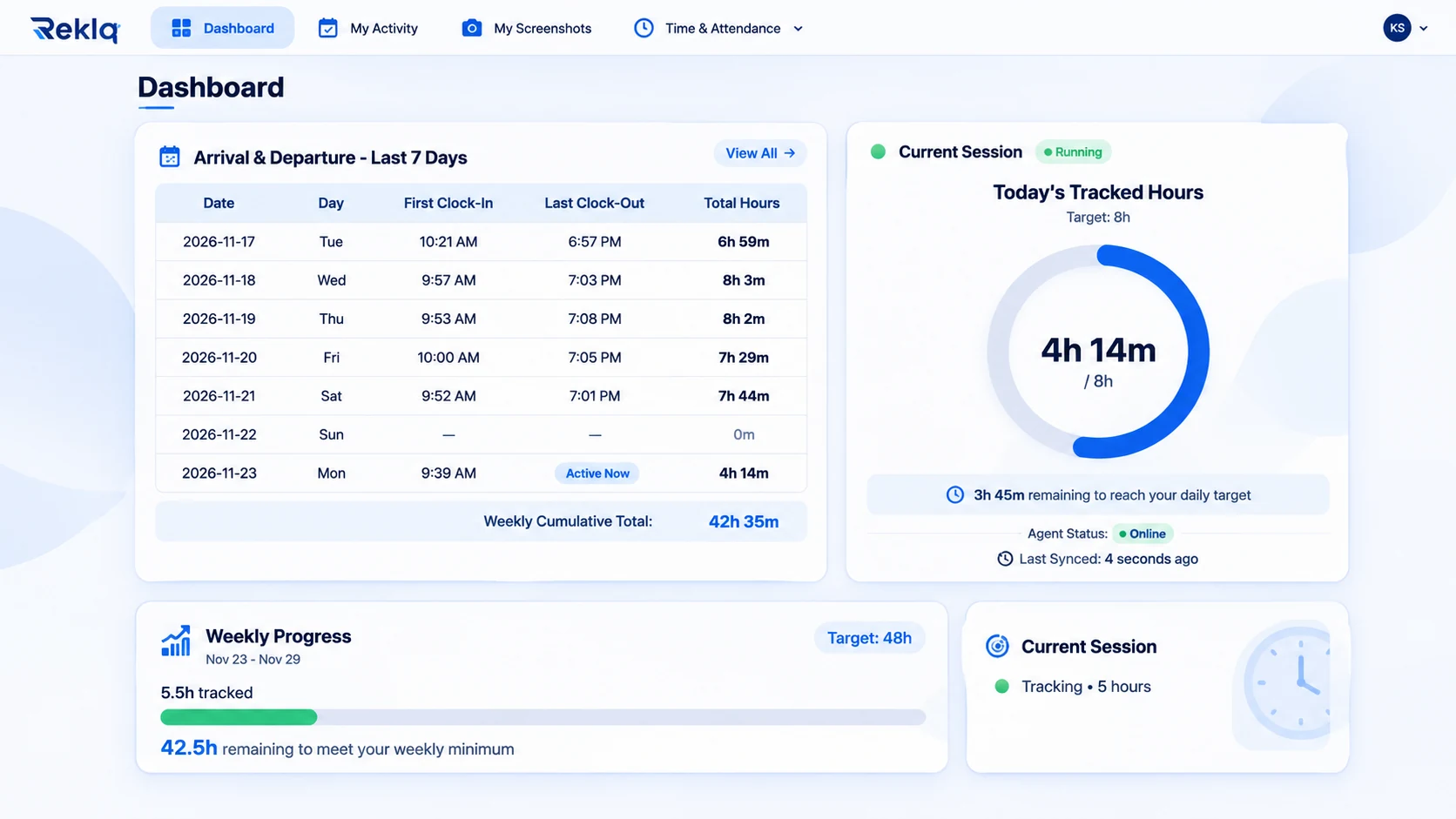
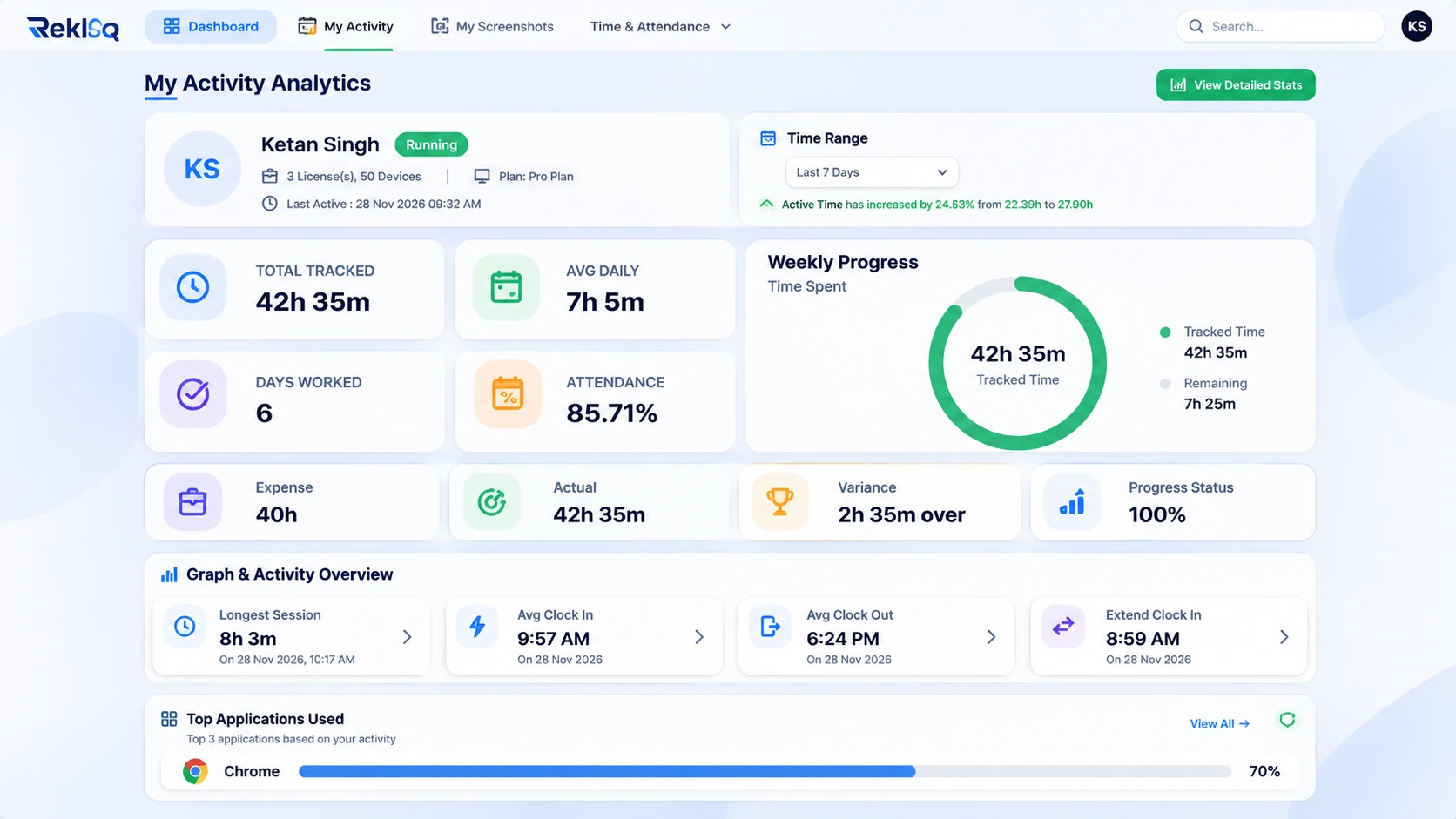
Employees see their own data, including work hours, attendance, activity, screenshots and productivity. They always know what is recorded and how they are doing.
Admin dashboard
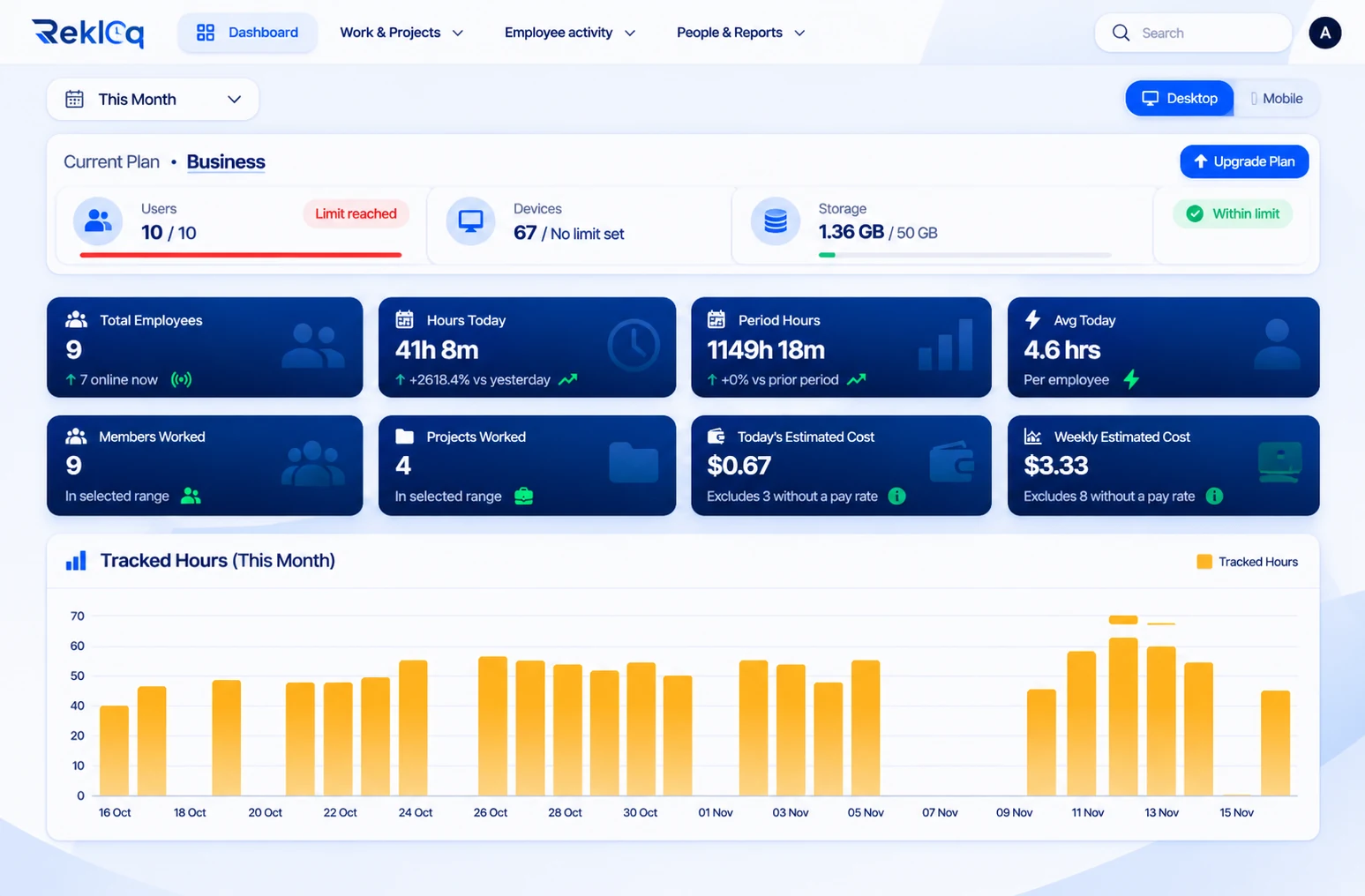
Admins and managers use a separate admin panel to run the remote team. Track hours, attendance and leave, review activity and screenshots, and follow productivity and project reports.
All-in-one online staff monitoring tool
Everything you need to track, review and support a remote team, in one platform.
Automated and real-time tracking
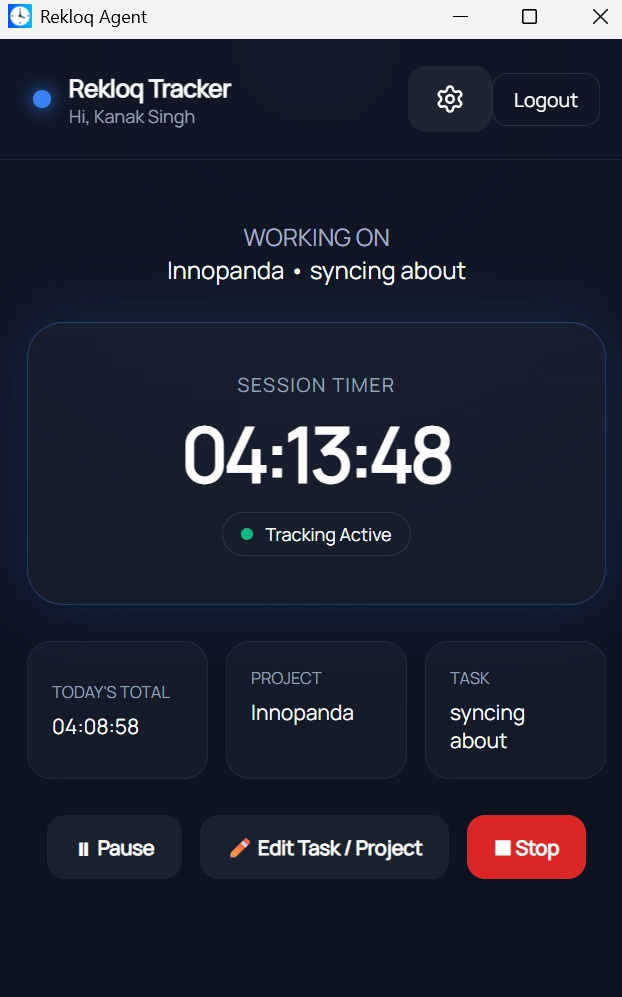
ReKloq records work hours automatically and in real time, so you do not rely on manual timesheets. This remote time tracking software works across locations and time zones.
- Automatic work hour tracking
- Real-time updates as your team works
- Works across locations and time zones
- No manual timesheets to chase
Leave and attendance management
Manage attendance and leave in one place. Admins see who is working, who is away and how attendance looks across the remote team, which makes ReKloq a simple employee attendance tracking system.
- Attendance records by employee
- Leave management in one place
- See who is working and who is away
- Attendance view across the whole remote team
Monitor employee activity
See how work gets done on employee computers. This employee activity monitoring software gives you an overview of how each person spends their working time.
- Computer activity overview by employee
- See how each person spends working time
- Activity data for the whole team
- Insight to coach, not to punish
Screenshots and screen recordings
Capture screenshots and screen recordings during work time so you can review what happened. Employees can see their own screenshots, so monitoring stays open and fair.
- Screenshots during work time
- Screen recordings to review what happened
- Employees can see their own screenshots
- Open and fair monitoring for remote staff
Employee productivity dashboard
Track productivity by employee and team on one dashboard. Spot strong work, and spot early signs that someone needs support.
- Productivity by employee and team
- One dashboard for the whole remote team
- Spot strong work early
- Spot who needs support
Real-time project and task reports
Follow projects and tasks as they progress. Reports update in real time, so managers can see where time goes.
- Track progress on projects and tasks
- Reports update in real time
- See where time goes across the team
- Make workload decisions faster
Monitoring that builds trust
Staff accept monitoring when they understand it. In ReKloq, employees can see their own data, including their screenshots, so they know what is recorded. ReKloq is designed to give you visibility into performance, hours, attendance and productivity, not to spy on your people.
- Employees see their own data and screenshots
- Tell your team what is tracked and why
- Focus on outcomes instead of every minute
- Use the data to coach and recognise good work
Built for real remote teams
Works across locations and time zones
Track work hours and attendance for a team spread over several locations. ReKloq handles different time zones, so everyone’s hours land in one place.
- Hours and attendance for every location
- Handles different time zones
- One dashboard for the whole remote team
Monitoring your employees can see
Employees get their own dashboard, so they can see their hours, activity and screenshots. Staff know what is recorded, which keeps monitoring open and fair.
- Employees see their own data and screenshots
- Tell your team what is tracked and why
- Focus on outcomes, not every minute
A separate admin panel for managers
Admins and managers use their own panel to run the team. Track hours, attendance and leave, review activity and screenshots, and follow productivity and project reports.
- Hours, attendance and leave in one place
- Activity, screenshots and screen recordings
- Productivity and project reports in real time
ReKloq compared with other employee monitoring tools
| What to compare | Other employee monitoring tools | ReKloq |
|---|---|---|
| Work hours across time zones | Varies by tool. Some only track hours | Automatic, real-time tracking across time zones |
| Attendance and leave | Varies by tool. May need a separate system | Managed in the same platform |
| Employee view of their own data | Varies by tool. Some show employees nothing | Separate employee dashboard, including their own screenshots |
| Admin and employee views | Varies by tool | Separate admin panel for managers |
| Screenshots and screen recordings | Varies by tool. Some offer screenshots only | Both, with employees able to see their own screenshots |
| Project and task reports | Often handled in a separate project tool | Real-time reports in the same platform |
Features differ from tool to tool, so use this as a checklist when you compare your options.
Who ReKloq is for
This employee activity monitoring software is for businesses with remote teams.
Companies with remote or distributed teams that need clear visibility into work hours
Managers who run staff across several locations and time zones
HR and operations teams that want attendance and leave in one place
Businesses that still track work with spreadsheets and chat check-ins
How ReKloq employee activity tracking works
Add your team
Add your employees and set up the admin panel for your managers.
Set up hours, attendance and leave
Choose how your business tracks work time, attendance and leave.
Employees work, ReKloq tracks
ReKloq records work hours, activity and screenshots in real time as your team works.
Review on the dashboards
Admins review hours, activity and productivity, and employees see their own data.
Why choose ReKloq staff tracking software
Privacy protection
Employees see their own data, and admin tools sit in a separate admin panel.
Easy to set up
Add your team and start tracking without a long setup.
Separate admin panel
Managers use a dedicated panel, so employee and admin views stay apart.
Accurate tracking
Automatic, real-time records replace manual timesheets and guesswork.
Built for remote teams
Track work across locations and time zones from one place.
Made by a software team
Inno Panda designs and builds web and mobile software, so ReKloq can grow with you.
Frequently asked questions
What is employee monitoring software?
Employee monitoring software helps businesses see how work is done. It tracks things like work hours, attendance and work activity, and shows the results on a dashboard. Managers use it to understand productivity, support remote teams and make better workforce decisions.
How does remote employee monitoring work?
Remote employee monitoring software records work hours, attendance and computer activity for staff who work away from the office. The data goes to dashboards that admins and employees can review. ReKloq shows this for your whole remote team in one place.
What can ReKloq track?
ReKloq tracks work hours, attendance and leave, computer activity, screenshots and screen recordings, productivity, and projects and tasks, all in real time. Admins see everything on an admin dashboard, and employees see their own data on an employee dashboard.
Can employees see their own data in ReKloq?
Yes. ReKloq has a separate employee dashboard where employees can see their own data, including their screenshots. This keeps monitoring open, so staff know what is recorded.
Does ReKloq take screenshots and screen recordings?
Yes. ReKloq can capture screenshots and screen recordings of work activity, and employees can see their own screenshots. Tell your team what is captured and why before you start.
Does ReKloq work across different time zones?
Yes. ReKloq handles different time zones, so you can track work hours and attendance for a remote team spread across several locations.
Can employers monitor remote employees?
In many places, yes, if the employer is open about it. In Singapore, employers can collect employee data to manage the employment relationship, but they should tell employees why it is collected. Rules vary by country and by what you monitor, so check with a legal adviser.
Is employee monitoring software legal?
It is legal in many countries when used openly for a legitimate business purpose. The exact rules depend on where your staff work and what data you collect. Tell your team what you track and why, and ask a legal adviser if you are unsure.
How do I tell employees they are being monitored?
Tell them before you start. Explain what you track, why you track it and how you will use the data, and put it in writing in your employment contracts or staff policy. Give people a chance to ask questions.
How much does ReKloq cost?
Pricing depends on the size of your team and the features you need. See the ReKloq pricing page for current plans, or request a demo.
Ready to see how your remote team really works?
Tell us about your team, how they work and what you want to track. We will show you how ReKloq fits.